Hailuo MiniMax 02 – a series of video generation models from MiniMax for creating high-quality, dynamic videos from text prompts and images. The models allow you to animate existing images and create a variety of scenes with moving characters and objects.
The series includes several versions that differ in capabilities, output quality, and generation speed.
This guide covers the following models in the Hailuo 02 series: Hailuo 02, Hailuo 2.3, and Hailuo 2.3 Fast.
- 🎛 Navigation
- Models
- 💥 Step-by-Step Guide to Using Hailuo MiniMax 02 “Text to Video”
- 💥 Step-by-Step Guide to Using Hailuo Minimax 02 “Image to Video”
🎛 Navigation
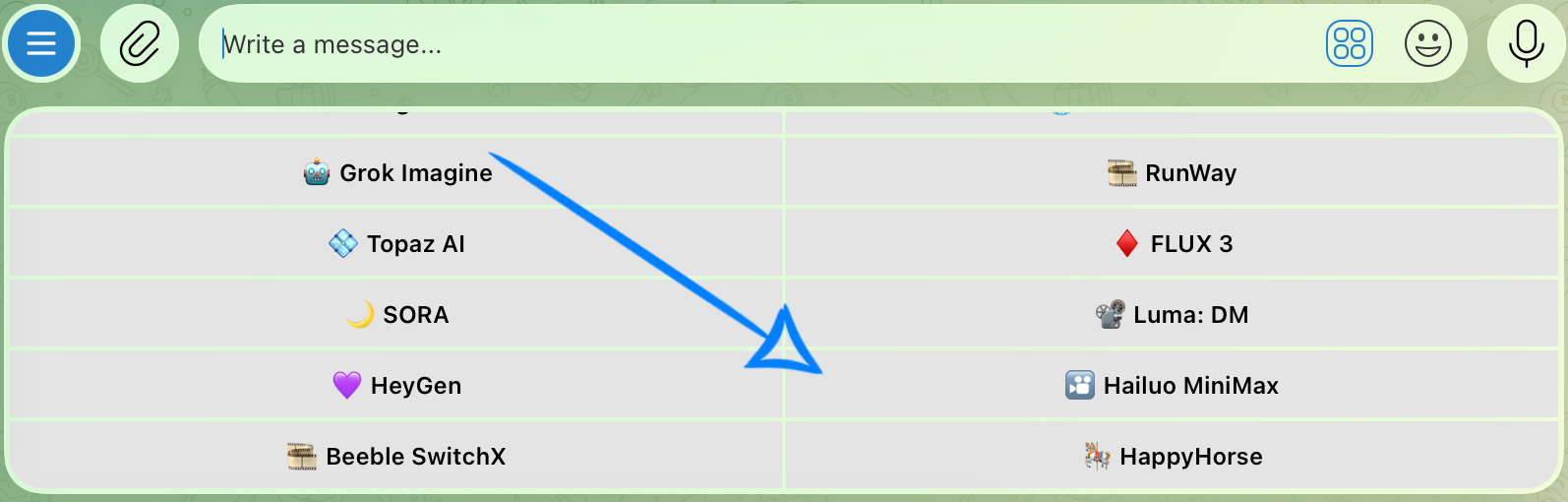
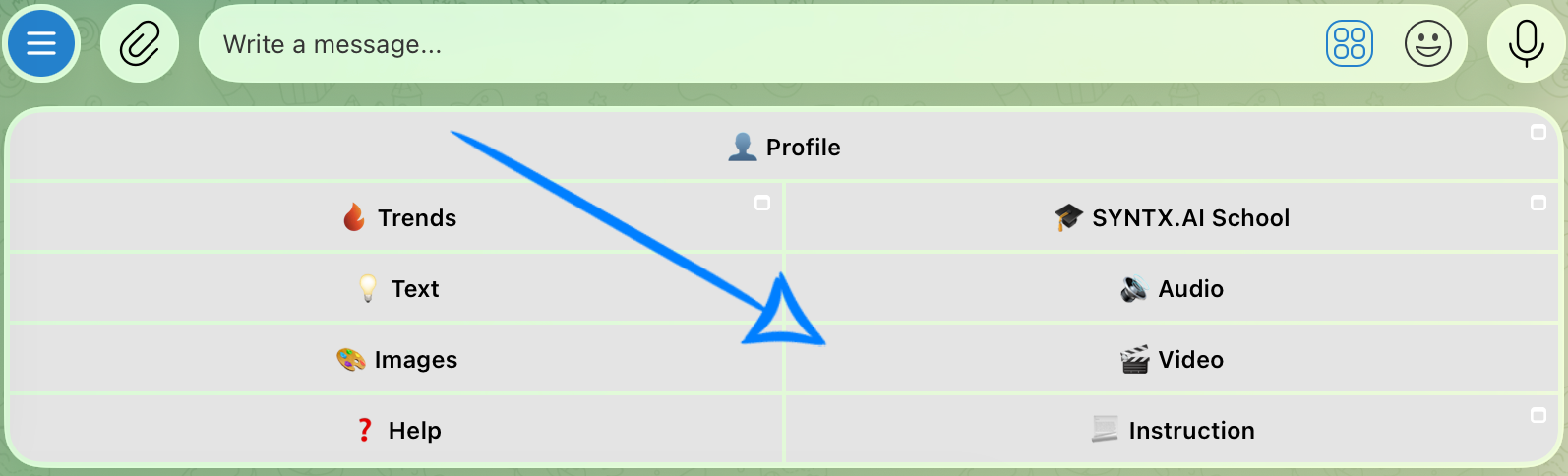
🏠 Main Menu > 🎬 Video > 🎦 Hailuo MiniMax
Models
This guide covers the following models in the Hailuo 02 series:
- Hailuo 02 – the base model in the series for creating videos from text prompts or images.
- Hailuo 2.3 – an improved version of the model focused on higher-quality rendering of movement, characters, and scene details. It is suitable for generations where output quality and visual consistency are the main priorities.
- Hailuo 2.3 Fast – a faster version of Hailuo 2.3 designed for quicker video generation. It is suitable for tasks where generation speed is a priority.
💥 Step-by-Step Guide to Using Hailuo MiniMax 02 “Text to Video”
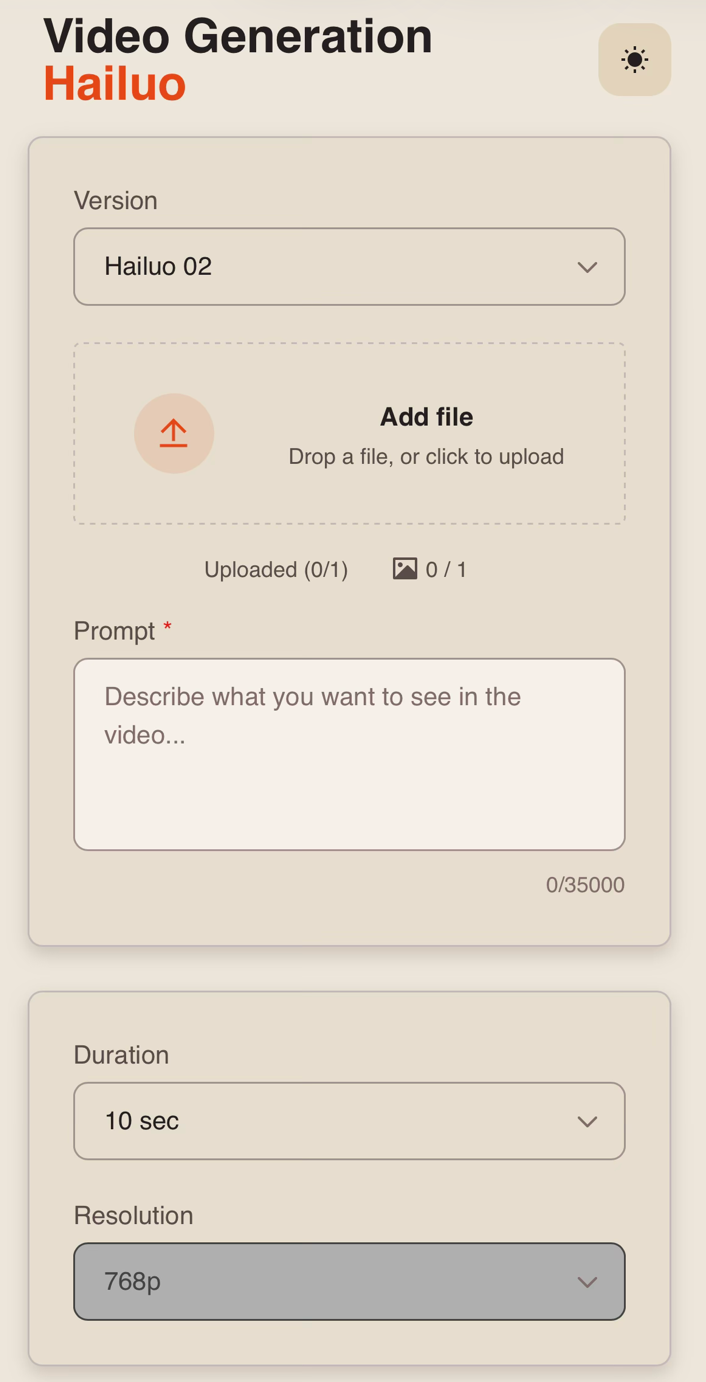
First, when using the “Text to Video” feature, click the “Configure and launch” button. There, you can enter a text prompt and configure additional settings for your video.
Model Settings
Prompt
High-quality generation starts with a well-written text prompt. When working with Hailuo 02 and Hailuo 2.3, the text prompt is the primary source of information for the model, so it should clearly describe the content of the future video.
A good text prompt structure should include:
- Main subject and action: specify who or what appears in the frame and what movement or action should take place. If the scene includes multiple events, describe them in the order in which they should occur.
- Environment: describe the setting and the main elements that should appear in the frame.
- Shot and camera movement: if needed, specify the desired camera angle and filming technique. For example: wide shot, close-up, tracking shot, panning, zooming in, or zooming out.
- Lighting and atmosphere: specify the time of day, type of lighting, color palette, and overall mood of the scene. For example: soft morning light, bright high-contrast lighting, muted colors, a tense atmosphere, or a calm atmosphere.
- Visual style and quality: if needed, add characteristics of the desired visual style, such as cinematic, photorealistic, highly detailed, or smooth and natural movement.
For example:
“A large sailing ship moves through a raging sea during a severe storm. High waves crash against the hull, the sails flap in the strong wind, and lightning flashes in the distance. The camera follows alongside the ship at water level, then smoothly rises upward, revealing a wide view of the sea and storm clouds. Realistic cinematic style, dramatic lighting, dynamic atmosphere.”
Duration
You can set the duration of the future video to 6 or 10 seconds.
Resolution
When using Hailuo 02 and Hailuo 2.3, the final video is generated at a resolution of 768p.
❣️ The resolution is set automatically and cannot be changed manually.
Once you have entered the text prompt and configured the necessary settings, click the “Generate” button.
Generation Examples
Hailuo MiniMax 02
Hailuo MiniMax 2.3
💥 Step-by-Step Guide to Using Hailuo Minimax 02 “Image to Video”
First, when working with an image, you need to click the “Configure and launch” button. There, you can upload an image and add a text prompt.
Model Settings
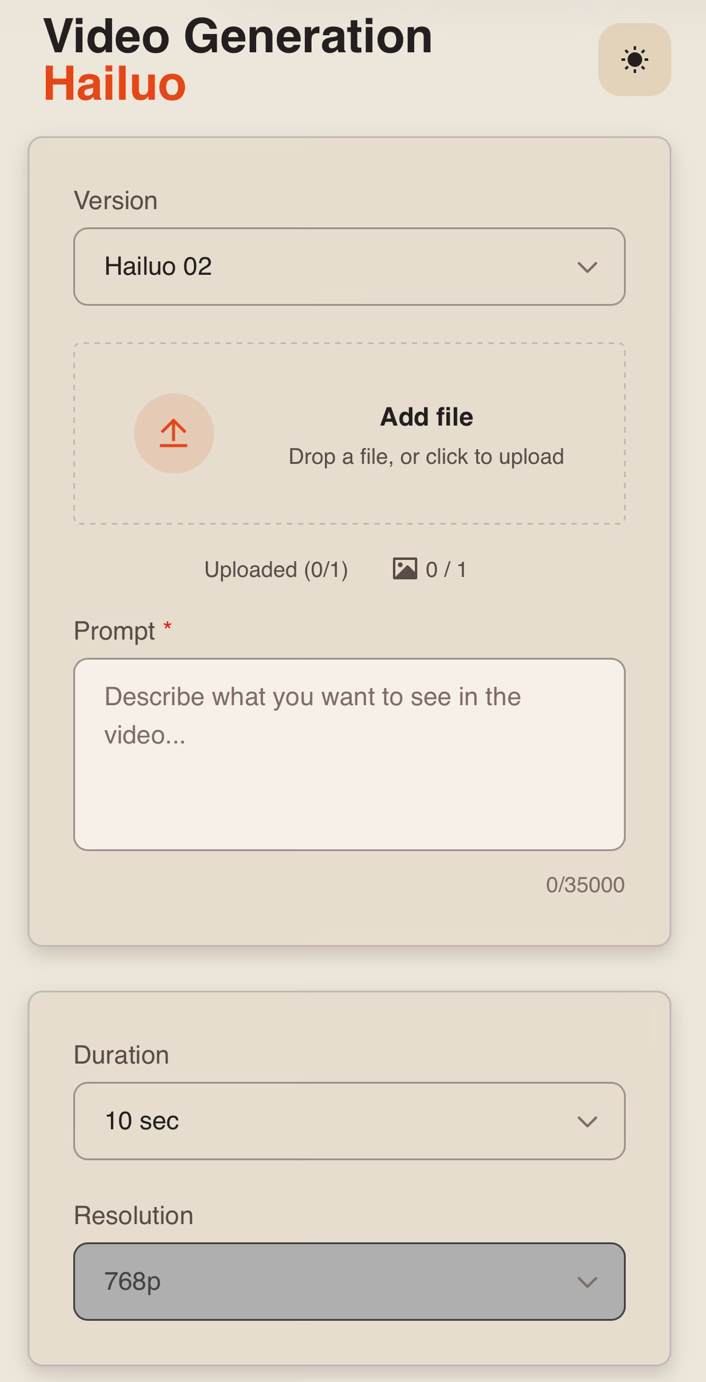
Version
When creating a video from an image, you can choose from three available model versions:
- Hailuo 02 – the base version for creating videos from a source image. It allows you to add movement to characters, objects, and elements of the environment while preserving the main composition of the original image.
- Hailuo 2.3 – an improved version of the model focused on higher-quality rendering of movement, characters, and scene details. It is suitable for generations where output quality and visual consistency are the main priorities.
- Hailuo 2.3 Fast – a faster version of Hailuo 2.3 designed for quicker video generation from an image. It is suitable for tasks where generation speed is a priority.
Uploading an Image
Technical requirements for the image:
- Maximum number of images: 1.
- Maximum file size: 30 MB.
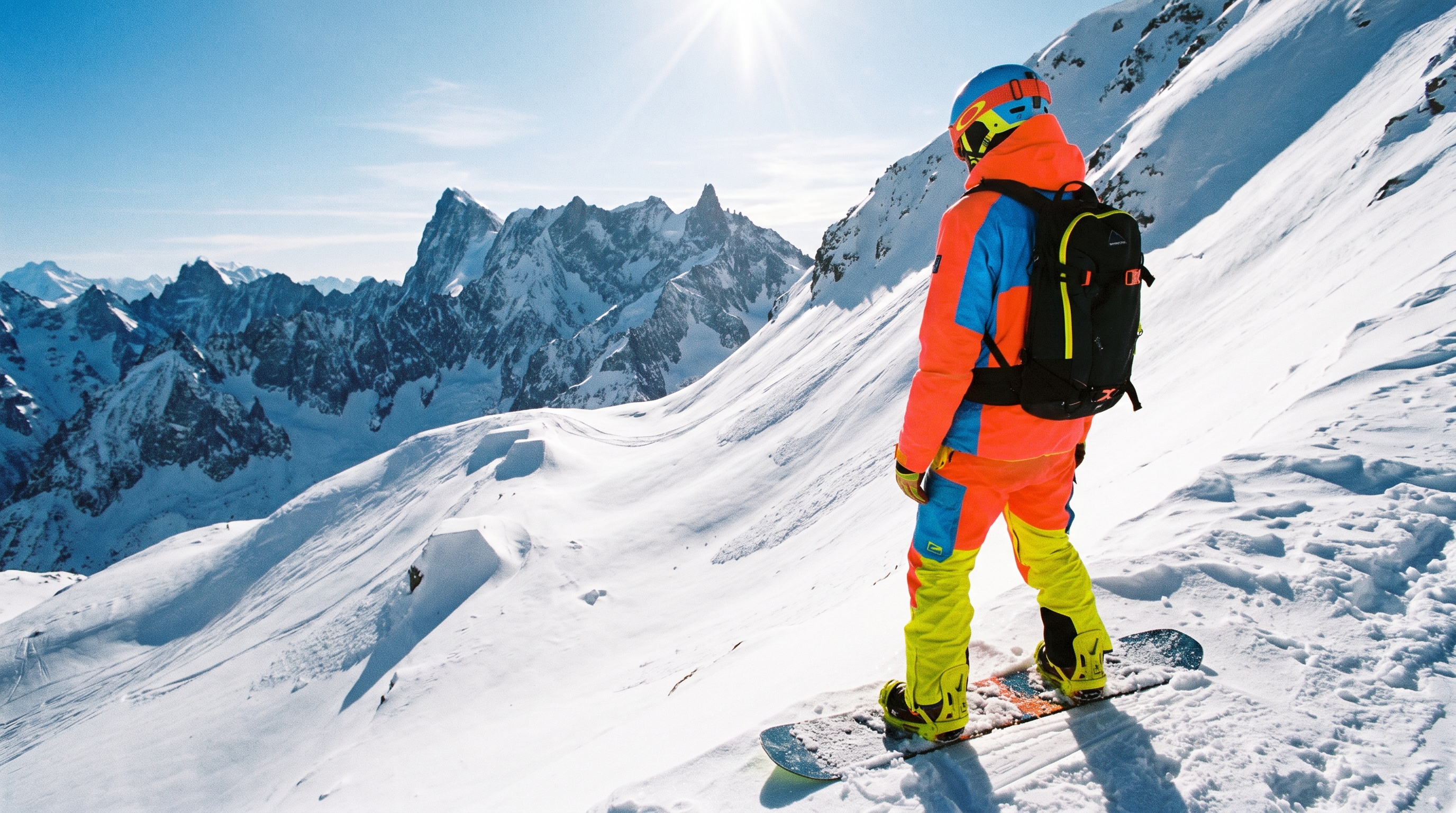
For example:
Prompt
When working with an image, the text prompt should describe how the original scene should develop and what movements should appear in the future video.
A good text prompt structure should include:
- Action: specify what movements the character or object in the image should perform.
- Scene development: describe what should happen next and how the elements of the environment should change.
- Camera movement: if needed, specify zooming in, zooming out, panning, following the subject, or other camera movements.
- Dynamics: specify the desired speed and type of movement, such as smooth, calm, fast, or sharp.
- Atmosphere: if needed, add changes in lighting, weather effects, or other details that should appear throughout the video.
For example:
“The snowboarder pushes off sharply and begins descending the slope at high speed. He gains speed, makes a sharp turn, kicking up a large cloud of snow, then performs a spin in the air. After landing, he continues descending at high speed. The camera dynamically follows him from the side, rises together with the snowboarder during the jump, and pulls back after the landing, revealing a wide view of the mountains. Fast-paced dynamic scene, realistic movement and snow physics.”
Duration
You can set the duration of the video to 6 or 10 seconds.
Resolution
When using Hailuo 02 and Hailuo 2.3, the final video is generated at a resolution of 768p.
❣️ The resolution is set automatically and cannot be changed manually.
Once you have entered the text prompt and configured the necessary settings, click the “Generate” button.
Generation Examples
Hailuo 02
Hailuo 2.3
Hailuo 2.3 Fast
We sincerely hope this guide helps you better understand and make the most of Hailuo MiniMax 02. We have done our best to make the process as simple and intuitive as possible.
Remember, it is completely normal if you do not get the result you want on your first attempt. Keep experimenting, try different approaches, and learn what works best for your projects. With practice, you will achieve better and more consistent results. 💛
SYNTX AI: Syntx AI
SYNTX Support: Syntx Support
YouTube channel “SYNTX”: Syntx YouTube
SYNTX.AI Academy: SYNTX Academy