Seedance 2.5 - is a new-generation video model from ByteDance that can create longer, coherent videos in a single generation. The model can independently develop a scene, change camera angles and environments, and control the dynamics of the action.
One of Seedance 2.5’s key features is its expanded support for references. The model can use up to 30 images, 10 videos, and 10 audio files simultaneously, allowing it to more accurately preserve character appearance, location details, visual style, and other elements from the source materials. It also offers improved text prompt understanding, along with more realistic motion and object physics.
- 🎛 Navigation
- 💥 Step-by-Step Guide to Using Seedance 2.5 “Text to Video”
- 💥 Step-by-Step Guide to Using Seedance 2.5 “Working with References”
- 💥 Step-by-Step Guide to Using Seedance 2.5 “Working with Video References”
- 💥 Step-by-Step Guide to Using Seedance 2.5 “Working with Audio”
- 💥 Step-by-Step Guide to Using Seedance 2.5: “Working with Different References”
- 💥 Step-by-Step Guide to Using Seedance 2.5 “Video Extension (Extend)”
🎛 Navigation
🏠 Main Menu > 🎬 Video > 🧿 Seedance 2.0/2.5
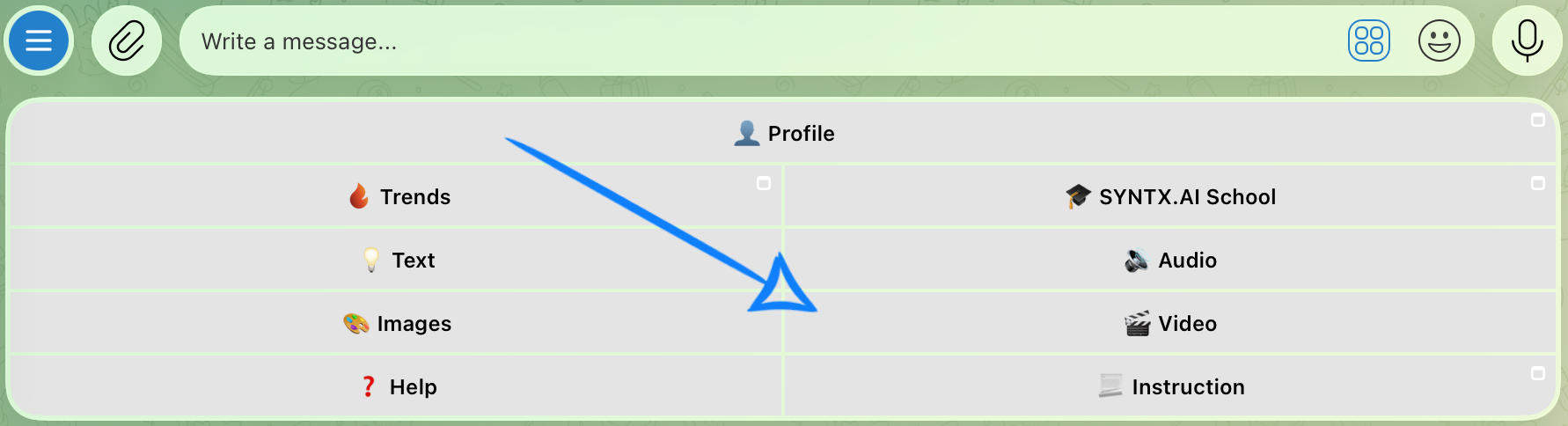
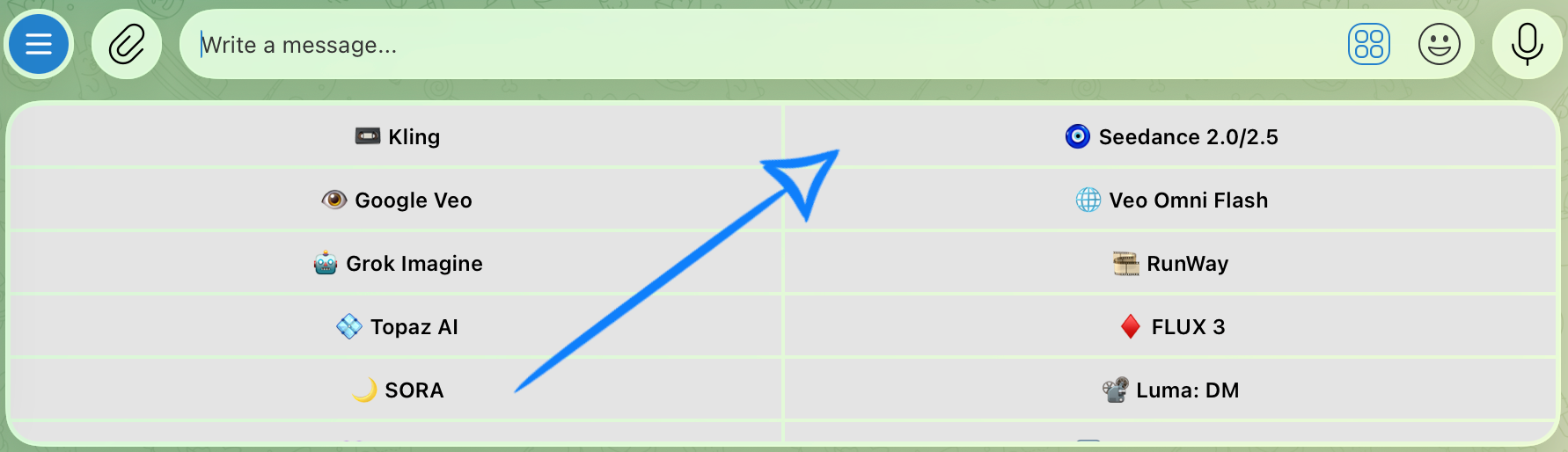
💥 Step-by-Step Guide to Using Seedance 2.5 “Text to Video”
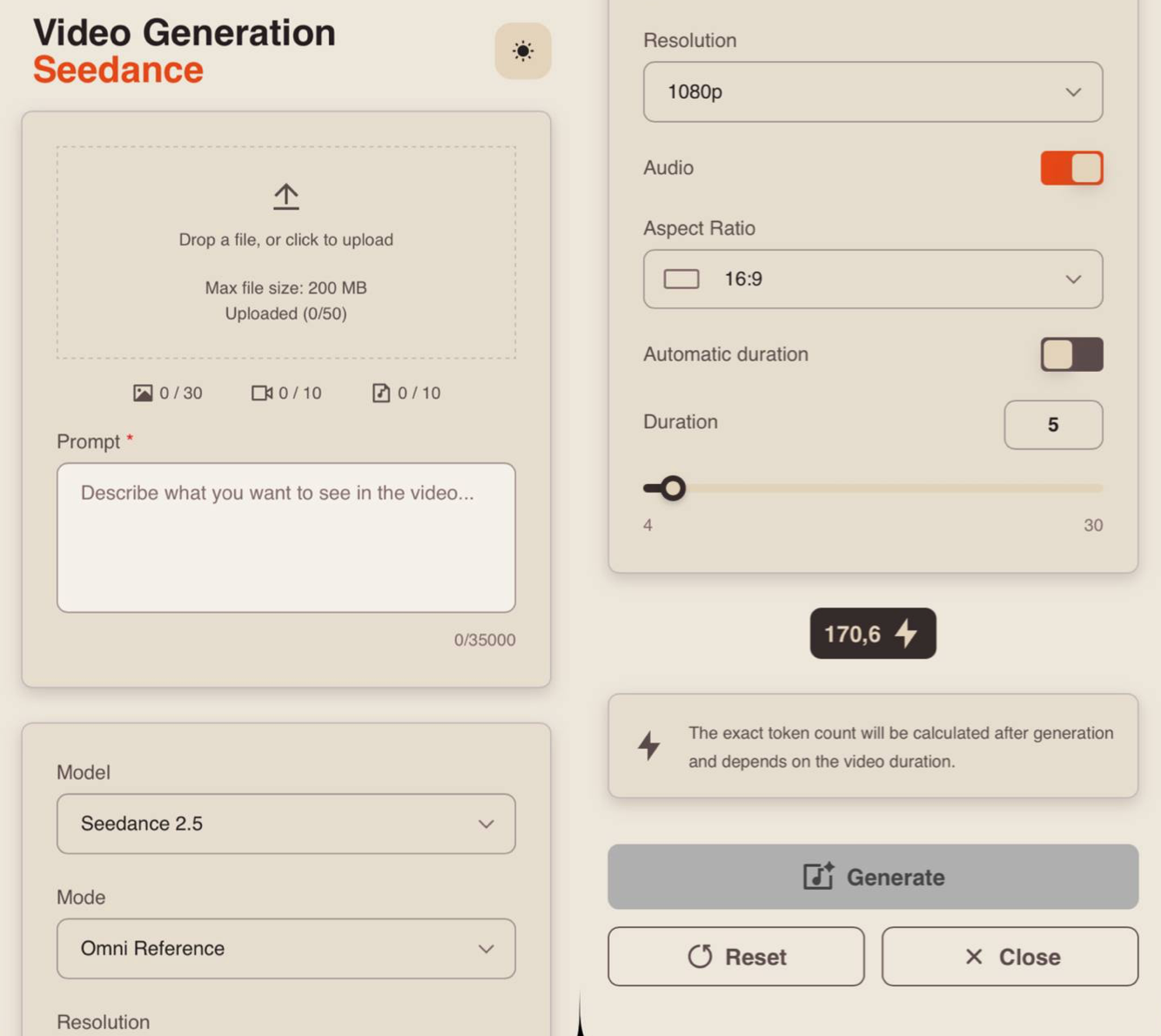
When using the “Text to Video” feature, the first step is to open “Settings”. There, you can enter a text prompt and configure the parameters for your video.
Model Settings
Prompt
High-quality generation depends directly on how accurately and consistently the scene is described. Simply presenting an idea is not enough. You need to clearly define the character, environment, and actions to avoid distortions, inconsistencies, or unexpected changes during generation.
A good text prompt should include:
- Character / Object Description
At this stage, describe the appearance of the character or object as precisely as possible. Include key features such as facial characteristics, body type, hairstyle, clothing, materials, shape, color, and other important visual details.
If the same character or object appears throughout the video, state this explicitly so the model can maintain consistency across all scenes. For example:
“Same person in all shots. Preserve exact appearance throughout. Stable face throughout.”
2. Action
Clearly describe what the character or object is doing, the sequence of actions, and how they interact with the environment. Use specific wording. Instead of “walks beautifully,” write:
“Walks forward confidently, turns head toward the camera, adjusts collar.”
The more precise and logical the motion description is, the more stable, coherent, and predictable the final result will be.
3. Location
Describe the setting in detail, including whether it is an interior or exterior, the placement of objects, the atmosphere, the background, and any important environmental elements.
4. Lighting
Lighting defines the mood, depth, and overall atmosphere of the scene, so it is best to specify it separately. You can describe the light source, quality, and color, for example: soft daylight, harsh backlight, warm volumetric lighting, neon accents, cinematic rim lighting, etc.
5. Camera Movement
Specify the shot type and camera movement, as these determine the overall dynamics and visual rhythm of the video. You can combine different approaches, such as smooth fly-throughs, sharp zoom-ins, tracking shots, close-ups, wide shots, or changes in camera angle.
6. Constraints and Stability
At the end of the prompt, it is recommended to define technical constraints to improve stability and visual quality. These can include avoiding distortions, flickering, deformations, ghosting, or random changes to the face, clothing, objects, or scene.
For example:
“No deformation. No flickering. No ghosting. Stable face throughout. Realistic physics.”
7. Voiceover Text
If necessary, you can additionally specify the exact text for the voiceover, and the model will use it when generating the final result. To do this, add the phrase that the character should say. The phrase should be written as direct speech.
For example: The man says: “Where are we going tonight?”
Additional Recommendations
- Avoid vague wording such as “beautiful,” “interesting,” or “cool,” as these words do not give the model a clear understanding of the desired result.
- If needed, break the scenario into time segments, for example [0–3s], [3–6s], to gain more precise control over timing and the sequence of actions.
- When working with characters, clearly define and maintain their appearance and behavior to avoid random changes throughout the video.
- It is recommended to write prompts in English, as the model interprets English phrasing more accurately and understands details, styles, and camera movements more effectively. This is especially important for complex scenes and dynamic videos where greater precision is required.
- The more detailed and precise the prompt is, the higher the quality, stability, and predictability of the final result will be.
Example Prompt:
«POV first-person futuristic motorcycle chase through a neon megacity, nighttime after heavy rain. The camera is strictly first-person, rigidly positioned at the rider’s eye level behind the motorcycle handlebars, and never cuts to an external third-person angle. Duration 10 seconds. Pure cinematic video, no text, no subtitles, no interface elements, no background music, no visual distortions.
Global settings: Photorealistic futuristic realism, extremely high clarity, sharp environmental details, realistic high-speed motion blur, wet reflective surfaces, cinematic HDR lighting. The city is illuminated by intense neon signs, streetlights, vehicle headlights and colorful architectural lighting reflected across rain-soaked asphalt. Deep blacks, saturated neon reds, blues, magentas and warm orange highlights. One continuous uninterrupted shot with aggressive realistic camera vibration caused by the motorcycle engine, road surface, acceleration, braking and impacts. Camera shake intensifies during sharp turns, near collisions and the final jump.
Location map: The entire sequence takes place on the lower streets of an enormous futuristic Asian megacity at night. Towering skyscrapers rise on both sides, covered with enormous holographic advertisements, glowing signs, glass façades, ventilation systems, elevated highways and dense architectural details. Narrow streets connect into larger multi-lane roads. The pavement is completely wet after rain, creating sharp reflections of neon lights and passing vehicles.
In the constant foreground are the motorcycle handlebars, digital instrument cluster, black fuel tank and parts of the rider’s arms. Two male hands wearing black leather motorcycle gloves remain firmly positioned on the handlebars. The right hand controls the throttle. The rider wears a dark motorcycle jacket visible around the lower edges of the frame. The motorcycle is a powerful futuristic black sport bike with realistic suspension, acceleration and steering physics.
Traffic remains physically present throughout the sequence: autonomous cars, taxis, delivery vehicles and motorcycles move naturally through intersections. Nothing disappears randomly. Vehicles maintain consistent trajectories and realistic momentum.
The rider is being pursued by two black futuristic police motorcycles visible primarily through mirrors and brief backward glances. They have intense red-and-blue emergency lights reflecting across surrounding buildings and wet pavement.
00:00–00:01.5 (HOOK — full-speed traffic split): The very first frame begins already at extreme speed. No acceleration ramp-up. The motorcycle races directly between two moving cars with only centimeters of clearance on either side. The camera violently vibrates from speed and engine power. Neon reflections streak across the wet road beneath the motorcycle.
Both gloved hands grip the handlebars tightly. The digital speedometer rapidly climbs. The rider aggressively twists the throttle.
The motorcycle shoots through the narrowing gap just before the two cars move closer together.
A side mirror nearly clips the rider’s left hand.
The camera instinctively jerks right at the last possible moment.
00:01.5–00:03 (intersection + near collision): The motorcycle bursts from between the cars directly into a large intersection.
A futuristic autonomous taxi suddenly crosses from right to left directly ahead.
The rider immediately leans extremely hard to the left.
The entire first-person horizon tilts dramatically with the motorcycle.
The bike slides around the front bumper of the taxi with almost no clearance. Water explodes outward from both tires and sprays across the lower part of the lens.
The rear tire briefly loses traction on the wet asphalt before gripping again.
Through the left mirror, two pursuing police motorcycles appear entering the intersection behind.
Their flashing emergency lights rapidly alternate red and blue across the rider’s gloves, motorcycle tank and surrounding wet surfaces.
00:03–00:04 (macro slow-motion near miss): Immediately after clearing the taxi, the motorcycle passes extremely close beside a large delivery truck.
The truck’s metallic side mirror approaches directly toward the rider’s head.
For a fraction of a second, time dramatically slows.
The camera passes only centimeters beneath the mirror.
Extreme photorealistic macro detail becomes visible: tiny rain droplets vibrating across the metal housing, microscopic scratches, reflected neon advertisements, individual droplets suspended in the air between the mirror and camera.
The rider instinctively lowers their head.
The mirror passes directly above.
Time instantly snaps back to full speed.
00:04–00:05.5 (stairs shortcut): Directly ahead, the main road is suddenly blocked by several stopped vehicles.
The rider sharply turns right toward a narrow pedestrian passage between two buildings.
The handlebars rotate aggressively.
The motorcycle jumps over the sidewalk curb.
The front suspension compresses violently on impact.
The passage immediately reveals a long concrete staircase descending toward a lower street.
Without slowing down, the rider commits to the descent.
The motorcycle launches down the stairs at extreme speed.
Every individual step creates brutal rhythmic camera vibration. The handlebars shake violently in the rider’s hands while the suspension rapidly compresses and rebounds.
Pedestrians ahead jump aside.
Small puddles explode beneath the wheels.
00:05.5–00:07 (market destruction + pursuit): The motorcycle reaches the bottom of the staircase and immediately enters a narrow nighttime street market.
Food stalls, hanging lanterns, plastic curtains, steaming cooking stations and pedestrians fill both sides of the passage.
The rider accelerates straight through the center.
The camera violently weaves left and right between obstacles.
A hanging fabric banner hits the camera and sweeps completely across the lens before flying backward.
The motorcycle clips the edge of a fruit stand.
Oranges and small fruit explode into the air and roll across the wet street behind.
Steam from a cooking stall blasts across the frame.
Through the steam, one police motorcycle suddenly appears extremely close behind.
Its headlights and emergency lights fill the mirrors.
The rider twists the throttle fully.
00:07–00:08 (truck ramp): The market passage suddenly opens onto a construction zone.
Directly ahead, a large transport truck is moving slowly across the road with its rear loading ramp lowered diagonally toward the pavement.
There is no time to brake.
The rider aims directly toward the ramp.
Both hands tighten around the handlebars.
The motorcycle accelerates.
The camera races up the metal ramp.
The front wheel hits the incline.
The suspension compresses.
The camera pitches violently upward.
The motorcycle launches into open air.
00:08–00:09 (BULLET-TIME JUMP): At the exact instant both motorcycle wheels leave the ramp, time nearly freezes.
The motorcycle is suspended high above a massive lower intersection.
The camera remains strictly first-person.
Both gloved hands remain visible gripping the handlebars while the front wheel hangs in open air ahead.
The city expands dramatically beneath the rider.
Hundreds of headlights move across the intersection far below.
For one breathtaking moment, individual rain droplets remain suspended around the camera.
Tiny shards of glass, droplets of water, pieces of paper and several oranges from the destroyed market stall drift through the air around the motorcycle.
The camera subtly rotates during the frozen jump, revealing the enormous vertical scale of the neon city.
A police motorcycle launches from the same ramp behind and becomes briefly visible through the side mirror, suspended in mid-air.
Neon advertisements reflect inside individual floating droplets.
The rider’s leather gloves, stitching, motorcycle controls, carbon-fiber surfaces, water droplets and tiny scratches become razor sharp in extreme macro detail.
00:09–00:10 (LANDING + ESCAPE): Time violently snaps back to full speed.
Gravity immediately takes over.
The motorcycle drops toward the roof of a moving autonomous cargo truck below.
The front wheel hits first.
Massive suspension compression.
The entire camera violently shakes from impact.
The rear wheel slams down immediately after.
Metal sparks burst outward as part of the motorcycle briefly scrapes against the truck roof.
The rider instantly accelerates again.
The motorcycle races forward across the moving truck’s roof.
At the final moment, the rider launches from the front edge of the truck toward the wet road ahead.
The camera pitches downward.
The road rushes violently toward the lens.
Final frame occurs milliseconds before the motorcycle touches the asphalt again.
One seamless continuous first-person camera move built through relentless forward acceleration, aggressive motorcycle movement, realistic obstacle avoidance, extreme near misses, wet-surface physics, one brief macro slow-motion moment and one spectacular first-person bullet-time jump.
Sound design: powerful high-revving motorcycle engine constantly changing under acceleration and load, aggressive wind noise, realistic tire noise across wet asphalt, water splashes, vehicle horns, distant police sirens, metallic suspension impacts, stair impacts, market objects crashing, fabric striking the rider, brief reduction of environmental sound during slow motion, deep cinematic low-frequency impact during the jump and landing. No music.
Camera behavior: strictly first-person POV from beginning to end. Never show the rider externally. Never detach the camera from the rider. Never switch to drone view, third-person tracking, side view or cinematic exterior angle. The camera follows realistic head and body movement while remaining spatially connected to the motorcycle.
Realistic motorcycle physics are essential. The motorcycle must lean naturally during turns, suspension must respond physically to curbs, stairs, ramps and landing, wheels must maintain believable contact with surfaces, acceleration must create realistic body movement, and wet asphalt must affect traction naturally.
Ultra-photorealistic materials: wet asphalt, painted metal, carbon fiber, leather gloves, glass skyscrapers, rain droplets, vehicle surfaces, steam, fruit, fabric and reflective road markings. High-speed environmental detail remains readable despite motion.
No cuts. No edits. No teleportation. No impossible camera relocation. No third-person angles. No random vehicle disappearance. No morphing motorcycle. No changing gloves. No extra fingers. No distorted hands. No warped architecture. No object duplication. No flickering. No ghosting. No unstable geometry.
One continuous take. Relentless forward momentum. Realistic first-person motorcycle physics. Extreme cinematic speed. Photorealistic neon city. High motion clarity. Cinematic HDR. Ultra-detailed 4K.»
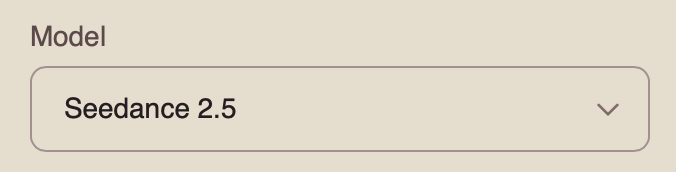
Model
This Knowledge Base describes how to work with the Seedance 2.5 model.
You can learn how to work with the Seedance 2.0 model here: Seedance 2.0
You can learn how to work with the Seedance 1.0 and Seedance 1.5 model here: Seedance
Mode
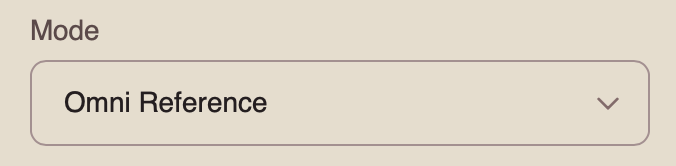
When working with the Seedance 2.5 model, you can choose from four available modes. To generate a video using only a text prompt, select “Omni Reference.”
Omni Reference – the main mode that allows you to use multiple references simultaneously, including images, videos, and audio. These references help the model preserve character appearance, objects, locations, visual style, movement, and audio. It is also the only mode that supports generation using a text prompt alone.
Resolution
When working with a text prompt, you can choose from three resolution options:
- 480p
Basic video resolution. It is suitable for viewing on smaller mobile screens and helps reduce data usage. The image may appear slightly blurry, and fine details may be less sharp.
- 720p
Medium video resolution. It provides a good balance between video quality and file size. This format is widely used for online video, including YouTube, and delivers a clear image suitable for most modern devices and medium-sized screens.
- 1080p
High-quality video resolution that provides excellent detail and sharpness. It is ideal for viewing on larger screens and TVs. Although it requires a faster internet connection and more storage space, it delivers the clearest and most detailed image.
Audio
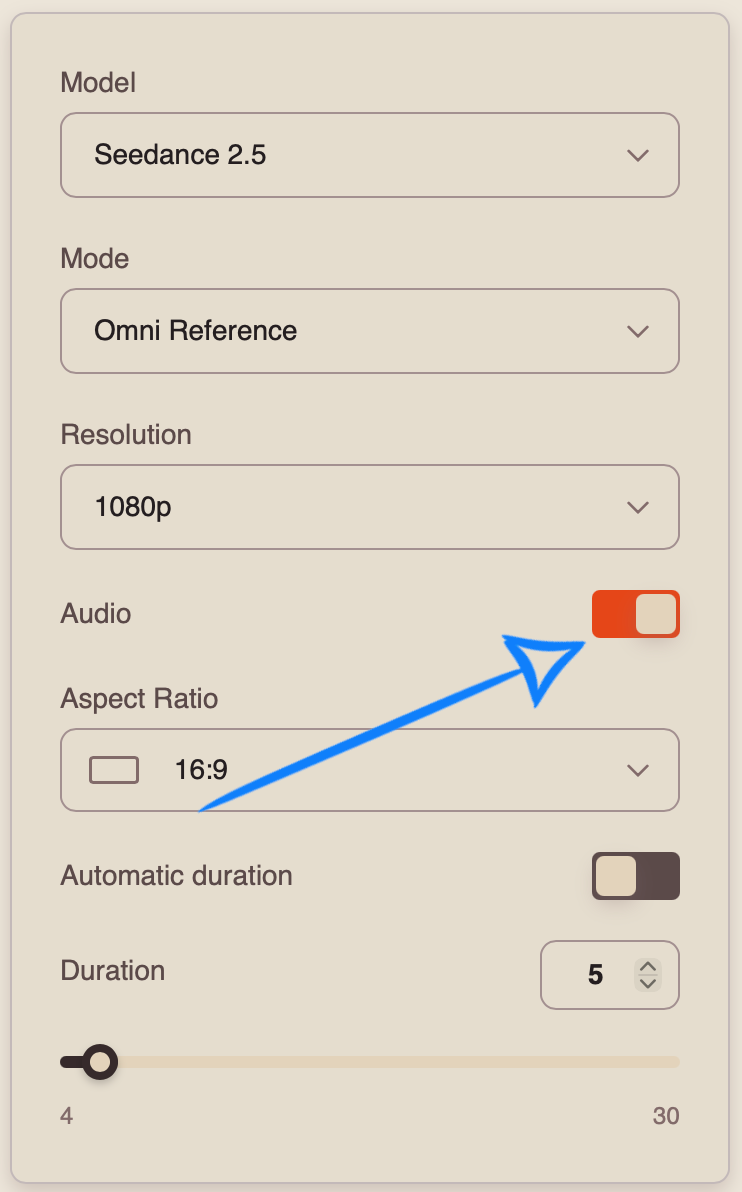
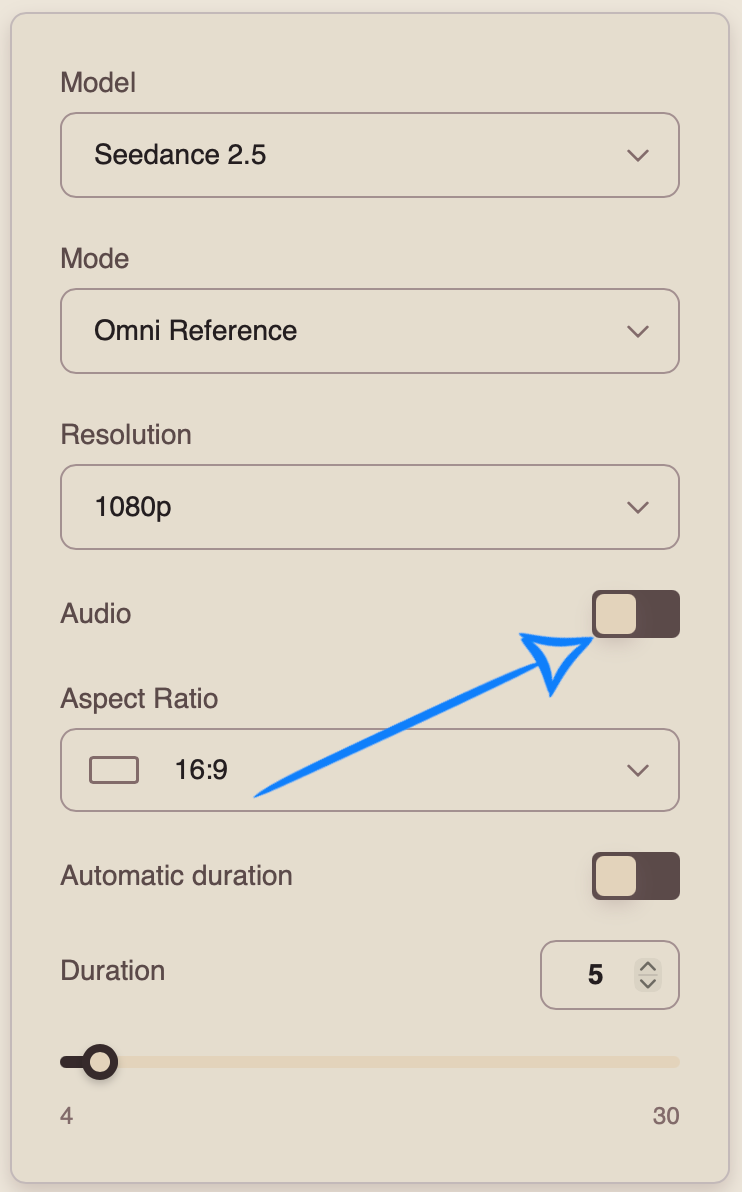
When working with the Seedance 2.5 model, you can generate videos with audio.
To add sound effects, enable the toggle. The model will automatically generate and add suitable audio to your video.
If you prefer to generate a video without sound, disable the toggle.
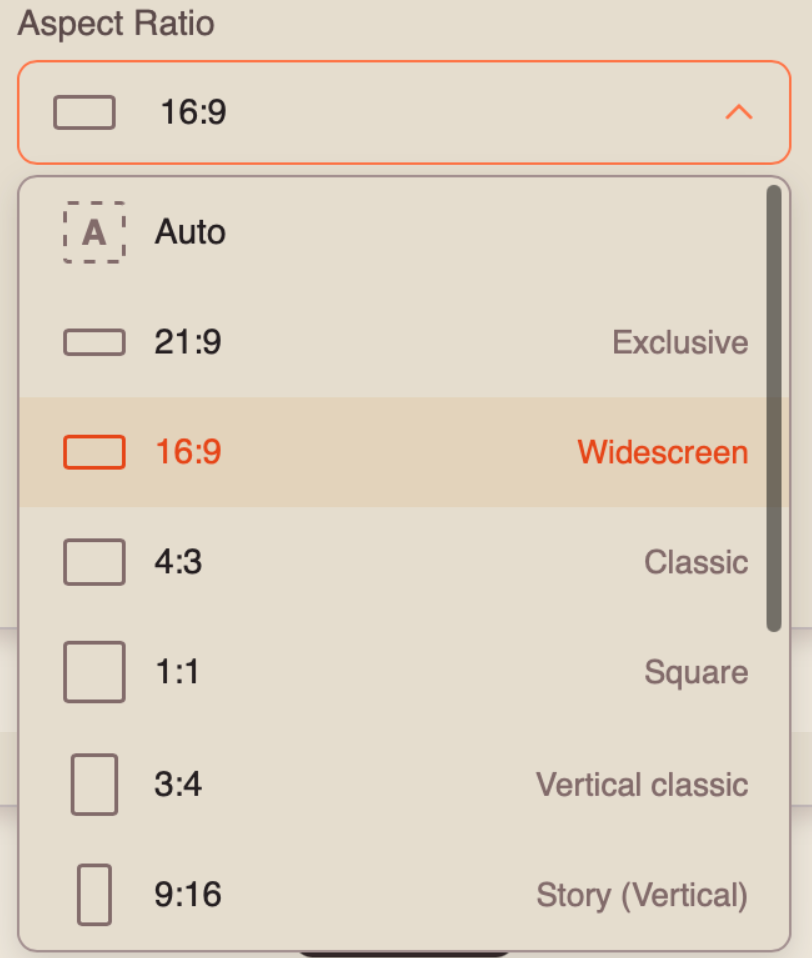
Aspect Ratio
When working in “Omni Reference” mode with the “Text to Video” feature, you can choose from 7 aspect ratio options:
Automatic Duration
Automatic Duration is a mode in which the model automatically determines the optimal video length from 4 to 30 seconds based on the complexity and content of the prompt.
❣️ The final duration may vary between generations, so the number of tokens charged may also vary.
Duration
You can set the duration of your video from 4 to 30 seconds.
❣️ Please note that the duration is set to 5 seconds by default.
Once you have entered your text prompt and configured the appropriate settings, click the “Generate” button.
Generation Example
«A fast-paced cinematic morning routine featuring a young woman in her mid-20s with long brown hair, expressive facial features and a slim build. Same woman throughout. Preserve exact face and appearance. The sequence feels energetic, slightly chaotic and humorous.
[0:00–0:01] Extreme close-up of a digital alarm clock. Her hand suddenly enters frame and aggressively hits the alarm.
[0:01–0:02] Hard cut overhead: she instantly sits upright in bed, realizes she is late and throws the blanket aside.
[0:02–0:03] Bathroom mirror shot. She rapidly brushes her teeth while fixing her hair with the other hand, visibly stressed.
[0:03–0:04] Match cut to her pulling a white shirt over her head while rushing through the bedroom.
[0:04–0:05] Close-up of coffee pouring into a cup. She immediately grabs it before the machine finishes.
[0:05–0:06] Low-angle shot of her running through the apartment while putting on one shoe.
[0:06–0:07] She grabs her handbag and jacket from a chair without stopping. Fast whip-pan follows her movement.
[0:07–0:08] She runs toward the front door, takes a sip of coffee and suddenly freezes.
[0:08–0:09] Close-up. She looks down and realizes she is still wearing pajama pants with her formal shirt and blazer.
[0:09–0:10] She slowly looks directly into the camera with a completely defeated expression. Freeze-like comedic final frame.
Fast lifestyle commercial editing, snap cuts, whip pans, overhead shots, macro inserts, natural motion blur. Warm morning sunlight, realistic apartment environment, natural fabric and hair movement. Stable face throughout, no morphing, no deformation, cinematic 4K.»
💥 Step-by-Step Guide to Using Seedance 2.5 “Working with References”
When working with images, the first step is to open “Settings.” There, you can upload all the necessary materials, enter a text prompt, and configure the parameters for your video.
Working with a Single Image
Model Settings
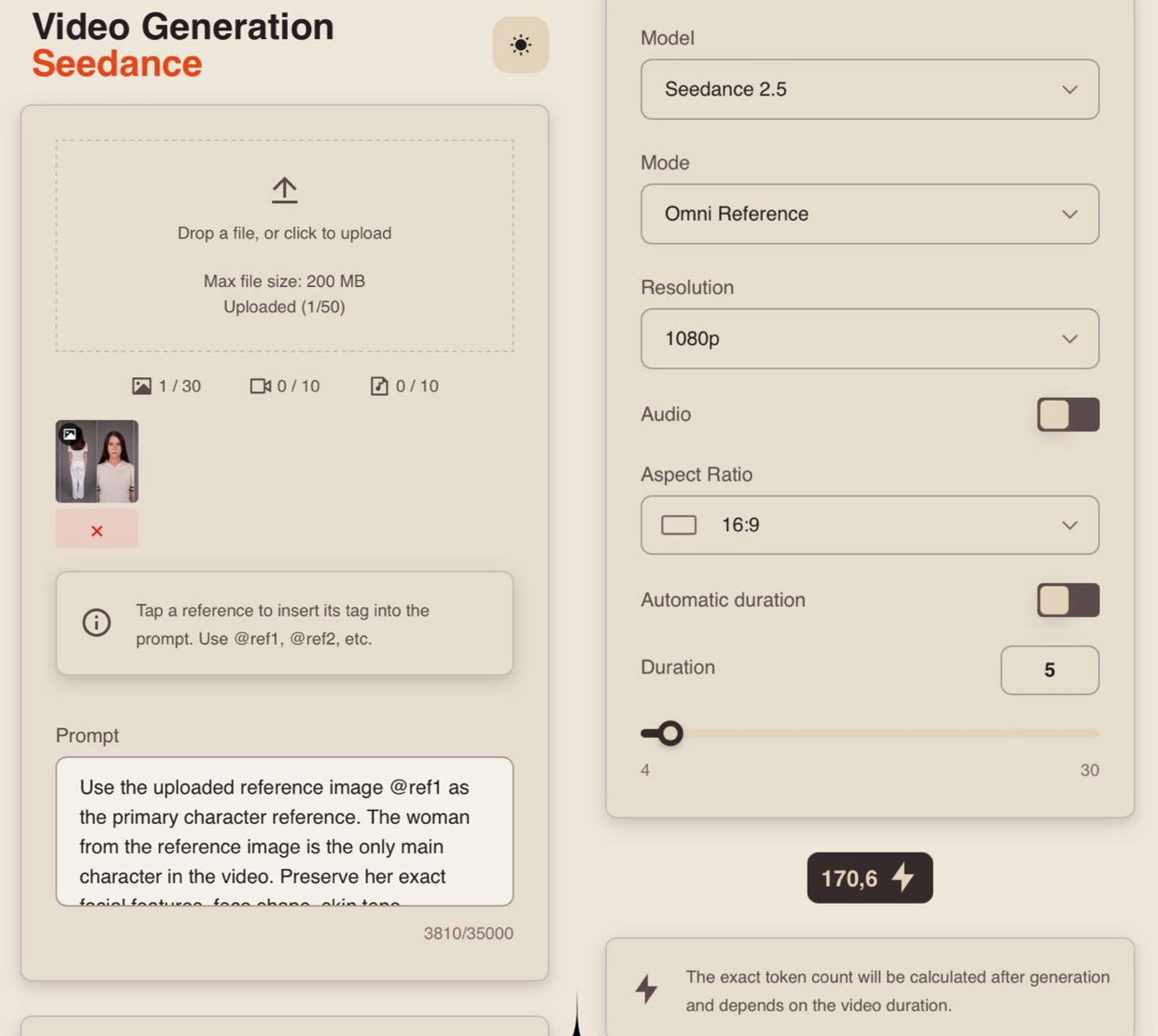
Uploading an Image
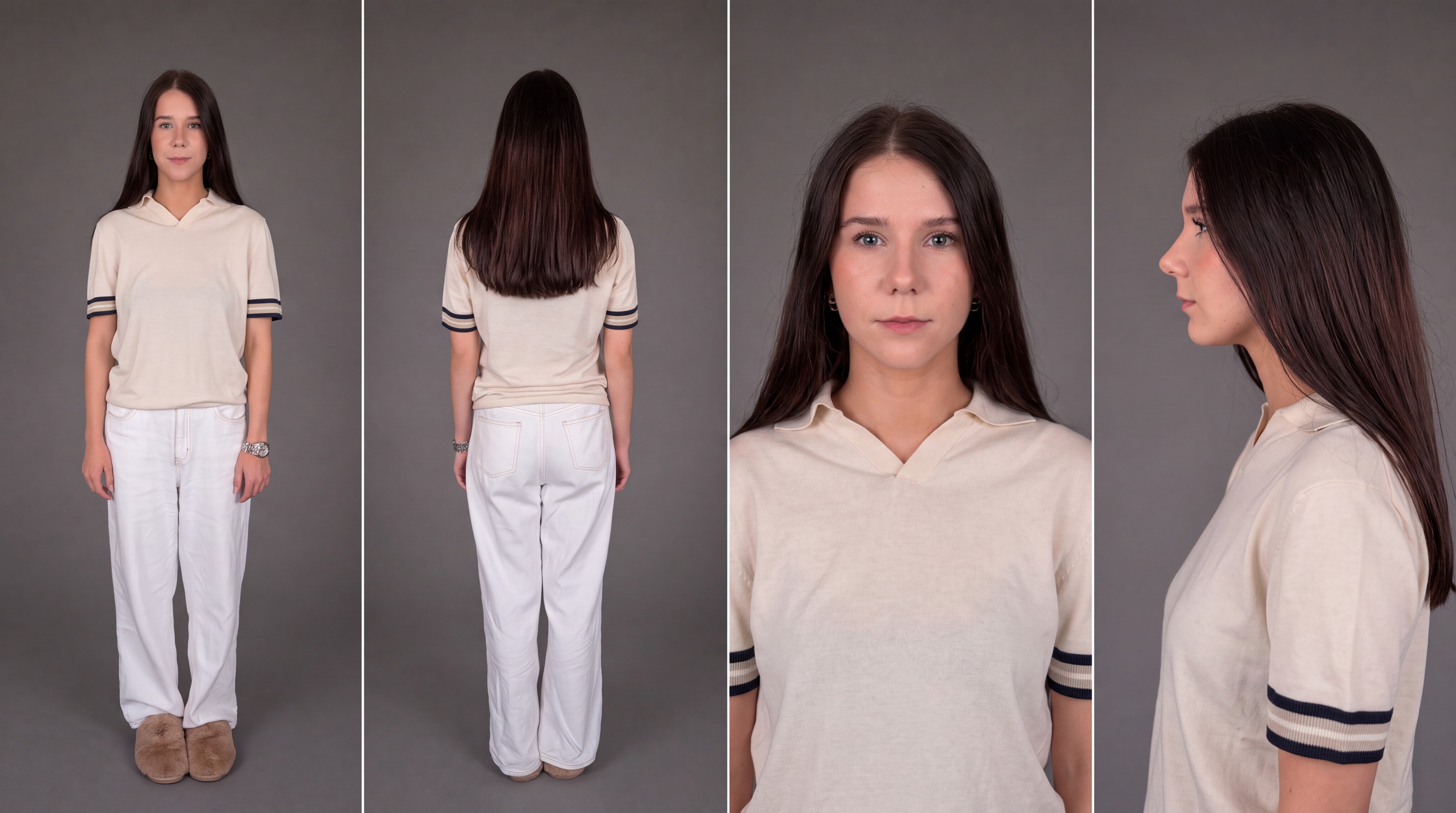
Technical requirements for images:
- You can upload images in JPG and PNG formats.
- Maximum file size: 10 MB.
- Maximum number of images that can be uploaded: 30.
For example:
Prompt
The quality of the generation directly depends on how accurately and consistently the scene is described. It is important not only to define the general idea but also to clearly specify the character, environment, and actions to avoid distortions and unexpected changes during generation.
A good prompt should include:
- Character/Object Description
At this stage, describe the appearance of the character or object in as much detail as possible. Specify key features such as facial characteristics, body type, hairstyle, clothing, materials, shape, color, and other important visual details.
If the same character or object appears throughout the video, mention this separately so the model can preserve its appearance across the entire generation. For example:
“Same person in all shots. Preserve exact appearance throughout. Stable face throughout.”
- Action
Clearly describe what the character or object is doing, the sequence of actions, and how they interact with the environment. Use specific wording. Instead of “walks beautifully,” write:
“Walks forward confidently, turns their head toward the camera, adjusts their collar.”
The more precisely the movements and their sequence are described, the more stable and predictable the final result will be.
3. Location
Describe the environment in which the scene takes place in detail, including whether it is an interior or exterior, the placement of objects, the atmosphere, the background, and any important environmental details.
- Lighting
Lighting determines the mood and depth of the scene, so it is best to specify it separately. You can describe the light source, its characteristics, and color, for example: soft daylight, strong backlighting, warm volumetric lighting, neon accents, etc.
- Camera Movement
Specify the shot type and camera movement, as these determine the dynamics and visual rhythm of the video. You can combine different approaches, such as smooth tracking shots, rapid zoom-ins, changes in camera angle, and more.
- Constraints and Stability
At the end of the prompt, it is recommended to specify technical constraints that help make the result cleaner and more stable. These usually include preventing distortions, flickering, deformations, ghosting, and random changes to the character’s face, clothing, objects, or scene.
For example:
“No deformation. No flickering. No ghosting. Stable face throughout. Realistic physics.”
7. Voiceover Text
If necessary, you can additionally specify the exact text for the voiceover, and the model will use it when generating the final result. To do this, add the phrase that the character should say. The phrase should be written as direct speech.
For example: The man says: “Where are we going tonight?”
Additional Recommendations:
- Avoid vague descriptions such as “beautiful,” “interesting,” or “cool,” as they do not give the model a clear understanding of the desired result.
- If necessary, divide the scenario into time intervals, for example [0–3s], [3–6s], for more precise control over timing and the sequence of actions.
- When working with characters, clearly define their appearance and behavior to prevent random changes throughout the video.
- It is recommended to write prompts in English, as the model interprets wording, details, styles, and camera movements more accurately. This is especially important for complex and dynamic scenes that require a high level of precision.
- The more detailed and precise the prompt is, the higher the quality, stability, and predictability of the generated result will be.
Tag System
The main feature when working with references in this tool is the tag system. To add a tag to your prompt, click the thumbnail of the desired image. The tag will automatically be inserted into the prompt field.
This helps the model understand more precisely which image should be used for a specific part of the prompt.
For example:
«Use the uploaded reference image @ref1 as the primary character reference. The woman from the reference image is the only main character in the video. Preserve her exact facial features, face shape, skin tone, hairstyle, hair color, body proportions, clothing and overall appearance throughout the entire sequence. Same woman in all shots. Preserve exact appearance throughout. Stable face and identity throughout.
Key Concept: A cinematic fashion sequence of the woman walking confidently across the rooftop of a modern skyscraper during a dramatic sunset. The scene combines elegant character movement, strong wind, changing camera angles and a vast city skyline. The overall mood is sophisticated, powerful and cinematic.
Setting: The rooftop of a tall modern skyscraper overlooking a dense metropolitan skyline. Concrete rooftop surface, minimal architectural structures, glass elements and safety barriers around the edges. Tall skyscrapers stretch into the distance. The environment remains consistent throughout the entire sequence.
Lighting: Warm golden-hour sunset with a dramatic orange, pink and soft purple sky. Strong warm sunlight comes from behind and beside the woman, creating natural rim light around her silhouette, hair and dress. Long realistic shadows stretch across the rooftop. Subtle reflections appear on surrounding glass buildings.
[0:00–0:02] Close-up portrait shot. The woman stands on the rooftop with the city softly blurred behind her. She looks directly into the camera with a calm, confident expression. Strong wind gently moves strands of her hair across her face and causes the fabric of her dress to move naturally. The camera slowly pushes closer toward her eyes.
[0:02–0:04] Hard cut to a low-angle full-body shot. She turns away from the camera and begins walking confidently across the rooftop. Her dress flows dynamically behind her in the wind. The camera tracks backward in front of her while maintaining a low perspective, making the surrounding skyscrapers appear enormous.
[0:04–0:06] Side tracking shot. The camera moves parallel to the woman as she continues walking. A stronger gust of wind suddenly catches her hair and dress, creating dramatic flowing movement. She briefly turns her head toward the city while continuing forward without stopping.
[0:06–0:08] The camera moves into a smooth orbital shot, rotating around her while she walks. The perspective shifts from her side toward her back, revealing the glowing sunset and vast skyline directly ahead. Her hair and dress continue moving naturally in the wind while sunlight creates bright highlights along their edges.
[0:08–0:09] Medium front-facing shot. She stops walking, turns toward the camera and slightly adjusts her hair with one hand. The camera performs a subtle push-in while she maintains direct eye contact with a composed, confident expression.
[0:09–0:10] The camera rapidly pulls backward and rises into a dramatic wide shot, revealing the woman standing alone on the enormous rooftop surrounded by the city skyline. Her dress continues flowing in the wind as the sun sets behind the skyscrapers.
Visual style: luxury fashion campaign, photorealistic cinematic realism, elegant editorial aesthetic, warm sunset color palette, high contrast, realistic skin texture, detailed fabric and hair movement, natural atmospheric depth.
Camera: close-up push-in, low-angle tracking, side tracking, smooth orbital movement, medium portrait shot and dramatic final crane pull-back. Controlled cinematic motion with natural motion blur and high motion clarity.
Realistic wind physics affecting hair and fabric. Natural walking movement and body mechanics. Preserve the exact clothing from the reference image. Do not randomly change hairstyle, outfit, accessories or facial features between shots.
No identity drift. No face changes. No morphing. No deformation. No flickering. No ghosting. No duplicated character. No distorted hands or limbs. Stable face throughout. Stable clothing throughout. Realistic anatomy and physics. Smooth cinematic movement, high detail, sharp focus, cinematic 4K quality.»
Model
This Knowledge Base explains how to work with the Seedance 2.5 model.
You can learn how to work with the Seedance 2.0 model here: Seedance 2.0
You can learn how to work with the Seedance 1.0 and Seedance 1.5 model here: Seedance
Mode
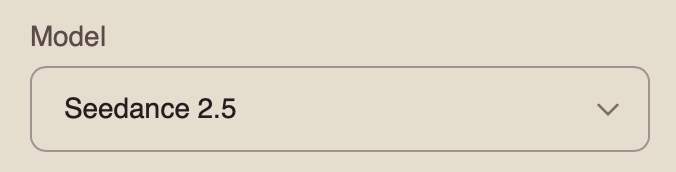
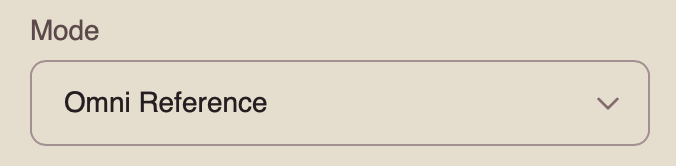
When working with the Seedance 2.5 model, you can choose from four available modes. To work with a single image, select “Omni Reference.”
Omni Reference is the main mode that allows you to use multiple references simultaneously, including images, videos, and audio. These references help the model preserve character appearance, objects, locations, visual style, movement, and audio.
Resolution
When working with a single image, you can choose from three resolution options:
- 480p
Basic video resolution. It is suitable for viewing on smaller mobile screens and helps reduce data usage. The image may appear slightly blurry, and fine details may be less sharp.
- 720p
Medium video resolution. It provides a good balance between video quality and file size. This format is widely used for online video, including YouTube, and delivers a clear image suitable for most modern devices and medium-sized screens.
- 1080p
High-quality video resolution that provides excellent detail and sharpness. It is ideal for viewing on larger screens and TVs. Although it requires a faster internet connection and more storage space, it delivers the clearest and most detailed image.
Audio
When working with the Seedance 2.5 model, you can generate videos with audio.
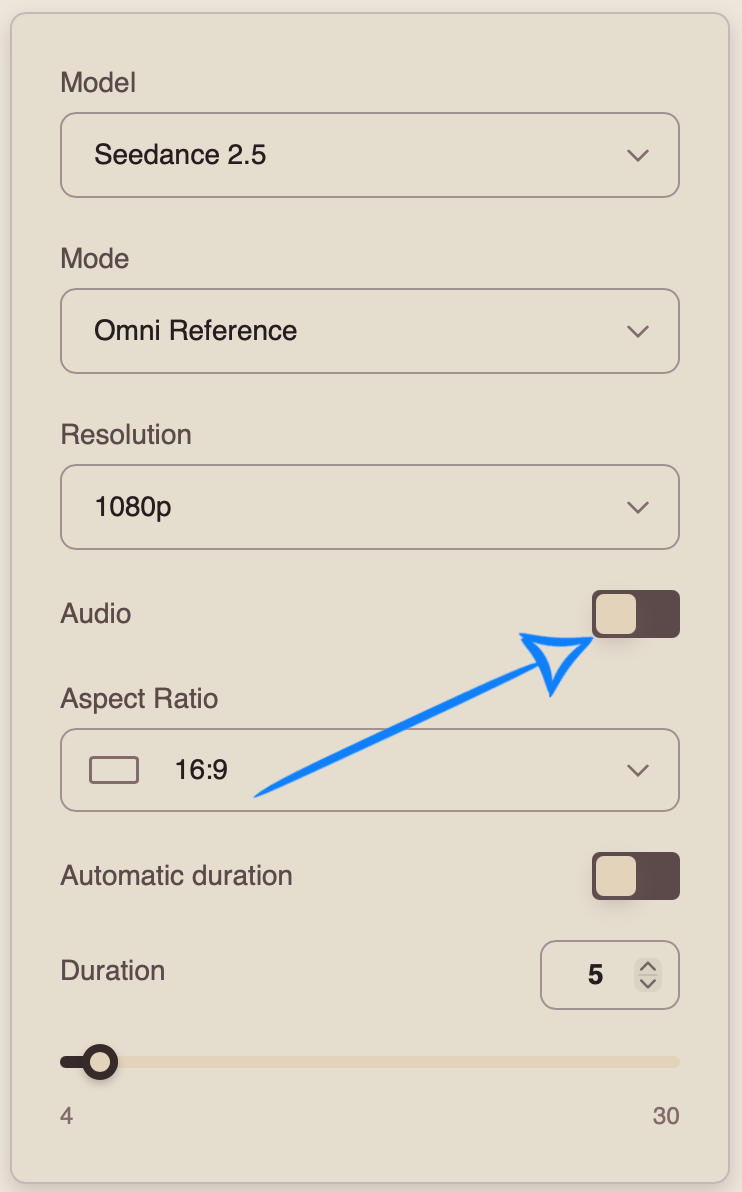
To add sound effects, enable the toggle. The model will automatically generate and add suitable audio to your video.
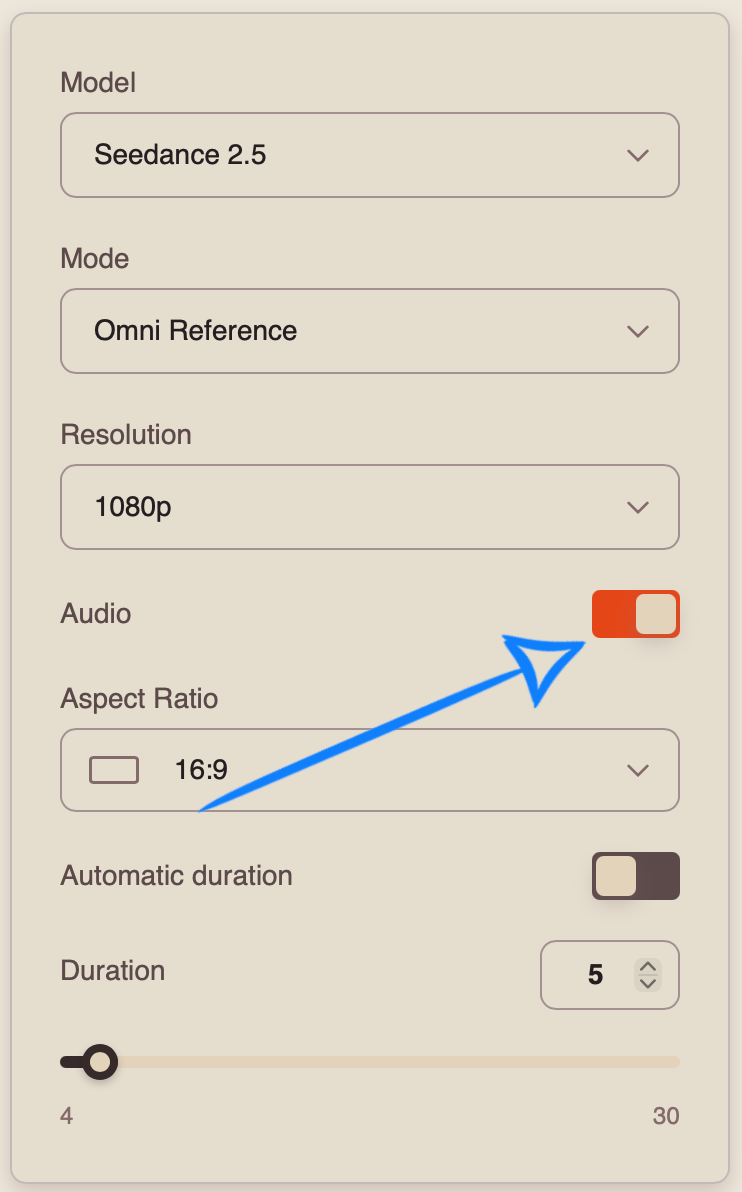
If you prefer to generate a video without sound, disable the toggle.
Aspect Ratio
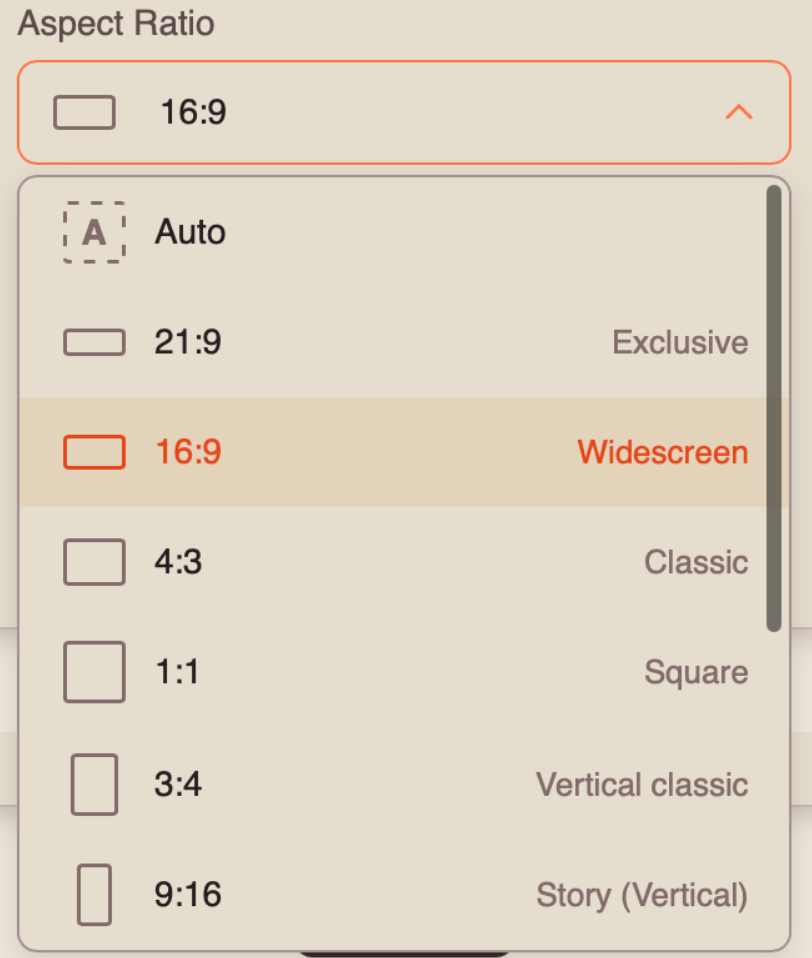
When working in “Omni Reference” mode, you can choose from 7 aspect ratio options:
Automatic Duration
Automatic Duration is a mode in which the model automatically determines the optimal video length from 4 to 30 seconds based on the complexity and content of the prompt.
❣️ The final duration may vary between generations, so the number of tokens charged may also vary.
Duration
You can set the duration of your video from 4 to 30 seconds.
❣️ Please note that the duration is set to 5 seconds by default.
Once you have entered your prompt and configured the appropriate settings, click the “Generate” button.
Result
Working with Two Images (Keyframes)
Model Settings
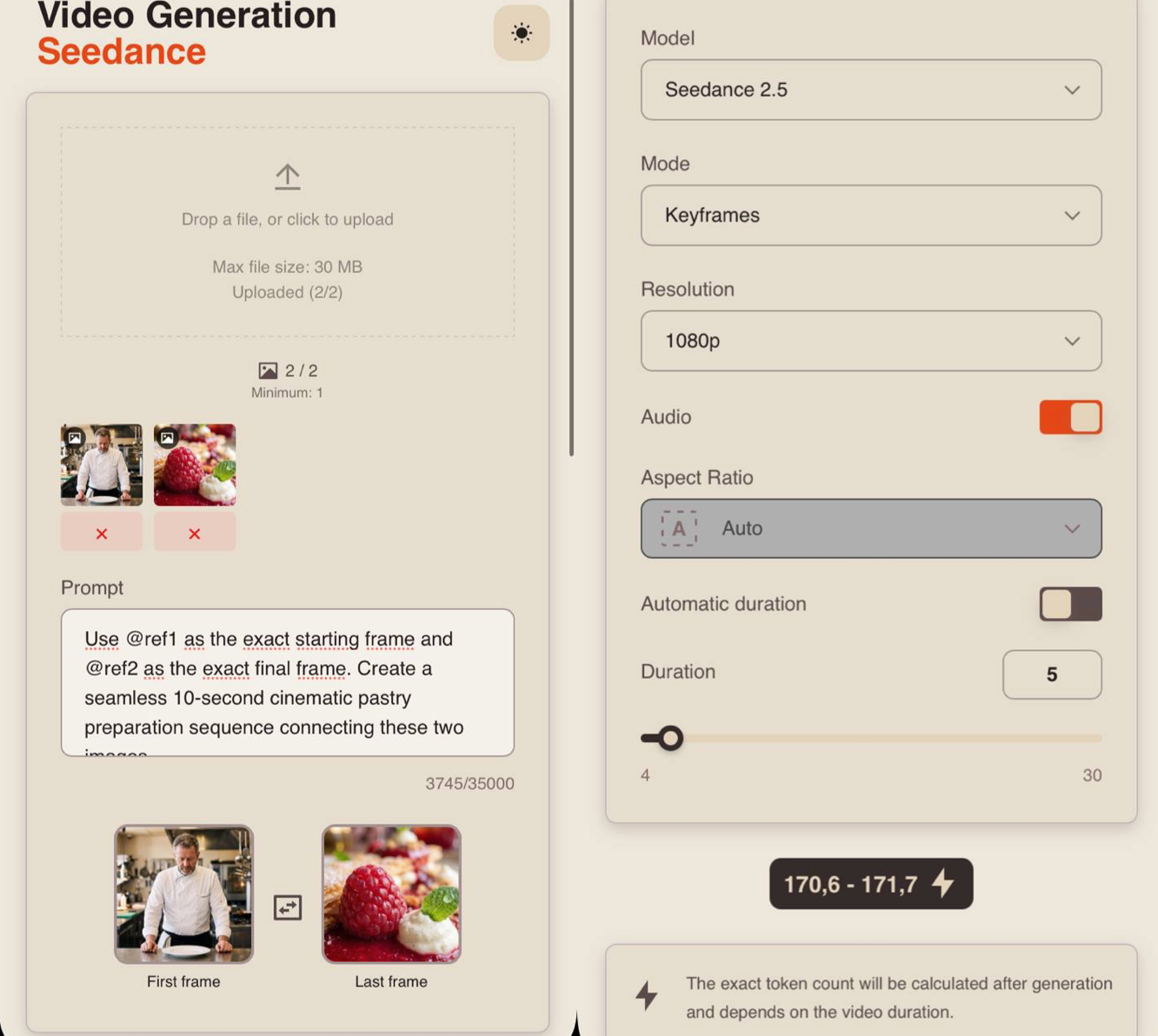
Uploading Images
Technical requirements for images:
- You can upload images in JPG and PNG formats.
- Maximum file size: 10 MB.
- Maximum number of images that can be uploaded: 30.
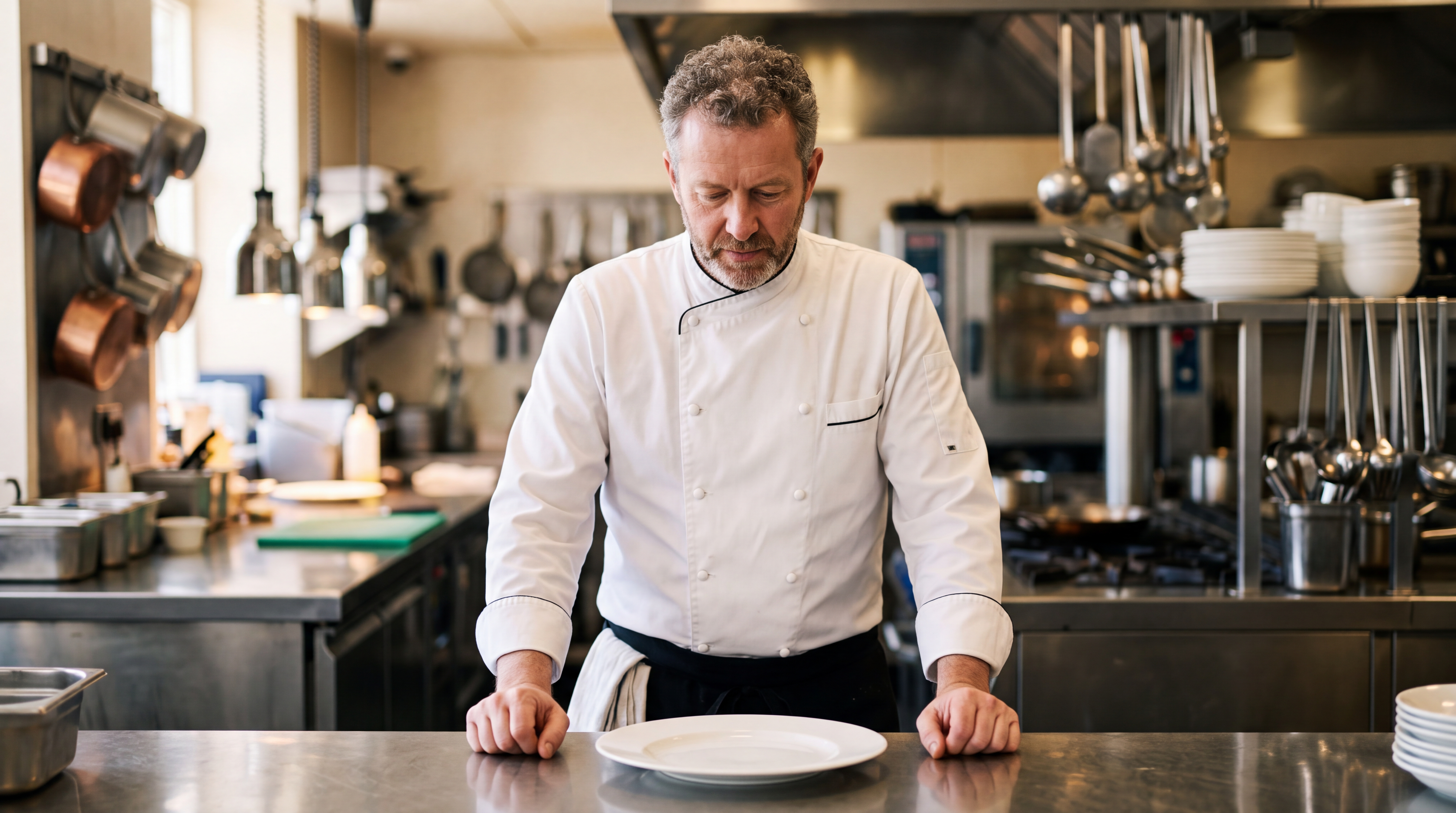
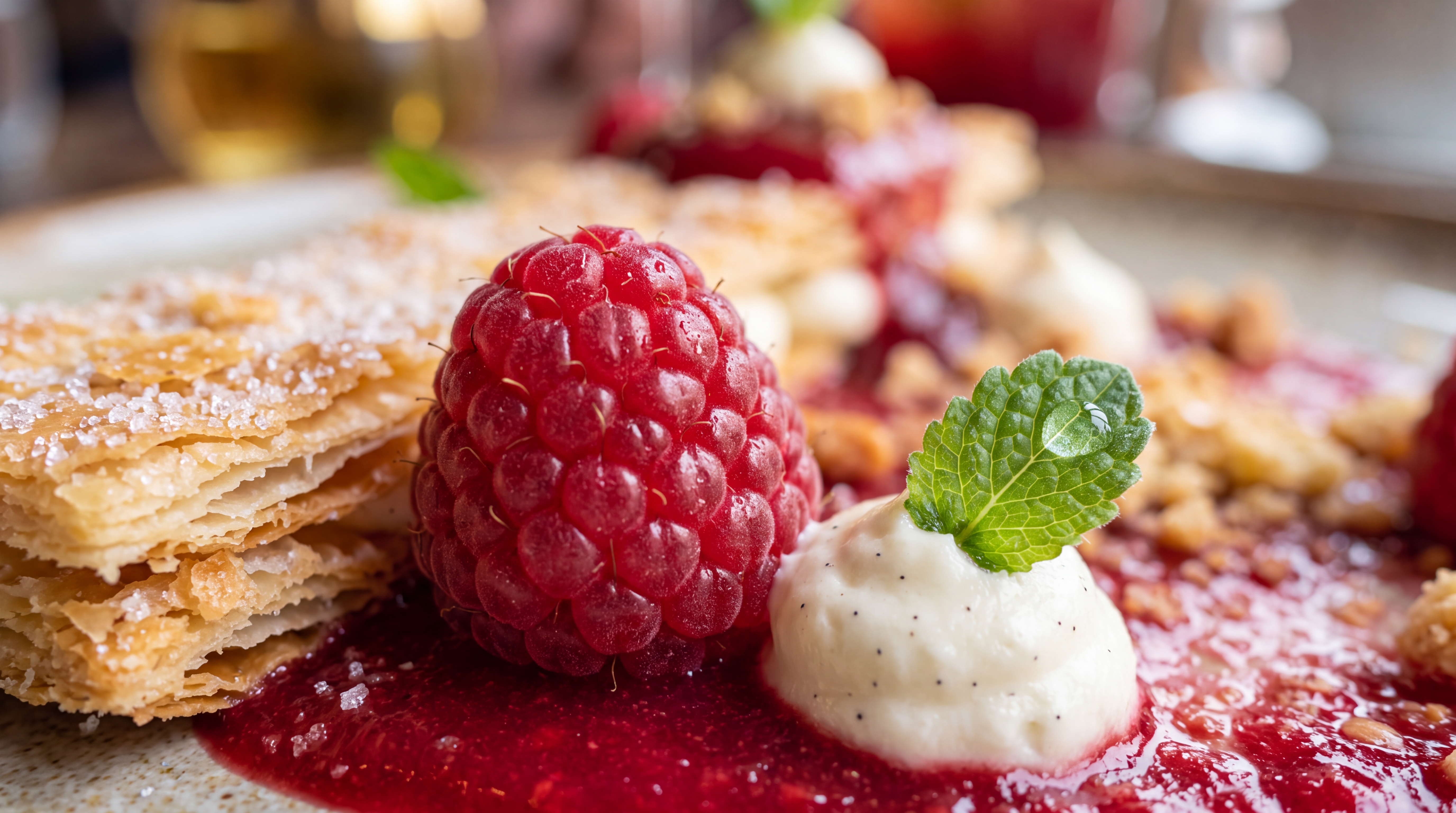
For example:
Prompt
The quality of the generation directly depends on how accurately and consistently the scene is described. It is important not only to define the general idea but also to clearly specify the character, environment, and actions to avoid distortions and unexpected changes during generation.
A good prompt should include:
- Character/Object Description
At this stage, describe the appearance of the character or object in as much detail as possible. Specify key features such as facial characteristics, body type, hairstyle, clothing, materials, shape, color, and other important visual details.
If the same character or object appears throughout the video, mention this separately so the model can preserve its appearance across the entire generation. For example:
“Same person in all shots. Preserve exact appearance throughout. Stable face throughout.”
2. Action
Clearly describe what the character or object is doing, the sequence of actions, and how they interact with the environment. Use specific wording. Instead of “walks beautifully,” write:
“Walks forward confidently, turns their head toward the camera, adjusts their collar.”
The more precisely the movements and their sequence are described, the more stable and predictable the final result will be.
3. Location
Describe the environment in which the scene takes place in detail, including whether it is an interior or exterior, the placement of objects, the atmosphere, the background, and any important environmental details.
- Lighting
Lighting determines the mood and depth of the scene, so it is best to specify it separately. You can describe the light source, its characteristics, and color, for example: soft daylight, strong backlighting, warm volumetric lighting, neon accents, etc.
5. Camera Movement
Specify the shot type and camera movement, as these determine the dynamics and visual rhythm of the video. You can combine different approaches, such as smooth tracking shots, rapid zoom-ins, changes in camera angle, and more.
- Constraints and Stability
At the end of the prompt, it is recommended to specify technical constraints that help make the result cleaner and more stable. These usually include preventing distortions, flickering, deformations, ghosting, and random changes to the character’s face, clothing, objects, or scene.
For example:
“No deformation. No flickering. No ghosting. Stable face throughout. Realistic physics.”
- Voiceover Text
If necessary, you can additionally specify the exact text for the voiceover, and the model will use it when generating the final result. To do this, add the phrase that the character should say. The phrase should be written as direct speech.
For example: The man says: “Where are we going tonight?”
Additional Recommendations:
- Avoid vague descriptions such as “beautiful,” “interesting,” or “cool,” as they do not give the model a clear understanding of the desired result.
- If necessary, divide the scenario into time intervals, for example [0–3s], [3–6s], for more precise control over timing and the sequence of actions.
- When working with characters, clearly define their appearance and behavior to prevent random changes throughout the video.
- It is recommended to write prompts in English, as the model interprets wording, details, styles, and camera movements more accurately. This is especially important for complex and dynamic scenes that require a high level of precision.
- The more detailed and precise the prompt is, the higher the quality, stability, and predictability of the generated result will be.
Tag System
The main feature when working with references in this tool is the tag system. To add a tag to your prompt, click the thumbnail of the desired image. The tag will automatically be inserted into the prompt field.
This helps the model understand more precisely which image should be used for a specific part of the prompt.
For example:
«Use @ref1 as the exact starting frame and @ref2 as the exact final frame. Create a seamless 10-second cinematic pastry preparation sequence connecting these two images.
The chef must prepare only the raspberry dessert shown in @ref2. Every ingredient and every cooking action shown during the sequence must logically contribute to this exact final dessert.
The dessert consists of fresh raspberries, delicate crispy layered pastry, smooth vanilla cream, glossy raspberry sauce, small crunchy crumbs and fresh mint.
Do not introduce meat, fish, vegetables, savory ingredients or unrelated dishes at any point. No frying pan, steak, grilling or savory cooking. This is exclusively a pastry and dessert preparation sequence.
Preserve the same chef and professional restaurant kitchen from @ref1 throughout the preparation. The sequence gradually transitions from the wider kitchen composition of @ref1 into the extreme macro food composition of @ref2.
[0:00–0:01] Begin exactly from @ref1. The chef stands behind the counter looking down at the empty white plate. He immediately begins preparing the dessert. The camera smoothly pushes forward toward his hands and the work surface.
[0:01–0:02] Close-up of the chef rapidly cutting thin sheets of delicate golden pastry into precise rectangular pieces. Fine crispy flakes and tiny crumbs fall naturally onto the cutting board. The camera tracks closely beside the knife, emphasizing the thin layered texture of the pastry.
[0:02–0:03] Macro shot of the chef arranging several crisp golden pastry layers. He carefully stacks the thin pieces while the camera moves extremely close to the surface, revealing individual flaky layers, caramelized edges and fine sugar crystals.
[0:03–0:04] Quick transition to fresh raspberries. The chef places bright red raspberries onto the work surface and carefully selects the best berries. Extreme macro camera movement passes between the raspberries, revealing their detailed natural texture and tiny droplets of moisture.
[0:04–0:05] Close-up of smooth vanilla cream being prepared and transferred into a piping bag. The chef pipes a small elegant mound of pale vanilla cream onto the white plate. The cream has a smooth, glossy texture with tiny visible vanilla seeds.
[0:05–0:06] Overhead shot. The chef begins assembling the dessert directly on the plate. Crispy layered pastry pieces are positioned beside the vanilla cream, followed by fresh raspberries. Every element begins forming the exact composition visible in @ref2.
[0:06–0:07] Extreme close-up as the chef pours glossy deep-red raspberry sauce around the pastry, berries and vanilla cream. The sauce flows naturally across the ceramic plate, forming the rich raspberry base visible in @ref2. The camera follows the flowing sauce at macro level.
[0:07–0:08] Fast precise finishing sequence. The chef adds small crispy pastry crumbs around the raspberry sauce, places additional fresh raspberries into their final positions and carefully adjusts the pastry layers using his fingers and plating tools.
[0:08–0:09] Using fine plating tweezers, the chef places one fresh green mint leaf onto the vanilla cream. He makes one final adjustment to the dessert and immediately removes his hands from the frame. The completed plate must now accurately match the dessert shown in @ref2.
[0:09–0:10] The camera rapidly pushes toward the finished dessert and descends to plate level. The kitchen and chef gradually disappear into a soft shallow-depth-of-field background as the camera moves into extreme macro scale.
The lens glides past the glossy raspberry sauce and crispy pastry layers before settling beside the large fresh raspberry and vanilla cream topped with the green mint leaf.
End exactly on @ref2.
The transition into the final keyframe must feel natural and continuous. By the final frame, the dessert must precisely reproduce the composition and visual characteristics of @ref2: large detailed raspberry in the foreground, crispy layered golden pastry, pale vanilla cream with visible vanilla seeds, fresh green mint leaf, glossy deep-red raspberry sauce, scattered pastry crumbs and additional raspberries softly blurred in the background.
Visual style: premium Michelin-style pastry commercial, sophisticated restaurant cinematography, photorealistic food photography, warm natural kitchen lighting, rich raspberry reds, golden pastry tones, creamy whites and fresh green accents.
Camera progression: medium-wide chef shot → hand close-up → pastry macro → raspberry macro → cream close-up → overhead plating → sauce macro → detailed finishing → extreme macro final shot.
Focus heavily on satisfying dessert textures: delicate pastry cracking and flaking, smooth vanilla cream, glossy raspberry sauce flowing across the plate, fresh raspberry texture, tiny moisture droplets, sugar crystals and crisp golden crumbs.
Realistic pastry preparation and plating physics. All ingredients appearing during preparation must be visible components of or directly related to the dessert shown in @ref2.
No meat. No steak. No fish. No vegetables. No savory food. No frying. No grilling. No frying pan. No flames. No unrelated ingredients. Do not prepare another dish before the dessert. The entire 10-second sequence is exclusively the preparation and plating of the raspberry dessert shown in @ref2.
Preserve the chef from @ref1. Preserve the final dessert from @ref2. No random ingredient changes. No deformation. No flickering. No ghosting. No duplicated hands or utensils. Realistic hand movement, realistic food textures, stable kitchen environment, smooth cinematic transitions, shallow depth of field, high detail, cinematic 4K quality.»
Model
This Knowledge Base explains how to work with the Seedance 2.5 model.
You can learn how to work with the Seedance 2.0 model here: Seedance 2.0
You can learn how to work with the Seedance 1.0 and Seedance 1.5 model here: Seedance
Mode
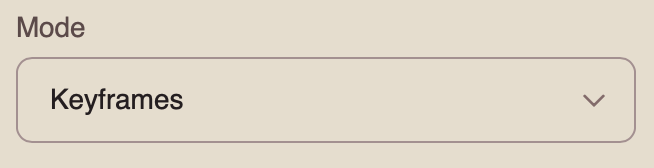
When working with the Seedance 2.5 model, you can choose from four available modes. To work with two images, select “Keyframes.”
Keyframes is a mode that allows you to define key video frames using two images. The model uses them as references for the first and last frames, generating motion and smooth transitions between them.
Resolution
When working with two images, you can choose from three resolution options:
- 480p
Basic video resolution. It is suitable for viewing on smaller mobile screens and helps reduce data usage. The image may appear slightly blurry, and fine details may be less sharp.
- 720p
Medium video resolution. It provides a good balance between video quality and file size. This format is widely used for online video, including YouTube, and delivers a clear image suitable for most modern devices and medium-sized screens.
- 1080p
High-quality video resolution that provides excellent detail and sharpness. It is ideal for viewing on larger screens and TVs. Although it requires a faster internet connection and more storage space, it delivers the clearest and most detailed image.
Audio
When working with the Seedance 2.5 model, you can generate videos with audio.
To add sound effects, enable the toggle. The model will automatically generate and add suitable audio to your video.
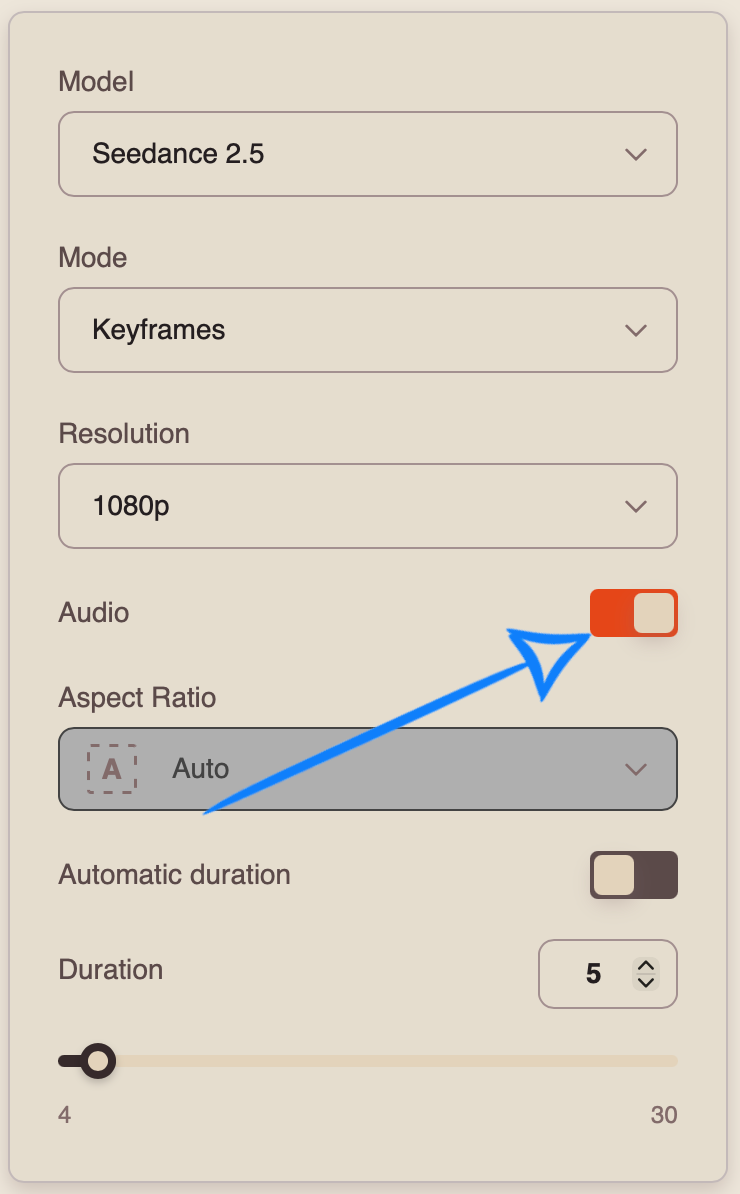
If you prefer to generate a video without sound, disable the toggle.
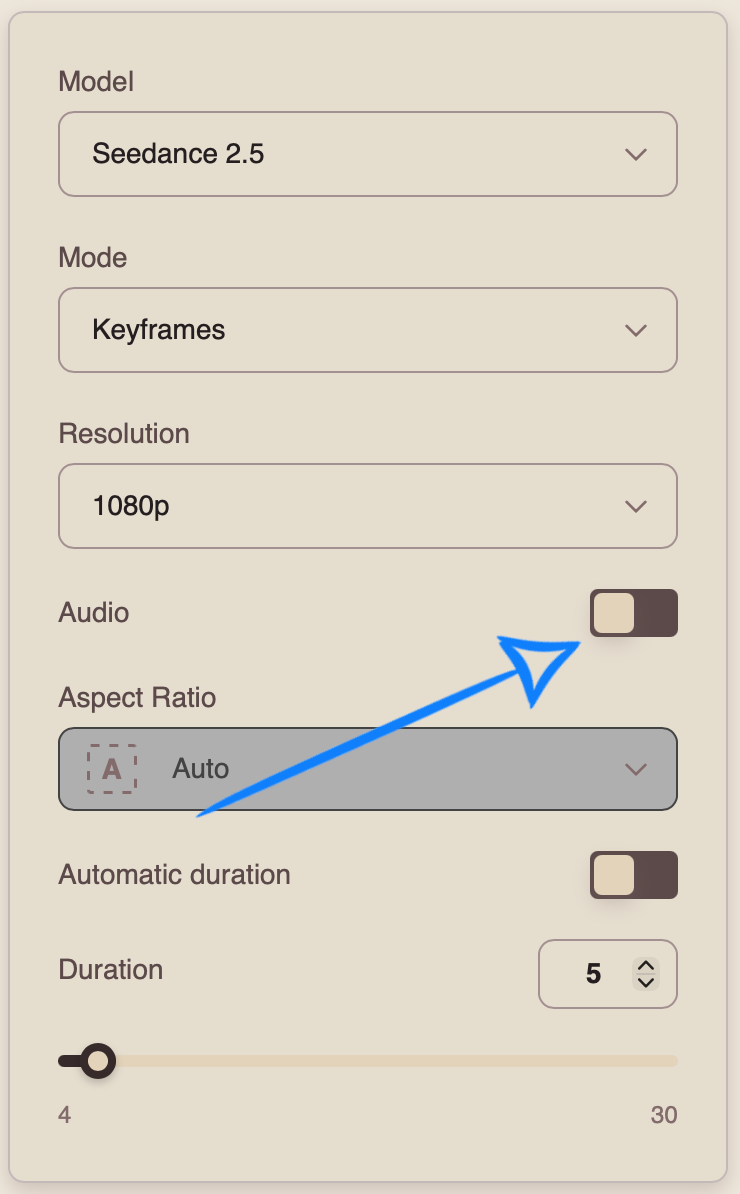
Aspect Ratio
When working in “Keyframes” mode, the aspect ratio of the video is determined by the first uploaded image.
Automatic Duration
Automatic Duration is a mode in which the model automatically determines the optimal video length from 4 to 30 seconds based on the complexity and content of the prompt.
❣️ The final duration may vary between generations, so the number of tokens charged may also vary.
Duration
You can set the duration of your video from 4 to 30 seconds.
❣️ Please note that the duration is set to 5 seconds by default.
Once you have entered your prompt and configured the appropriate settings, click the “Generate” button.
Result
Working with Multiple Images
Model Settings
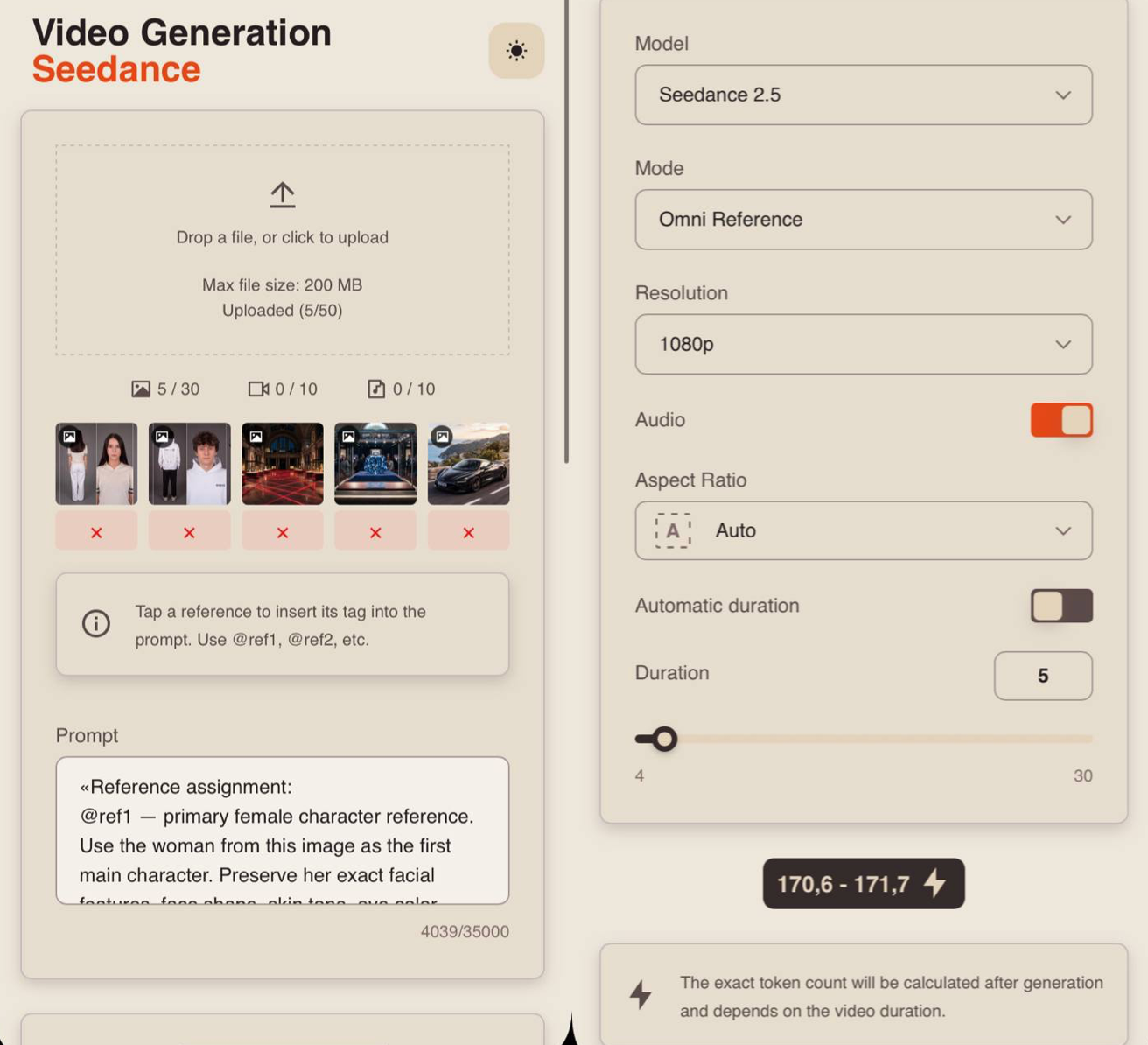
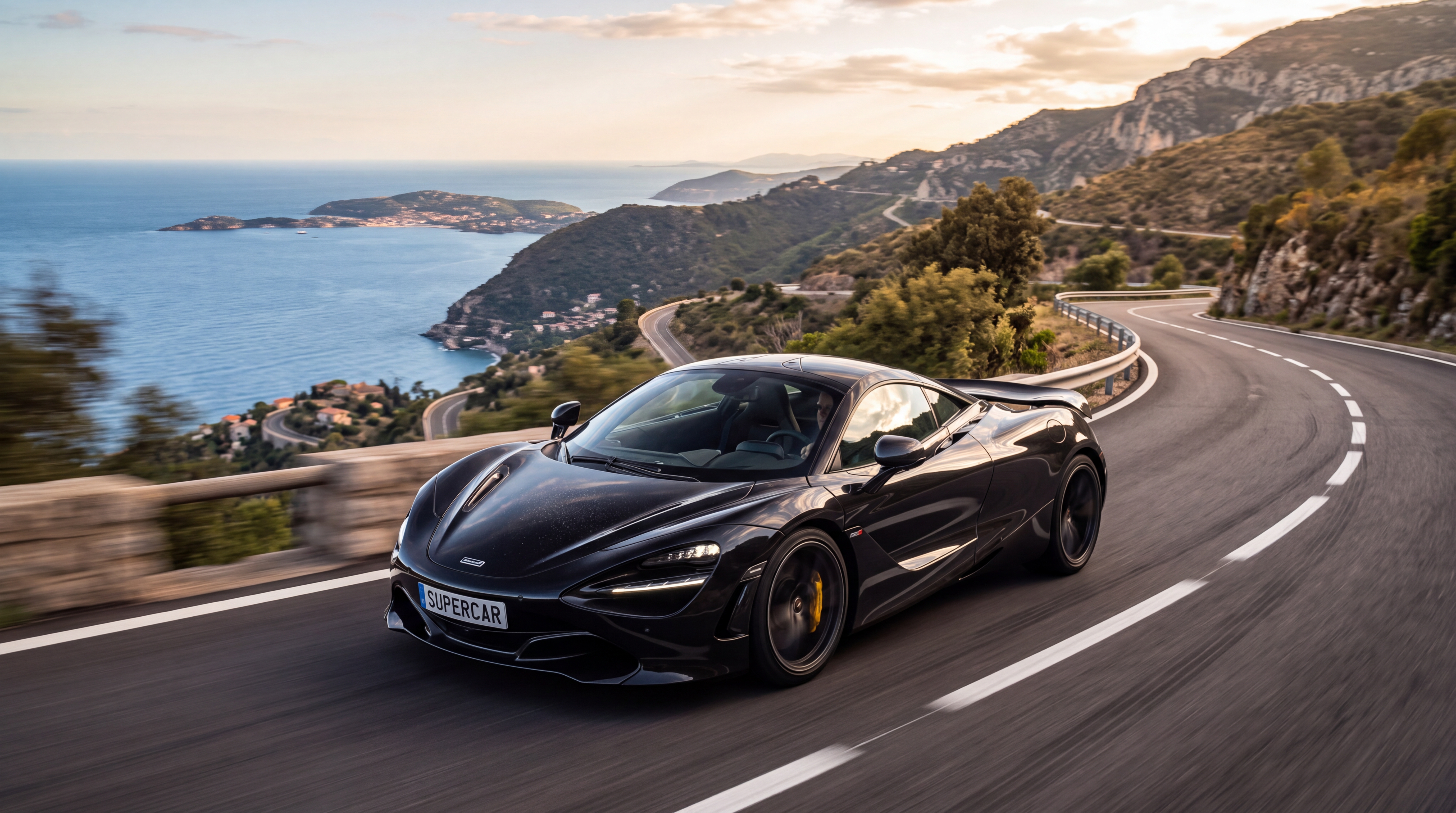
Uploading Images
Technical requirements for images:
- You can upload images in JPG and PNG formats.
- Maximum file size: 10 MB.
- Maximum number of images that can be uploaded: 30.
For example:
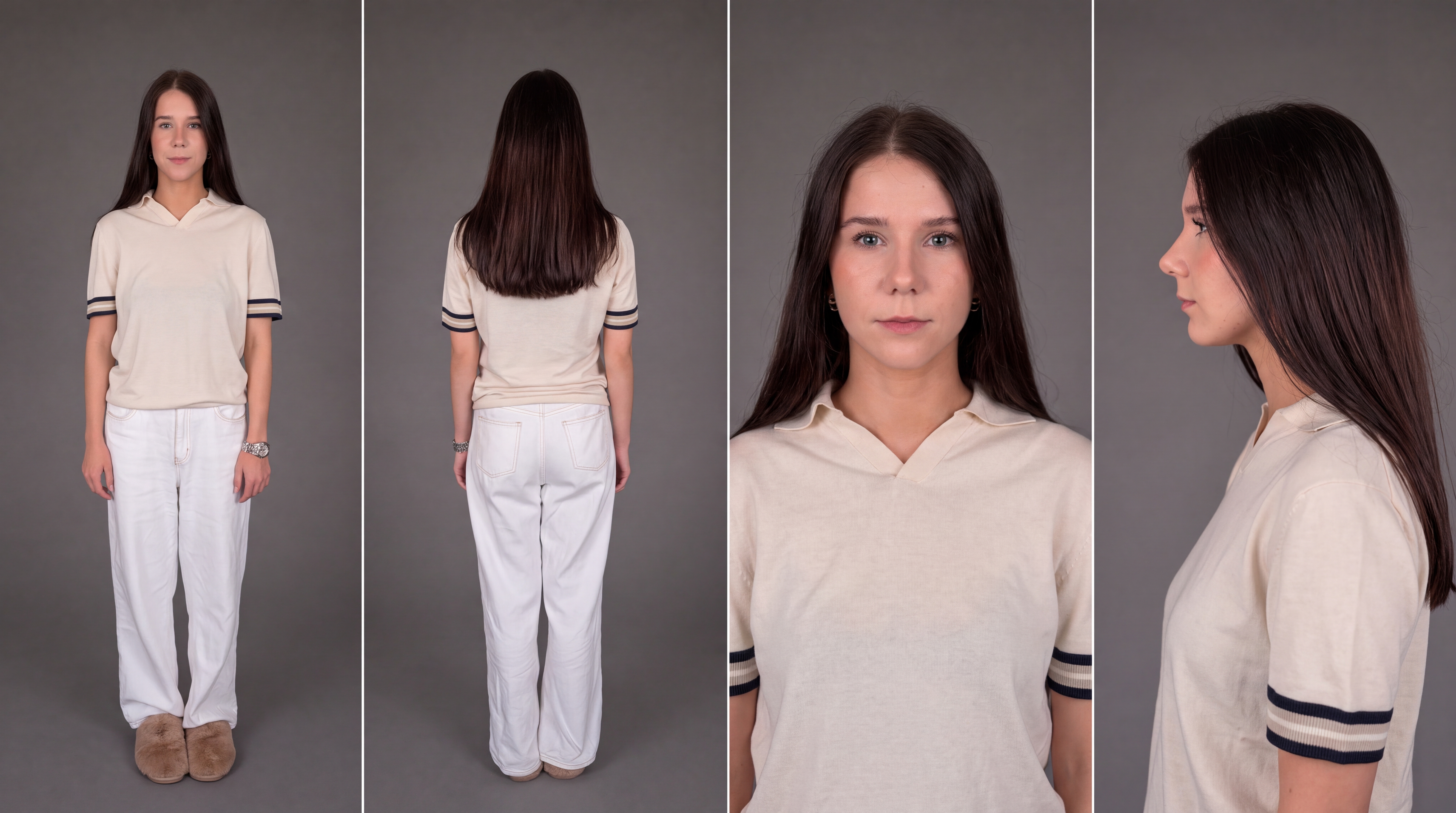
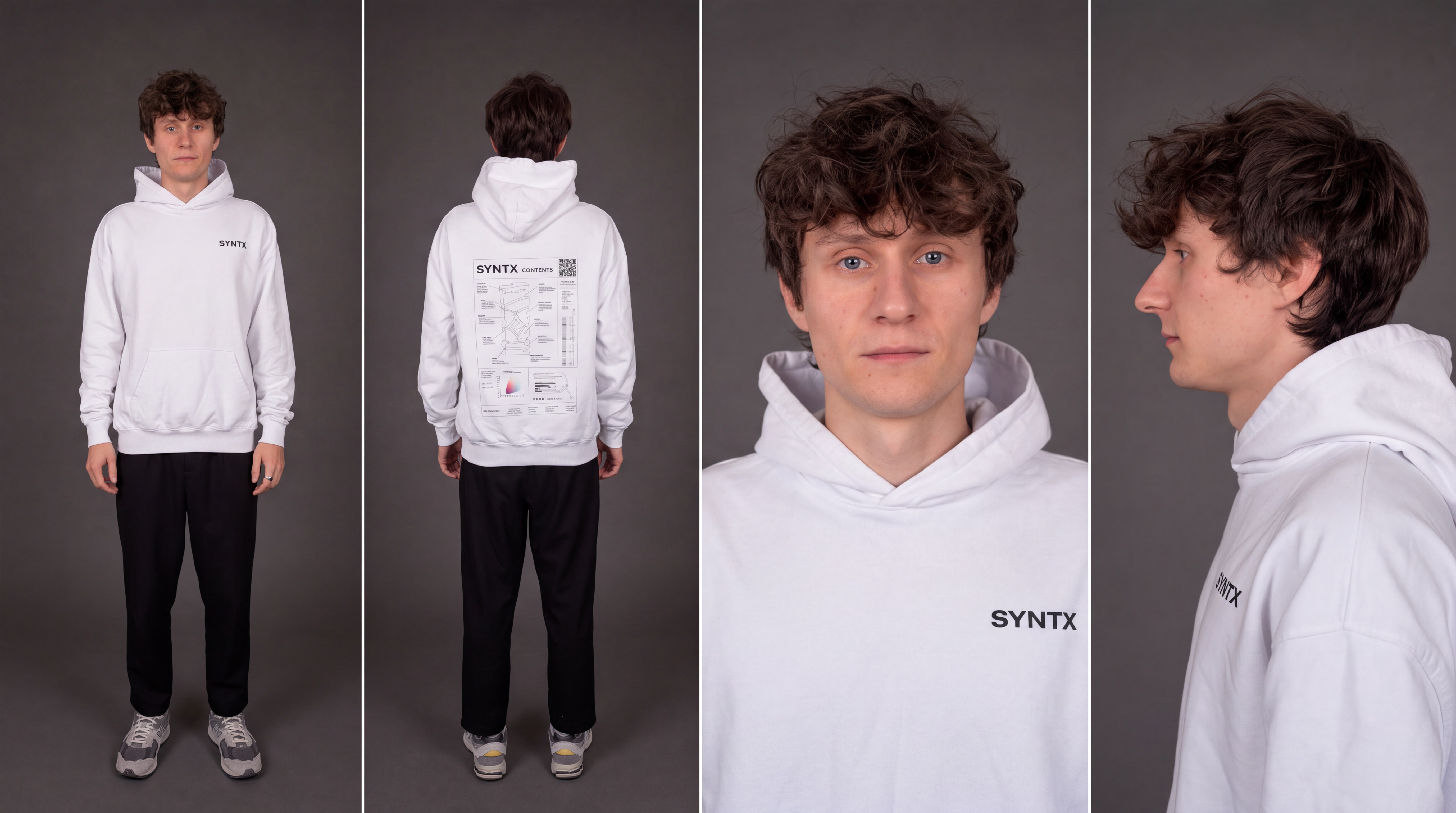
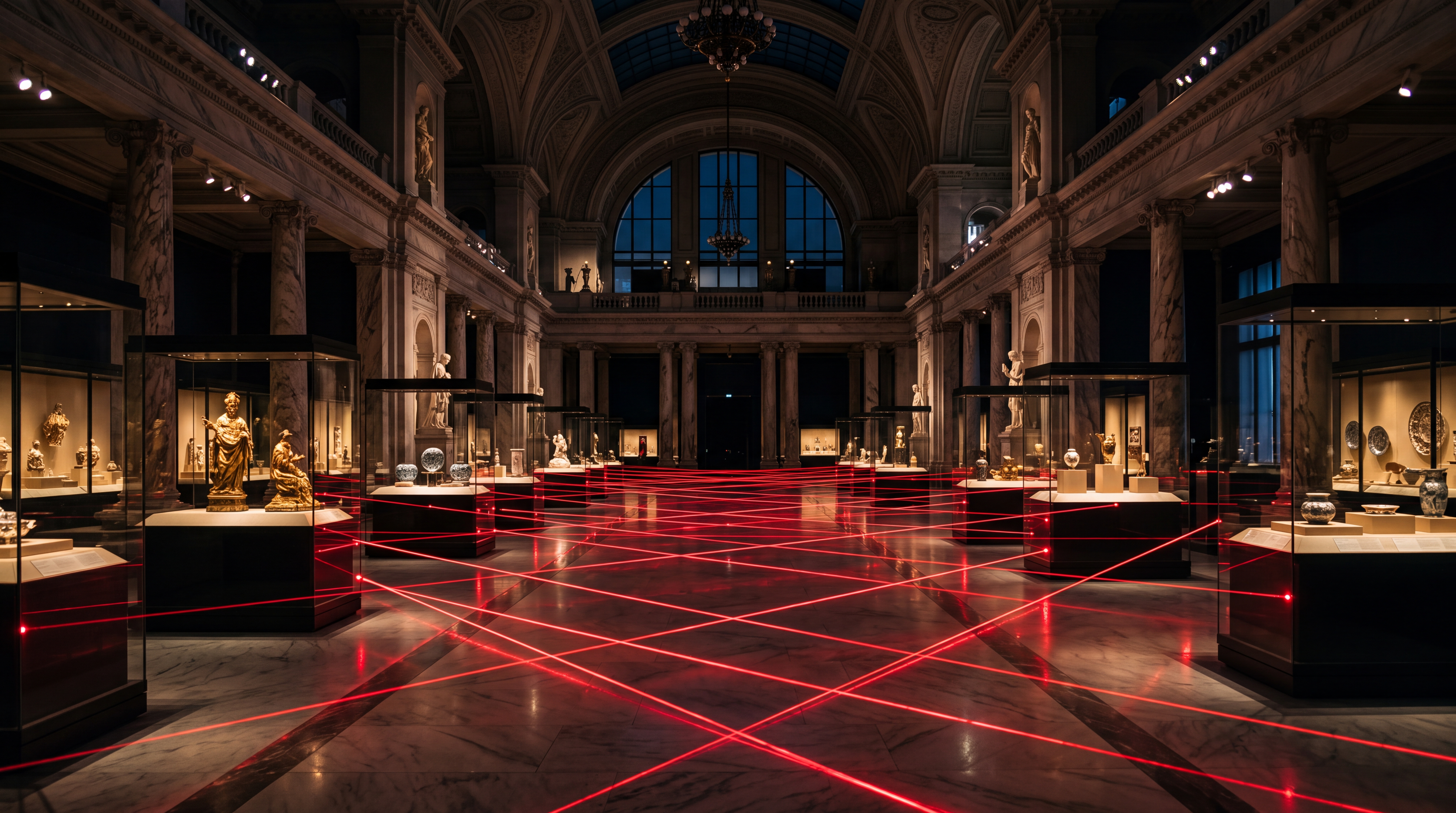
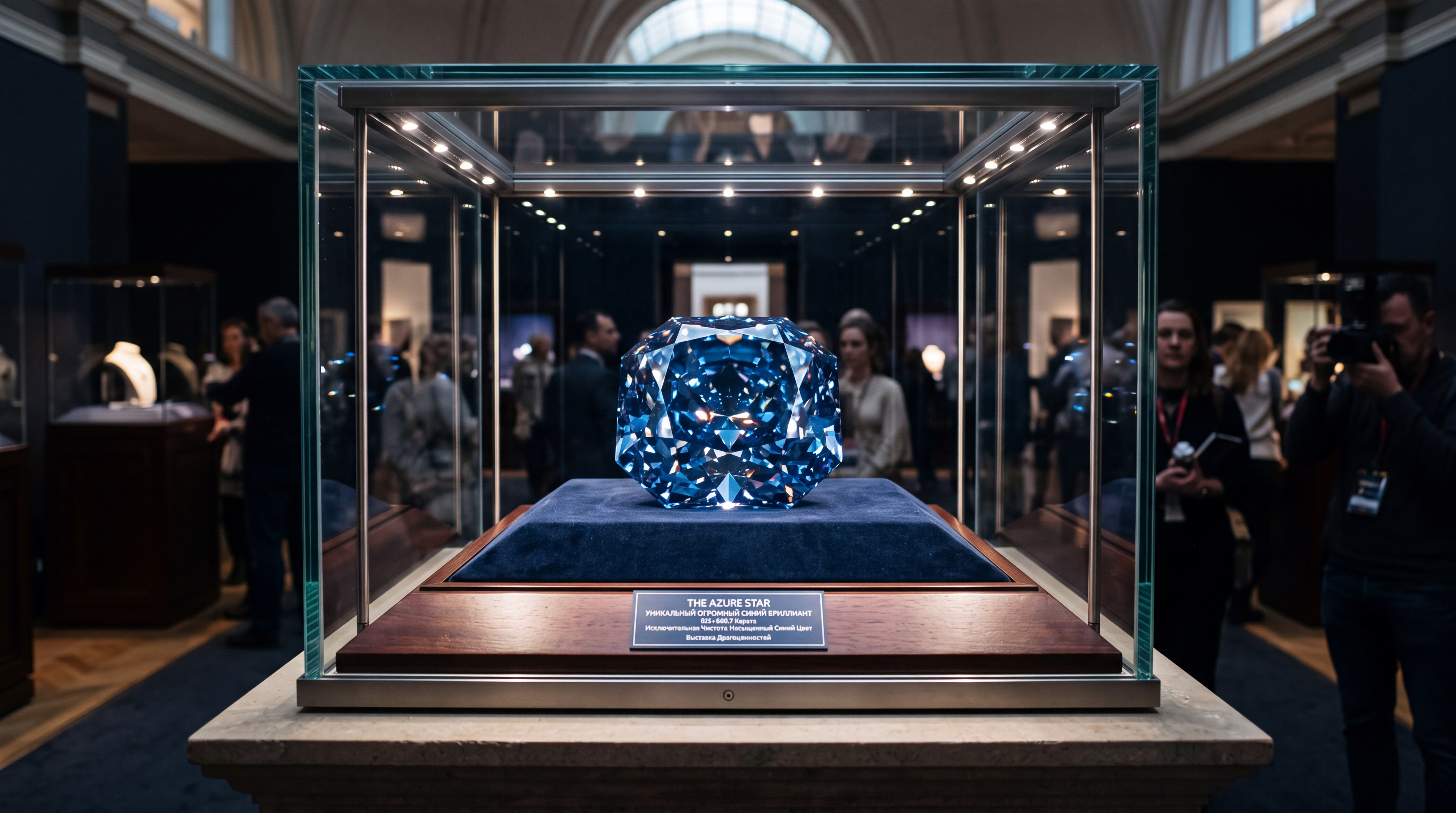
Prompt
The quality of the generation directly depends on how accurately and consistently the scene is described. It is important not only to define the general idea but also to clearly specify the character, environment, and actions to avoid distortions and unexpected changes during generation.
A good prompt should include:
- Character/Object Description
At this stage, describe the appearance of the character or object in as much detail as possible. Specify key features such as facial characteristics, body type, hairstyle, clothing, materials, shape, color, and other important visual details.
If the same character or object appears throughout the video, mention this separately so the model can preserve its appearance across the entire generation. For example:
“Same person in all shots. Preserve exact appearance throughout. Stable face throughout.”
- Action
Clearly describe what the character or object is doing, the sequence of actions, and how they interact with the environment. Use specific wording. Instead of “walks beautifully,” write:
“Walks forward confidently, turns their head toward the camera, adjusts their collar.”
The more precisely the movements and their sequence are described, the more stable and predictable the final result will be.
3. Location
Describe the environment in which the scene takes place in detail, including whether it is an interior or exterior, the placement of objects, the atmosphere, the background, and any important environmental details.
4. Lighting
Lighting determines the mood and depth of the scene, so it is best to specify it separately. You can describe the light source, its characteristics, and color, for example: soft daylight, strong backlighting, warm volumetric lighting, neon accents, etc.
5. Camera Movement
Specify the shot type and camera movement, as these determine the dynamics and visual rhythm of the video. You can combine different approaches, such as smooth tracking shots, rapid zoom-ins, changes in camera angle, and more.
6. Constraints and Stability
At the end of the prompt, it is recommended to specify technical constraints that help make the result cleaner and more stable. These usually include preventing distortions, flickering, deformations, ghosting, and random changes to the character’s face, clothing, objects, or scene.
For example:
“No deformation. No flickering. No ghosting. Stable face throughout. Realistic physics.”
- Voiceover Text
If necessary, you can additionally specify the exact text for the voiceover, and the model will use it when generating the final result. To do this, add the phrase that the character should say. The phrase should be written as direct speech.
For example: The man says: “Where are we going tonight?”
Additional Recommendations:
- Avoid vague descriptions such as “beautiful,” “interesting,” or “cool,” as they do not give the model a clear understanding of the desired result.
- If necessary, divide the scenario into time intervals, for example [0–3s], [3–6s], for more precise control over timing and the sequence of actions.
- When working with characters, clearly define their appearance and behavior to prevent random changes throughout the video.
- It is recommended to write prompts in English, as the model interprets wording, details, styles, and camera movements more accurately. This is especially important for complex and dynamic scenes that require a high level of precision.
- The more detailed and precise the prompt is, the higher the quality, stability, and predictability of the generated result will be.
Tag System
The main feature when working with references in this tool is the tag system. To add a tag to your prompt, click the thumbnail of the desired image. The tag will automatically be inserted into the prompt field.
This helps the model understand more precisely which image should be used for a specific part of the prompt.
For example:
«Reference assignment:
@ref1 — primary female character reference. Use the woman from this image as the first main character. Preserve her exact facial features, face shape, skin tone, eye color, hairstyle, hair color, body proportions and overall identity throughout the entire video. She may wear a different outfit appropriate for the scene, but her identity and physical appearance must remain unchanged.
@ref2 — primary male character reference. Use the man from this image as the second main character. Preserve his exact facial features, face shape, skin tone, eye color, hairstyle, hair color, body proportions and overall identity throughout the entire video. He may wear a different outfit appropriate for the scene, but his identity and physical appearance must remain unchanged.
@ref3 — environment reference. Use this image as the primary reference for the museum interior. Preserve its architectural style, scale, materials, exhibition layout and overall atmosphere. The entire interior sequence takes place inside this same museum.
@ref4 — object reference. Use the blue diamond from this image as the central object of the scene. Preserve its exact shape, color, size, material, reflections and recognizable visual characteristics. The same diamond must remain consistent whenever visible.
@ref5 — vehicle reference. Use the black sports car from this image as the getaway vehicle in the final scene. Preserve its exact design, body shape, color, headlights, wheels and recognizable visual characteristics.
Key Concept: A fast-paced cinematic museum heist featuring the two characters from Reference @ref1 and @ref2. They infiltrate a luxurious museum at night, navigate through a security laser system, steal the blue diamond from @ref4 and escape toward the black sports car from @ref5. The sequence should feel like a polished high-budget spy thriller with rapid camera movement, dramatic lighting and escalating tension.
Both characters wear sophisticated black tactical evening outfits suitable for a stylish spy film. The woman wears a fitted black outfit with minimal accessories. The man wears a clean black tactical-style outfit. Their clothing remains consistent throughout the sequence.
Same woman throughout. Same man throughout. Never exchange, merge or mix their facial features. Preserve both identities independently in every shot.
[0:00–0:02] Wide cinematic establishing shot inside the museum from @ref3 at night. The woman and man move quickly through the enormous exhibition hall side by side. The camera tracks backward in front of them at a low angle while they walk confidently toward the center of the museum. Glass display cases and polished surfaces create realistic reflections around them.
The camera briefly pushes closer toward their faces before rapidly pulling back, clearly establishing both characters and preserving their identities.
[0:02–0:03] A dense security grid of bright red laser beams suddenly activates across the corridor directly ahead.
Both characters immediately stop.
The woman quickly extends one arm across the man’s chest to stop him from walking into a laser. They exchange a brief focused glance.
The camera rapidly moves sideways, revealing the complex laser grid separating them from the diamond exhibition.
[0:03–0:05] They begin moving through the laser system together.
The woman ducks beneath a horizontal laser while stepping carefully between two beams. At the same moment, the man raises one leg over a lower beam and rotates his body through a narrow opening.
The camera moves dynamically between them, passing extremely close to the glowing red lasers.
For a brief macro moment, the lens passes only millimeters beside one laser beam. Tiny floating dust particles become visible in the red light while both characters continue moving in the softly blurred background.
The camera immediately accelerates forward again as they successfully clear the final lasers.
[0:05–0:06] They reach a large glass display case containing the exact blue diamond from @ref4.
The camera performs a rapid orbit around the display while the man interacts with the security mechanism beside the case.
The lock disengages.
The glass enclosure smoothly opens.
The woman immediately reaches forward toward the diamond.
[0:06–0:07] Extreme close-up as her hand grabs the blue diamond.
The diamond must clearly match @ref4, with the same shape, deep blue color, reflective surface and visual characteristics.
The instant the diamond leaves its pedestal, the museum lighting abruptly changes.
Warm exhibition lighting switches to intense flashing red emergency illumination.
The woman’s face, the man’s face, the glass display and the blue diamond are illuminated by alternating red alarm light.
Both characters immediately realize the alarm has been triggered.
[0:07–0:08] They turn simultaneously and sprint back through the museum.
The woman keeps the blue diamond firmly in one hand.
The camera races backward directly in front of them while they run toward the exit.
Red emergency lights flash across the museum walls. Security doors begin closing in the distance. Reflections rapidly move across the polished floor while the camera maintains clear visibility of both characters.
[0:08–0:09] A large metal security door rapidly descends directly ahead.
Both characters continue running without slowing down.
At the final possible moment, the woman drops low and slides underneath the closing door while holding the diamond securely against her body.
The man immediately follows.
The camera drops almost to floor level and slides underneath the door with them.
The heavy security door slams shut immediately behind the camera.
[0:09–0:10] The camera bursts through the museum exit with both characters onto a wet nighttime city street.
The exact black sports car from @ref5 is waiting directly outside with its headlights illuminated.
The woman and man sprint toward the car while the woman still visibly carries the blue diamond.
The camera rapidly pulls backward and rises slightly, revealing both characters, the black sports car and the illuminated museum entrance behind them.
Final frame: the woman reaches the passenger side while the man reaches the driver’s side of the black sports car, red emergency lights flashing across the wet street and reflecting across the vehicle.
Visual style: photorealistic cinematic spy thriller, sophisticated luxury aesthetic, high-budget action film, dramatic nighttime lighting, polished museum interiors, deep blacks, warm exhibition lighting transitioning into intense red emergency illumination, realistic reflections and strong cinematic contrast.
Camera: low-angle tracking, rapid push-ins, lateral movement, close character shots, macro laser pass, fast orbital movement around the diamond, backward running shot, floor-level security-door slide and dramatic final pull-back. Fast-paced but controlled cinematic movement with high motion clarity.
Maintain strict reference consistency. @ref1 controls the woman’s identity. @ref2 controls the man’s identity. @ref3 controls the museum environment. @ref4 controls the blue diamond. @ref5 controls the black sports car.
Do not blend characteristics between references. Do not transfer facial features between the woman and man. Do not randomly modify the museum architecture, diamond or vehicle.
No identity drift. No face changes. No morphing. No character swapping. No duplicated characters. No distorted hands. No extra fingers or limbs. No deformation. No flickering. No ghosting. Stable clothing throughout. Stable diamond design throughout. Stable vehicle design throughout. Realistic running, sliding and physical interactions. Natural fabric movement, realistic reflections and physically believable movement.
Photorealistic cinematic quality, ultra-detailed textures, realistic skin, glass, metal and gemstone materials, cinematic HDR lighting, high motion clarity, sharp focus, 4K.»
Model
This Knowledge Base explains how to work with the Seedance 2.5 model.
You can learn how to work with the Seedance 2.0 model here: Seedance 2.0
You can learn how to work with the Seedance 1.0 and Seedance 1.5 model here: Seedance
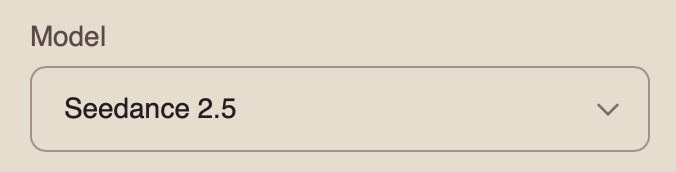
Mode
When working with the Seedance 2.5 model, you can choose from four available modes. To work with multiple images, select “Omni Reference.”
Omni Reference is the main mode that allows you to use multiple references simultaneously, including images, videos, and audio. These references help the model preserve character appearance, objects, locations, visual style, movement, and audio.
Resolution
When working with multiple images, you can choose from three resolution options:
- 480p
Basic video resolution. It is suitable for viewing on smaller mobile screens and helps reduce data usage. The image may appear slightly blurry, and fine details may be less sharp.
- 720p
Medium video resolution. It provides a good balance between video quality and file size. This format is widely used for online video, including YouTube, and delivers a clear image suitable for most modern devices and medium-sized screens.
- 1080p
High-quality video resolution that provides excellent detail and sharpness. It is ideal for viewing on larger screens and TVs. Although it requires a faster internet connection and more storage space, it delivers the clearest and most detailed image.
Audio
When working with the Seedance 2.5 model, you can generate videos with audio.
To add sound effects, enable the toggle. The model will automatically generate and add suitable audio to your video.
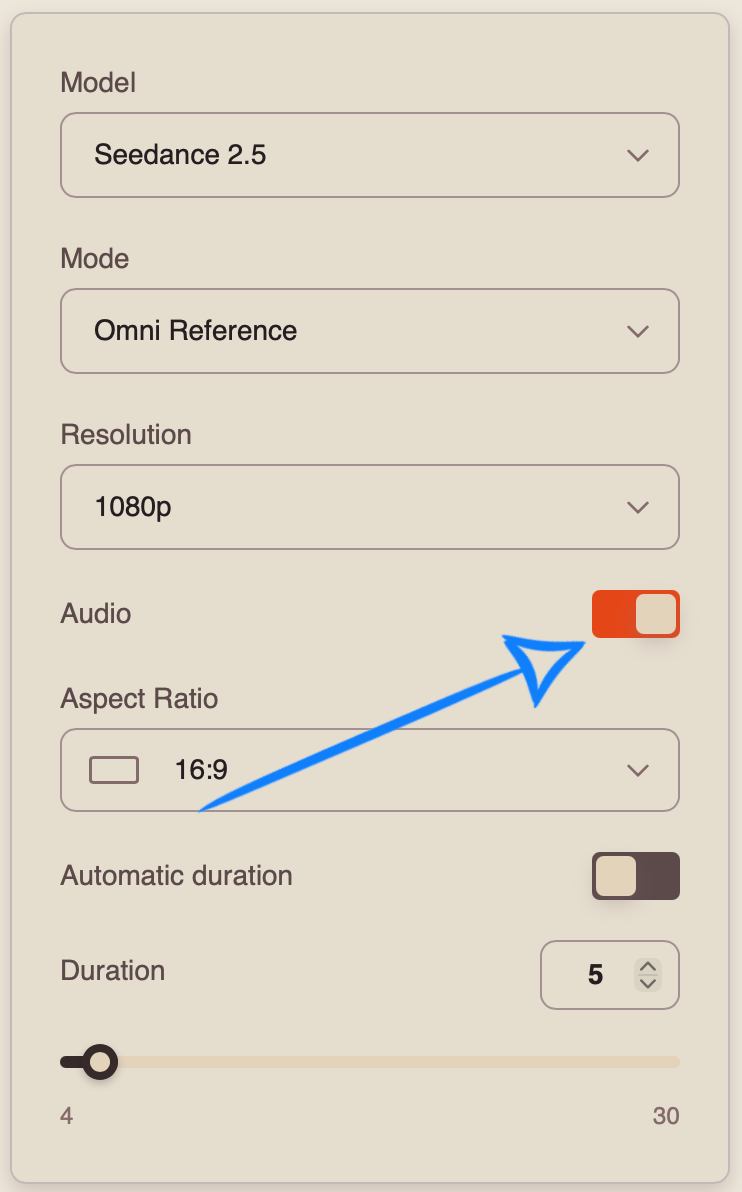
If you prefer to generate a video without sound, disable the toggle.
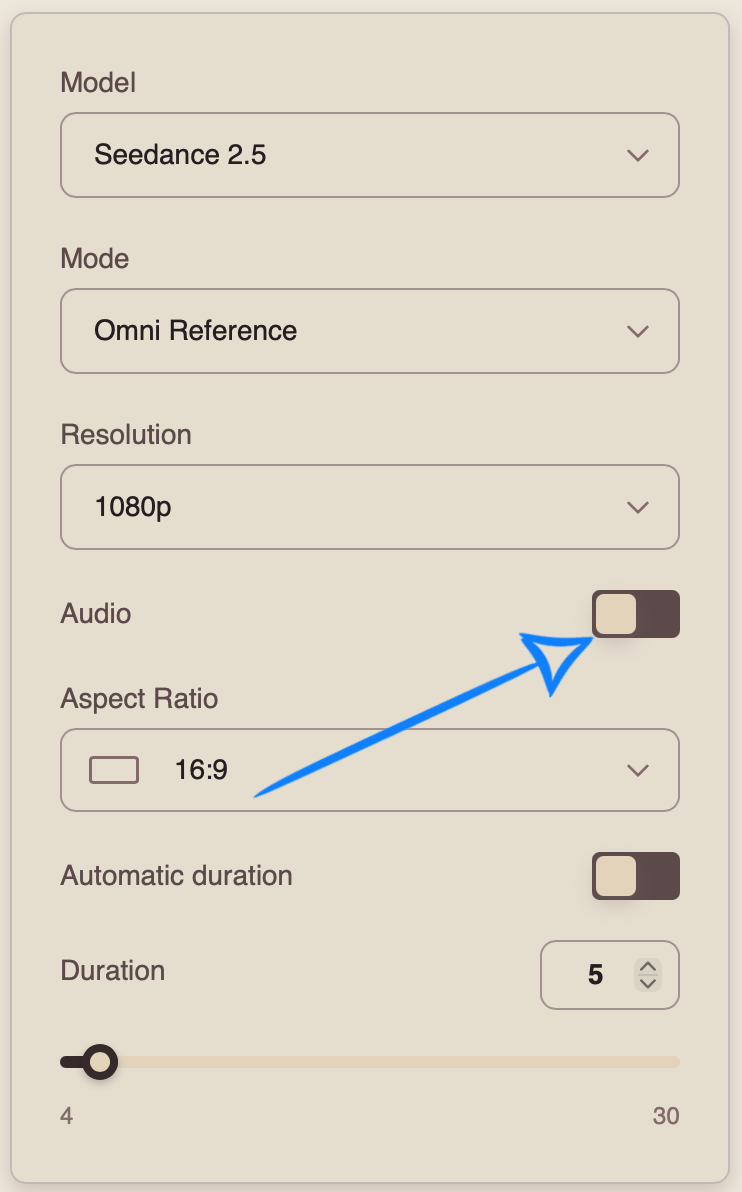
Aspect Ratio
When working in “Omni Reference” mode, you can choose from 7 aspect ratio options:
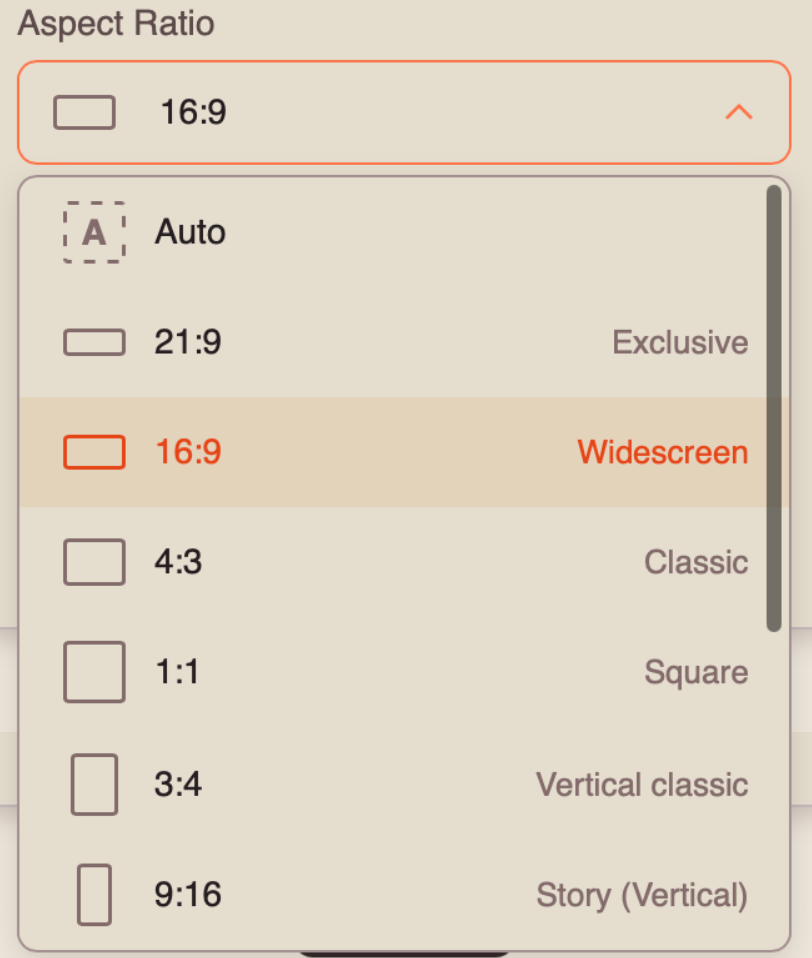
Automatic Duration
Automatic Duration is a mode in which the model automatically determines the optimal video length from 4 to 30 seconds based on the complexity and content of the prompt.
❣️ The final duration may vary between generations, so the number of tokens charged may also vary.
Duration
You can set the duration of your video from 4 to 30 seconds.
❣️ Please note that the duration is set to 5 seconds by default.
Once you have entered your prompt and configured the appropriate settings, click the “Generate” button.
Result
💥 Step-by-Step Guide to Using Seedance 2.5 “Working with Video References”
When working with a video reference, the first step is to open “Settings.” There, you can upload all the necessary materials, enter a text prompt, and configure the parameters for your video.
Model Settings
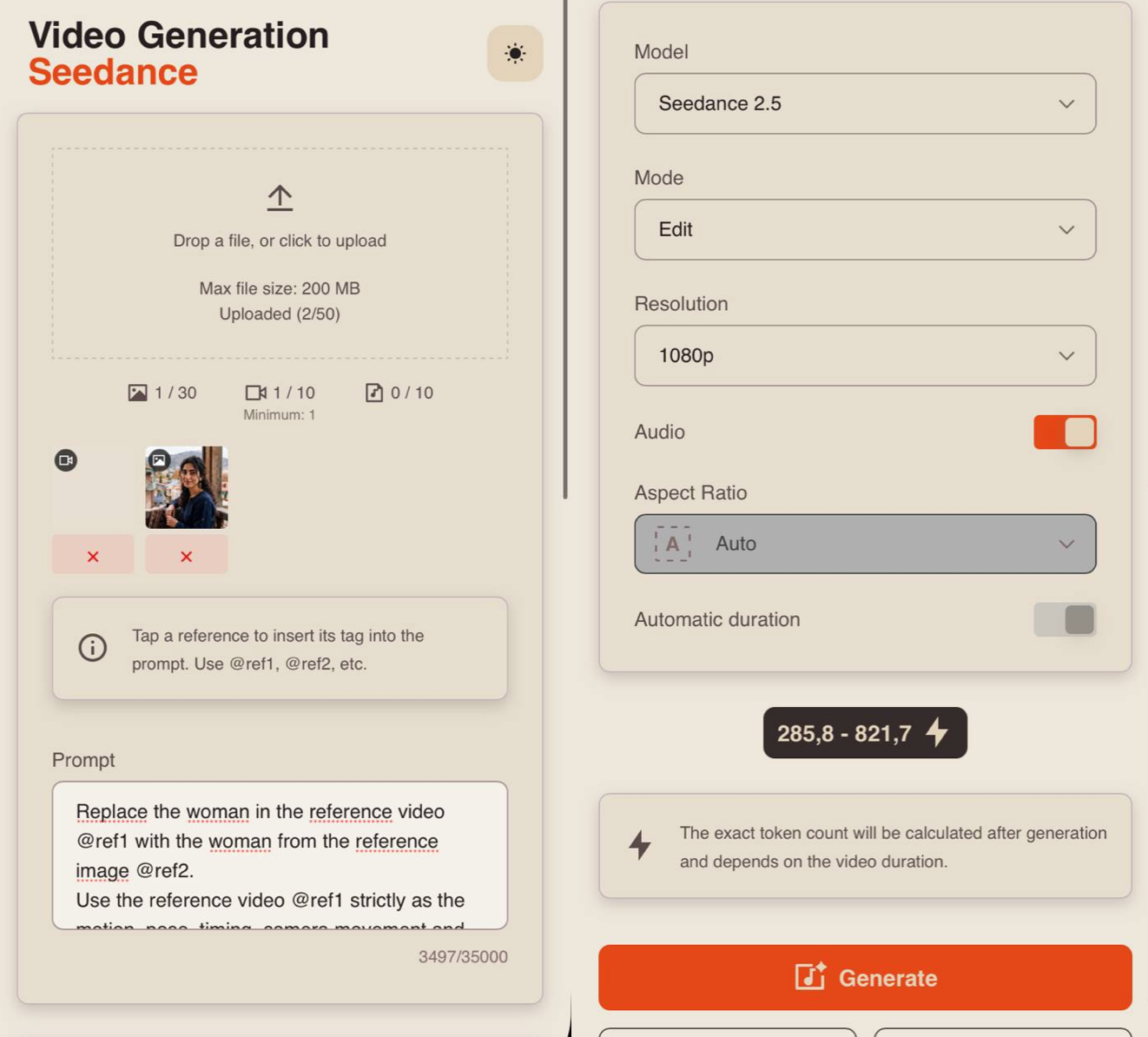
Uploading a Video
Technical requirements for videos:
- File format: MP4
- Maximum file size: 200 MB
- Maximum number of videos that can be uploaded: 10
- Total duration of all uploaded videos: up to 30 seconds
For example:
Prompt
The quality of the generation directly depends on how accurately and consistently the scene is described. It is important not only to define the general idea but also to clearly specify the character, environment, and actions to avoid distortions and unexpected changes during generation.
A good text prompt should include:
- Character/Object Description
At this stage, describe the appearance of the character or object in as much detail as possible. Specify key features such as facial characteristics, body type, hairstyle, clothing, materials, shape, color, and other important visual details.
If the same character or object appears throughout the video, mention this separately so the model can preserve its appearance across the entire generation. For example:
“Same person in all shots. Preserve exact appearance throughout. Stable face throughout.”
2. Action
Clearly describe what the character or object is doing, the sequence of actions, and how they interact with the environment. Use specific wording. Instead of “walks beautifully,” write:
“Walks forward confidently, turns their head toward the camera, adjusts their collar.”
The more precisely the movements and their sequence are described, the more stable and predictable the final result will be.
- Location
Describe the environment in which the scene takes place in detail, including whether it is an interior or exterior, the placement of objects, the atmosphere, the background, and any important environmental details.
4. Lighting
Lighting determines the mood and depth of the scene, so it is best to specify it separately. You can describe the light source, its characteristics, and color, for example: soft daylight, strong backlighting, warm volumetric lighting, neon accents, etc.
- Camera Movement
Specify the shot type and camera movement, as these determine the dynamics and visual rhythm of the video. You can combine different approaches, such as smooth tracking shots, rapid zoom-ins, changes in camera angle, and more.
- Constraints and Stability
At the end of the prompt, it is recommended to specify technical constraints that help make the result cleaner and more stable. These usually include preventing distortions, flickering, deformations, ghosting, and random changes to the character’s face, clothing, objects, or scene.
For example:
“No deformation. No flickering. No ghosting. Stable face throughout. Realistic physics.”
7. Voiceover Text
If necessary, you can additionally specify the exact text for the voiceover, and the model will use it when generating the final result. To do this, add the phrase that the character should say. The phrase should be written as direct speech.
For example: The man says: “Where are we going tonight?”
Additional Recommendations:
- Avoid vague descriptions such as “beautiful,” “interesting,” or “cool,” as they do not give the model a clear understanding of the desired result.
- If necessary, divide the scenario into time intervals, for example [0–3s], [3–6s], for more precise control over timing and the sequence of actions.
- When working with characters, clearly define their appearance and behavior to prevent random changes throughout the video.
- It is recommended to write prompts in English, as the model interprets wording, details, styles, and camera movements more accurately. This is especially important for complex and dynamic scenes that require a high level of precision.
- The more detailed and precise the prompt is, the higher the quality, stability, and predictability of the generated result will be.
Tag System
The main feature when working with references in this tool is the tag system. To add a tag to your prompt, click the thumbnail of the desired video. The tag will automatically be inserted into the prompt field.
This helps the model understand more precisely which video should be used for a specific part of the prompt.
For example:
«Replace the woman in the reference video @ref1 with the woman from the reference image @ref2.
Use the reference video @ref1 strictly as the motion, pose, timing, camera movement and scene reference. The woman from the reference image @ref2 must fully replace the original woman in the video @ref1 while performing exactly the same movements, gestures, poses, walking pattern, body turns, head movements and facial direction with identical timing.
Use the reference image @ref2 as the primary identity and appearance reference. Preserve the exact facial features, face shape, skin tone, hairstyle, hair color, body proportions and overall appearance of the woman from the reference image @ref2 throughout the entire video. Same person in all frames. Stable face and identity throughout.
Preserve the original environment, composition, camera angles, camera movement, framing, lighting, pacing and sequence of actions from the reference video @ref1. Do not change the background or movement trajectory.
The replacement must look natural and physically integrated into the original scene, with realistic body movement, natural walking physics, accurate contact with the ground, realistic hair and clothing movement, and lighting consistent with the environment.
Do not preserve the identity, facial features or appearance of the original woman from the reference video @ref1. Transfer only her motion, pose, timing and movement trajectory.
No face morphing. No identity drift. No deformation. No flickering. No ghosting. No duplicated limbs. No changes in facial features between frames. Preserve the exact identity of the woman from the reference image throughout. Smooth natural motion, realistic anatomy, high detail, photorealistic cinematic quality.»
Model
This Knowledge Base describes how to work with the Seedance 2.5 model.
You can learn how to work with the Seedance 2.0 model here: Seedance 2.0
You can learn how to work with the Seedance 1.0 and Seedance 1.5 model here: Seedance
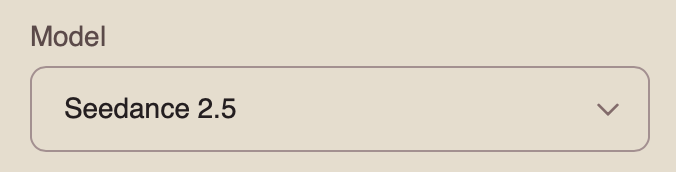
Mode
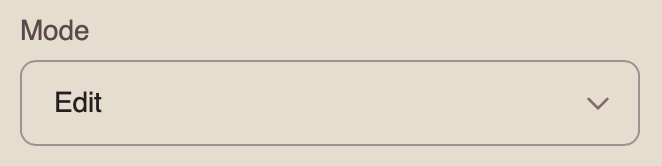
When working with the Seedance 2.5 model, you can choose from four available modes. To work with a video reference, select “Edit.”
Edit is a mode designed for modifying an existing video. To use this mode, you must upload at least one source video, which the model will use as the basis for further editing according to your prompt.
Resolution
When working with a video reference, you can choose from three resolution options:
- 480p
Basic video resolution. It is suitable for viewing on smaller mobile screens and helps reduce data usage. The image may appear slightly blurry, and fine details may be less sharp.
- 720p
Medium video resolution. It provides a good balance between video quality and file size. This format is widely used for online video, including YouTube, and delivers a clear image suitable for most modern devices and medium-sized screens.
- 1080p
High-quality video resolution that provides excellent detail and sharpness. It is ideal for viewing on larger screens and TVs. Although it requires a faster internet connection and more storage space, it delivers the clearest and most detailed image.
Audio
When working with the Seedance 2.5 model, you can generate videos with audio.
To add sound effects, enable the toggle. The model will automatically generate and add suitable audio to your video.
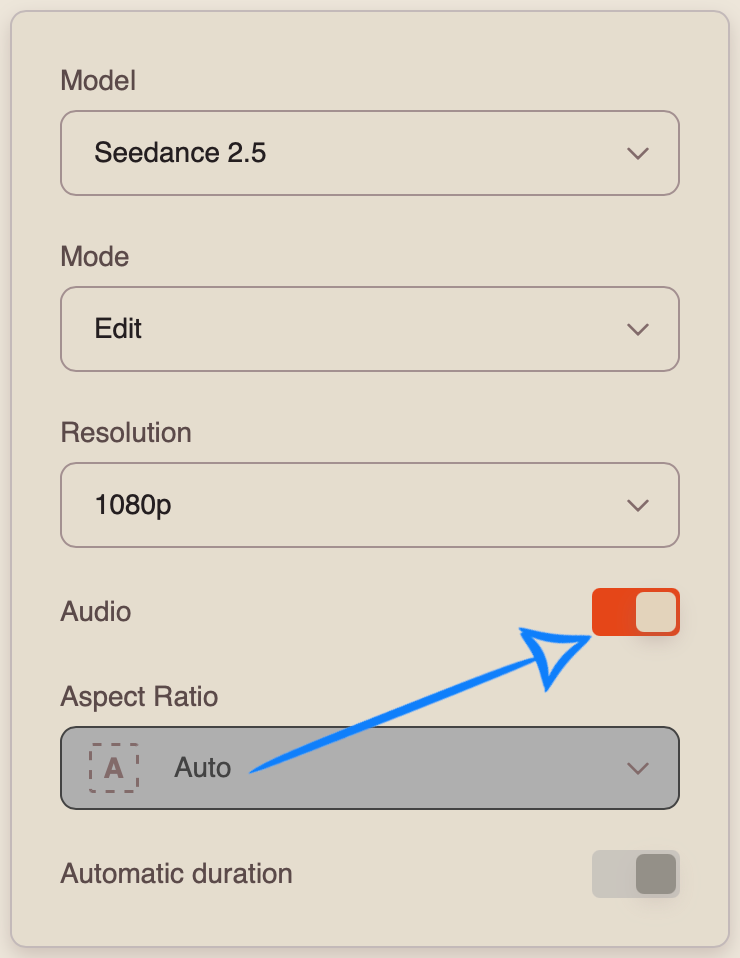
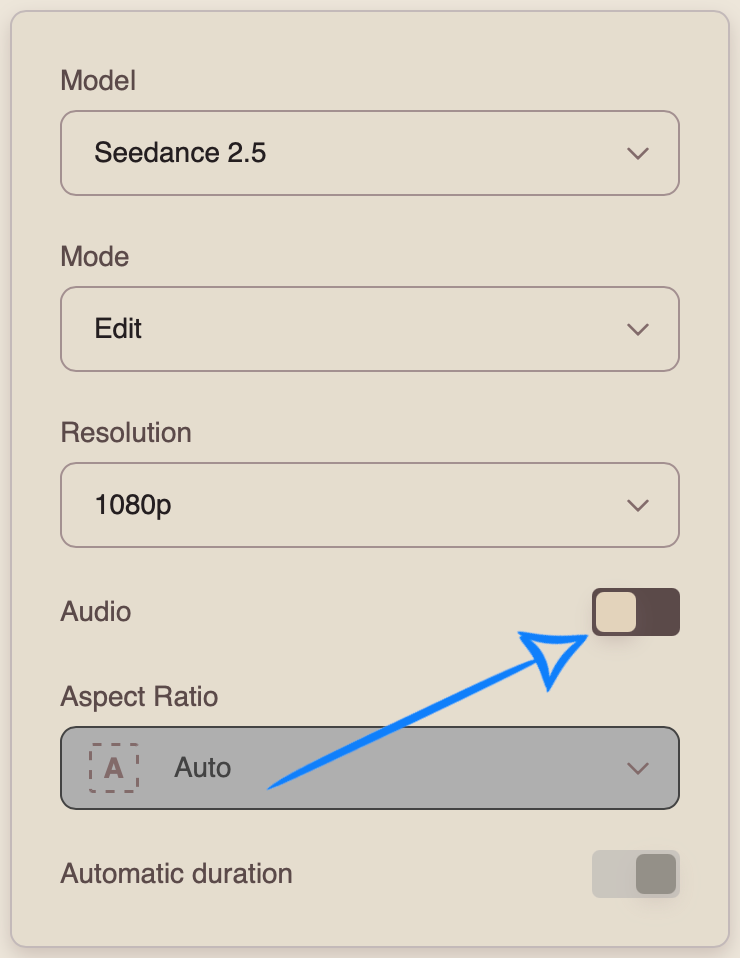
If you prefer to generate a video without sound, disable the toggle.
Aspect Ratio
When working in “Edit” mode, the aspect ratio is determined automatically based on the uploaded video and cannot be selected manually.
If you upload multiple videos with different aspect ratios, the final aspect ratio will be based on the first video you upload.
Automatic Duration
Automatic Duration is a mode in which the model automatically determines the optimal video length from 4 to 30 seconds based on the complexity and content of the prompt.
❣️ The final duration may vary between generations, so the number of tokens charged may also vary.
Once you have entered your prompt and configured the appropriate settings, click the “Generate” button.
Result
💥 Step-by-Step Guide to Using Seedance 2.5 “Working with Audio”
When working with an audio reference, the first step is to open “Settings.” There, you can upload all the necessary materials, enter a text prompt, and configure the parameters for your video.
Model Settings
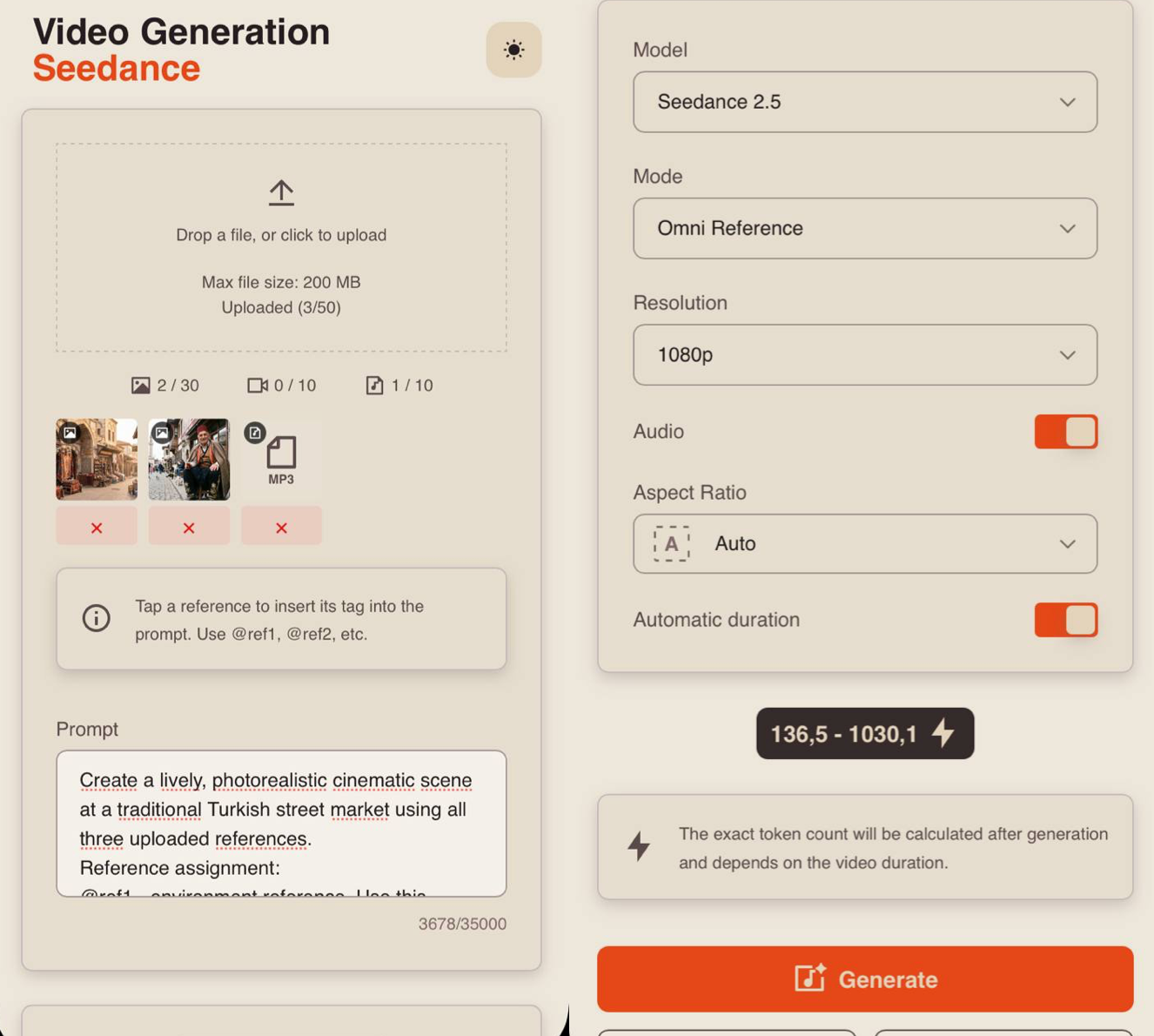
Uploading Audio
Technical requirements for audio files:
- File format: MP3
- Maximum number of audio files that can be uploaded: 10
- Total duration of all uploaded audio files: up to 30 seconds
For example:
Prompt
The quality of the generation directly depends on how accurately and consistently the scene is described. It is important not only to define the general idea but also to clearly specify the character, environment, and actions to avoid distortions and unexpected changes during generation.
A good text prompt should include:
- Character/Object Description
At this stage, describe the appearance of the character or object in as much detail as possible. Specify key features such as facial characteristics, body type, hairstyle, clothing, materials, shape, color, and other important visual details.
If the same character or object appears throughout the video, mention this separately so the model can preserve its appearance across the entire generation. For example:
“Same person in all shots. Preserve exact appearance throughout. Stable face throughout.”
2. Action
Clearly describe what the character or object is doing, the sequence of actions, and how they interact with the environment. Use specific wording. Instead of “walks beautifully,” write:
“Walks forward confidently, turns their head toward the camera, adjusts their collar.”
The more precisely the movements and their sequence are described, the more stable and predictable the final result will be.
3. Location
Describe the environment in which the scene takes place in detail, including whether it is an interior or exterior, the placement of objects, the atmosphere, the background, and any important environmental details.
- Lighting
Lighting determines the mood and depth of the scene, so it is best to specify it separately. You can describe the light source, its characteristics, and color, for example: soft daylight, strong backlighting, warm volumetric lighting, neon accents, etc.
- Camera Movement
Specify the shot type and camera movement, as these determine the dynamics and visual rhythm of the video. You can combine different approaches, such as smooth tracking shots, rapid zoom-ins, changes in camera angle, and more.
- Constraints and Stability
At the end of the prompt, it is recommended to specify technical constraints that help make the result cleaner and more stable. These usually include preventing distortions, flickering, deformations, ghosting, and random changes to the character’s face, clothing, objects, or scene.
For example:
“No deformation. No flickering. No ghosting. Stable face throughout. Realistic physics.”
- Voiceover Text
If necessary, you can additionally specify the exact text for the voiceover, and the model will use it when generating the final result. To do this, add the phrase that the character should say. The phrase should be written as direct speech.
For example: The man says: “Where are we going tonight?”
Additional Recommendations:
- Avoid vague descriptions such as “beautiful,” “interesting,” or “cool,” as they do not give the model a clear understanding of the desired result.
- If necessary, divide the scenario into time intervals, for example [0–3s], [3–6s], for more precise control over timing and the sequence of actions.
- When working with characters, clearly define their appearance and behavior to prevent random changes throughout the video.
- It is recommended to write prompts in English, as the model interprets wording, details, styles, and camera movements more accurately. This is especially important for complex and dynamic scenes that require a high level of precision.
- The more detailed and precise the prompt is, the higher the quality, stability, and predictability of the generated result will be.
❗️Important When Working with Audio
- An audio file can be used by the model either as a ready-made audio track or as a reference for voice, intonation, and musical style. Therefore, it is recommended to clearly specify the purpose of each uploaded file in the text prompt.
- If you use multiple audio files, specify the purpose of each one. For example, indicate which file contains a particular character’s speech, which one should be used for music, and which one should be used for sound effects.
- When working with Russian speech, it is recommended to avoid overly long or complex phrases. The model may regenerate the speech, which can result in distorted pronunciation or individual words.
- It is also recommended to specify the audio priority: speech should remain in the foreground, while music and sound effects should not overpower it.
- Audio references can affect not only the sound but also the duration and pace of actions, character facial expressions, editing, and camera movement. The model attempts to synchronize the visual elements of the video with the rhythm and duration of the audio.
Tag System
The main feature when working with references in this tool is the tag system. To add a tag to your prompt, click the thumbnail of the desired audio file. The tag will automatically be inserted into the prompt field.
This helps the model understand more precisely which audio file should be used for a specific part of the prompt.
For example:
«Create a lively, photorealistic cinematic scene at a traditional Turkish street market using all three uploaded references.
Reference assignment:
@ref1 - environment reference. Use this image as the primary reference for the Turkish market location, architecture, market stalls, products, colors and overall atmosphere. Preserve the recognizable visual characteristics of this environment.
@ref2 - character reference. Use the elderly Turkish man from this image as the main character. Preserve his exact facial features, age, skin tone, hairstyle, facial hair, body proportions and overall appearance throughout the entire video. Same man throughout. Stable face and identity.
@ref3 - primary dialogue reference. The elderly man must loudly and clearly speak the exact phrase from this audio. Preserve the original wording, voice, pronunciation, timing, rhythm and intonation. Do not rewrite, regenerate or reinterpret the dialogue.
The elderly Turkish market seller stands confidently beside a colorful market stall filled with fresh vegetables, fruits, spices and traditional products. The market around him is busy and alive: customers walk between stalls, vendors work in the background, colorful fabrics move gently in the breeze and people naturally interact with products.
The man looks toward people passing through the market and loudly calls out the exact phrase from @ref3 like an energetic experienced street vendor trying to attract customers.
His facial expressions and body language must naturally match the audio. His mouth movements must be accurately synchronized with every spoken word. He gestures expressively with his hands, briefly points toward the products on his stall and opens one hand toward passing customers while speaking. His performance feels confident, charismatic, energetic and authentic rather than exaggerated or theatrical.
Camera begins with a wider cinematic shot showing the busy Turkish market and the seller at his stall. The camera then smoothly moves forward through the crowd toward him. Passing customers briefly cross the foreground, creating natural depth and movement. As the man begins speaking, the camera transitions into a medium shot and slowly pushes closer toward his face while he gestures and delivers his phrase. Finish with a confident medium close-up of the seller looking toward nearby customers.
Warm natural daylight, rich Mediterranean colors, colorful fruits and vegetables, realistic skin texture, detailed fabrics, subtle sunlight reflections and soft natural shadows. Slight handheld documentary-style camera movement creates the feeling of actually standing inside a busy Turkish market.
@ref3 is the highest priority. The man’s dialogue must be loud, clear and dominant in the final audio mix. Preserve the exact phrase from the uploaded audio. Do not generate additional dialogue or change the spoken words.
Add subtle natural market ambience underneath the dialogue: distant conversations, footsteps, bags and products moving, subtle street activity and background vendor voices. Keep all environmental sounds significantly quieter than the man’s voice. No background music.
Accurate lip synchronization with @ref3. Natural mouth movement, facial expressions and gestures synchronized with the rhythm and intensity of the speech.
Same elderly man throughout. Preserve exact identity from @ref2. No face changes. No identity drift. No deformation. No flickering. No ghosting. No duplicated people. No distorted hands. Natural anatomy and realistic body movement. Preserve the Turkish market environment from @ref1. Photorealistic cinematic quality, high detail, realistic lighting and natural motion.»
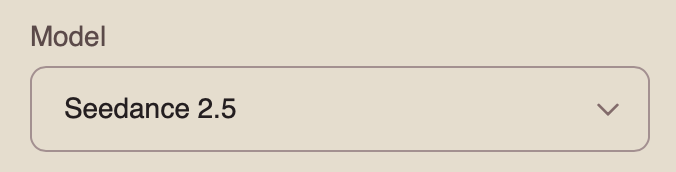
Model
This Knowledge Base explains how to work with the Seedance 2.5 model.
You can learn how to work with the Seedance 2.0 model here: Seedance 2.0
You can learn how to work with the Seedance 1.0 and Seedance 1.5 model here: Seedance
Mode
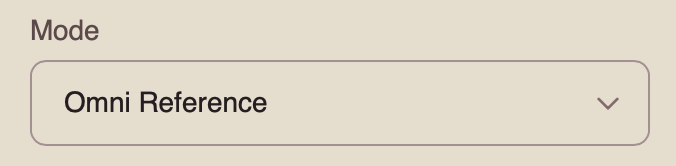
When working with the Seedance 2.5 model, you can choose from four available modes. To work with an audio reference, select “Omni Reference.”
Omni Reference is the main mode that allows you to use multiple references simultaneously, including images, videos, and audio. These references help the model preserve character appearance, objects, locations, visual style, movement, and audio.
Resolution
When working with an audio reference, you can choose from three resolution options:
- 480p
Basic video resolution. It is suitable for viewing on smaller mobile screens and helps reduce data usage. The image may appear slightly blurry, and fine details may be less sharp.
- 720p
Medium video resolution. It provides a good balance between video quality and file size. This format is widely used for online video, including YouTube, and delivers a clear image suitable for most modern devices and medium-sized screens.
- 1080p
High-quality video resolution that provides excellent detail and sharpness. It is ideal for viewing on larger screens and TVs. Although it requires a faster internet connection and more storage space, it delivers the clearest and most detailed image.
Audio
When using an audio reference, the toggle must be enabled. If you disable it, the video will be generated without sound, even if an audio reference has been uploaded.
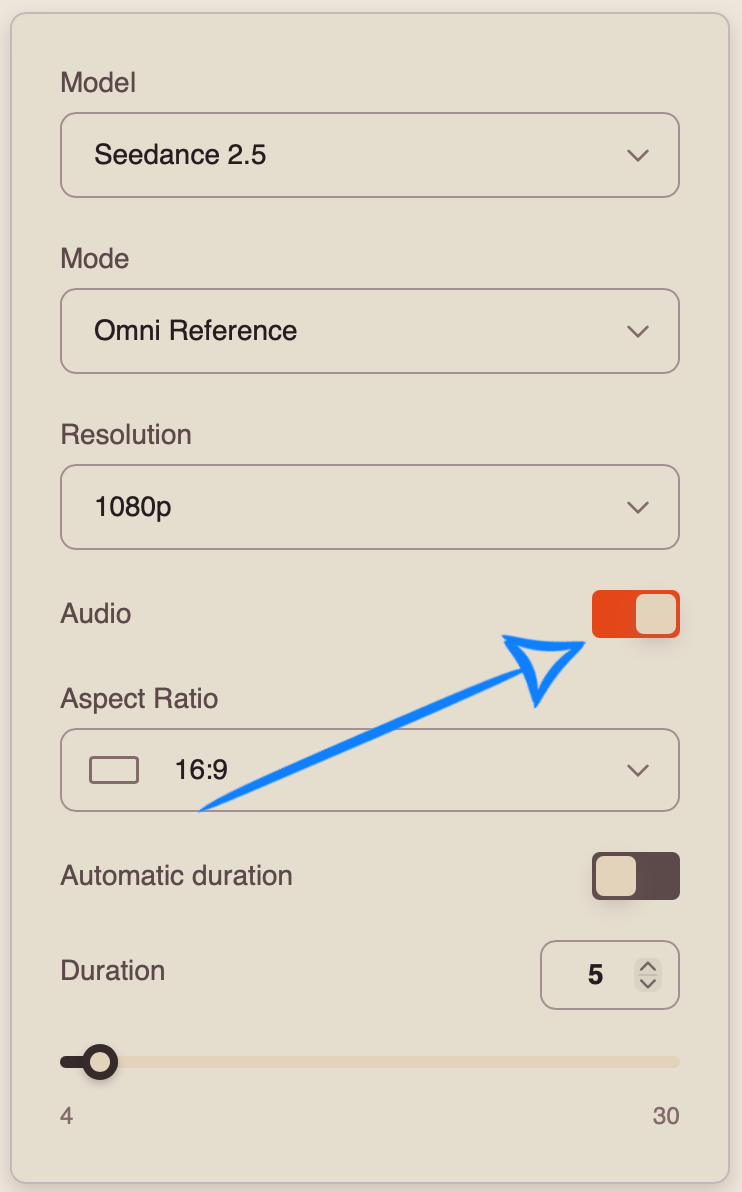
Aspect Ratio
When working in “Omni Reference” mode, you can choose from 7 aspect ratio options:
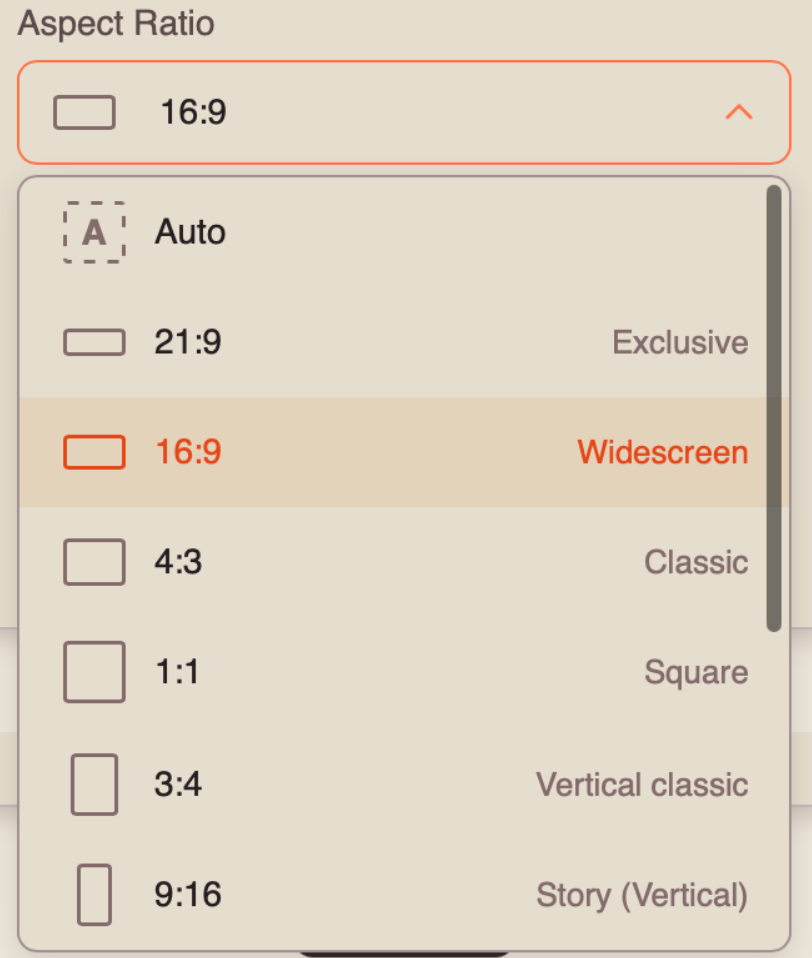
Automatic Duration
Automatic Duration is a mode in which the model automatically determines the optimal video length from 4 to 30 seconds based on the complexity and content of the prompt.
❣️ The final duration may vary between generations, so the number of tokens charged may also vary.
Duration
You can set the duration of your video from 4 to 30 seconds.
❣️ Please note that the duration is set to 5 seconds by default.
Once you have entered your prompt and configured the appropriate settings, click the “Generate” button.
Result
💥 Step-by-Step Guide to Using Seedance 2.5: “Working with Different References”
First, when working with different references, you need to open “Settings”. Here, you can upload all the necessary materials, add a text prompt, and configure the parameters for your future video.
Model Settings
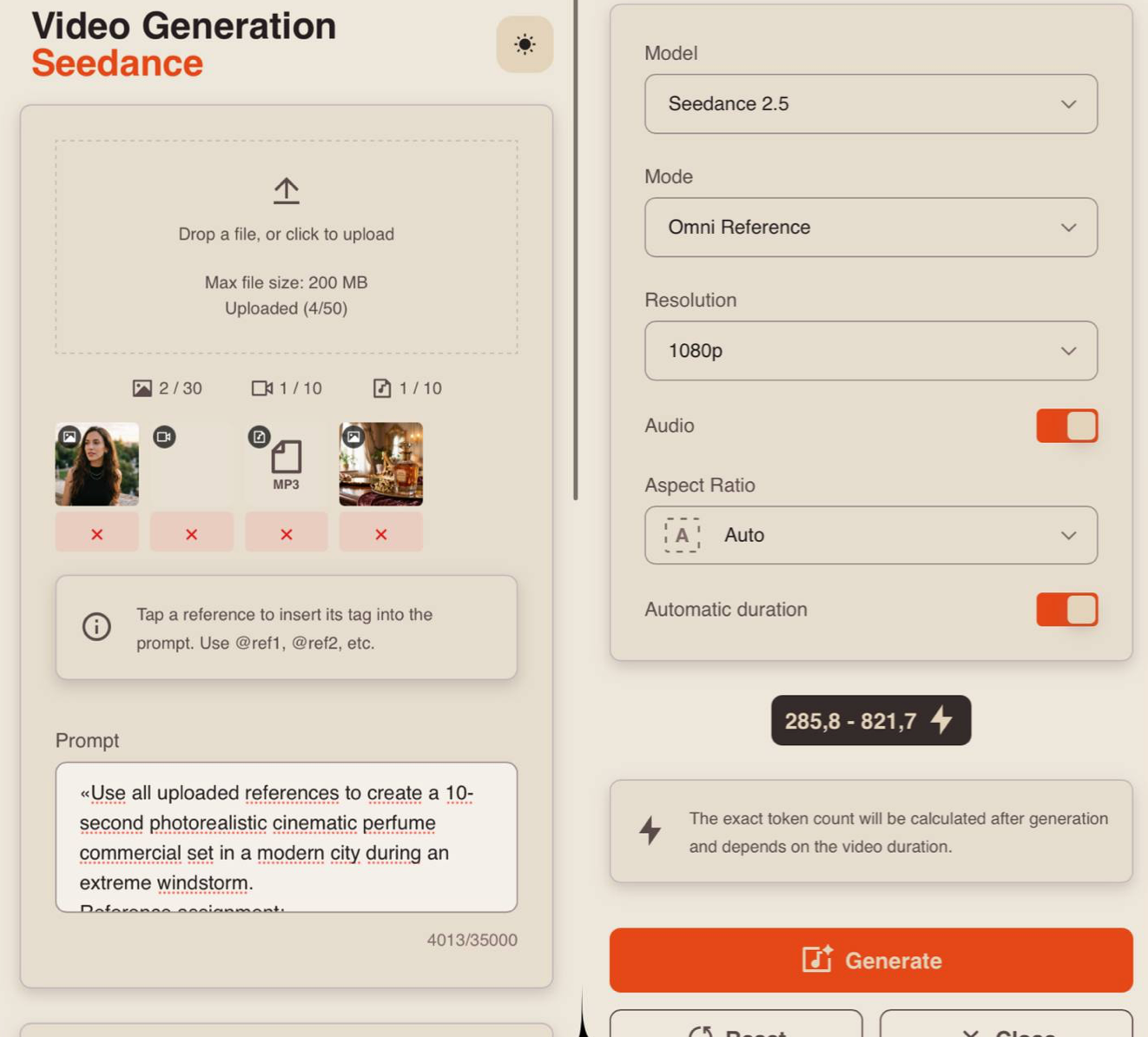
Uploading Images
Technical requirements for images:
- Supported image formats: JPG and PNG.
- Maximum file size: up to 10 MB.
- Maximum number of uploaded images: 30.
For example:
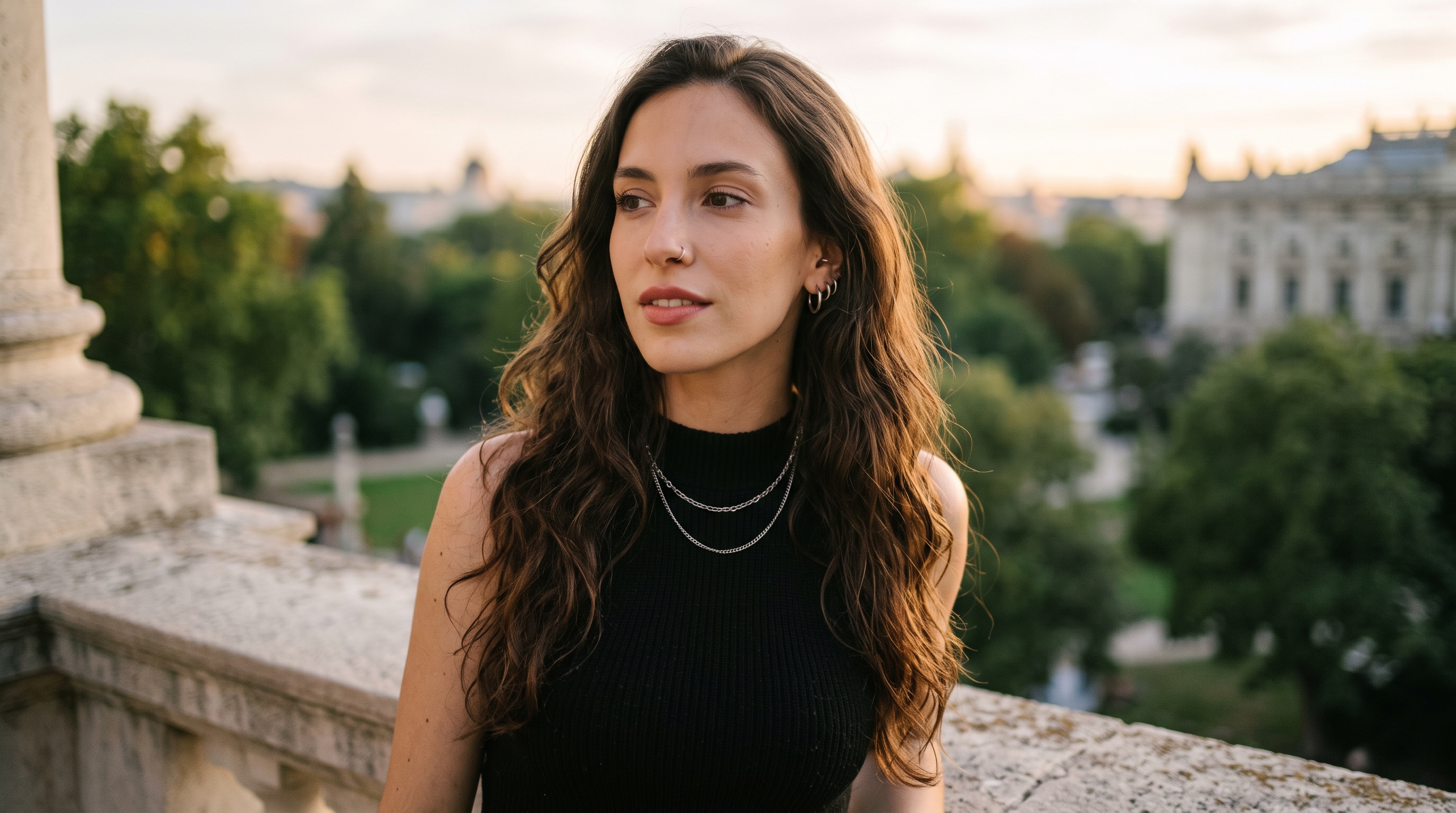
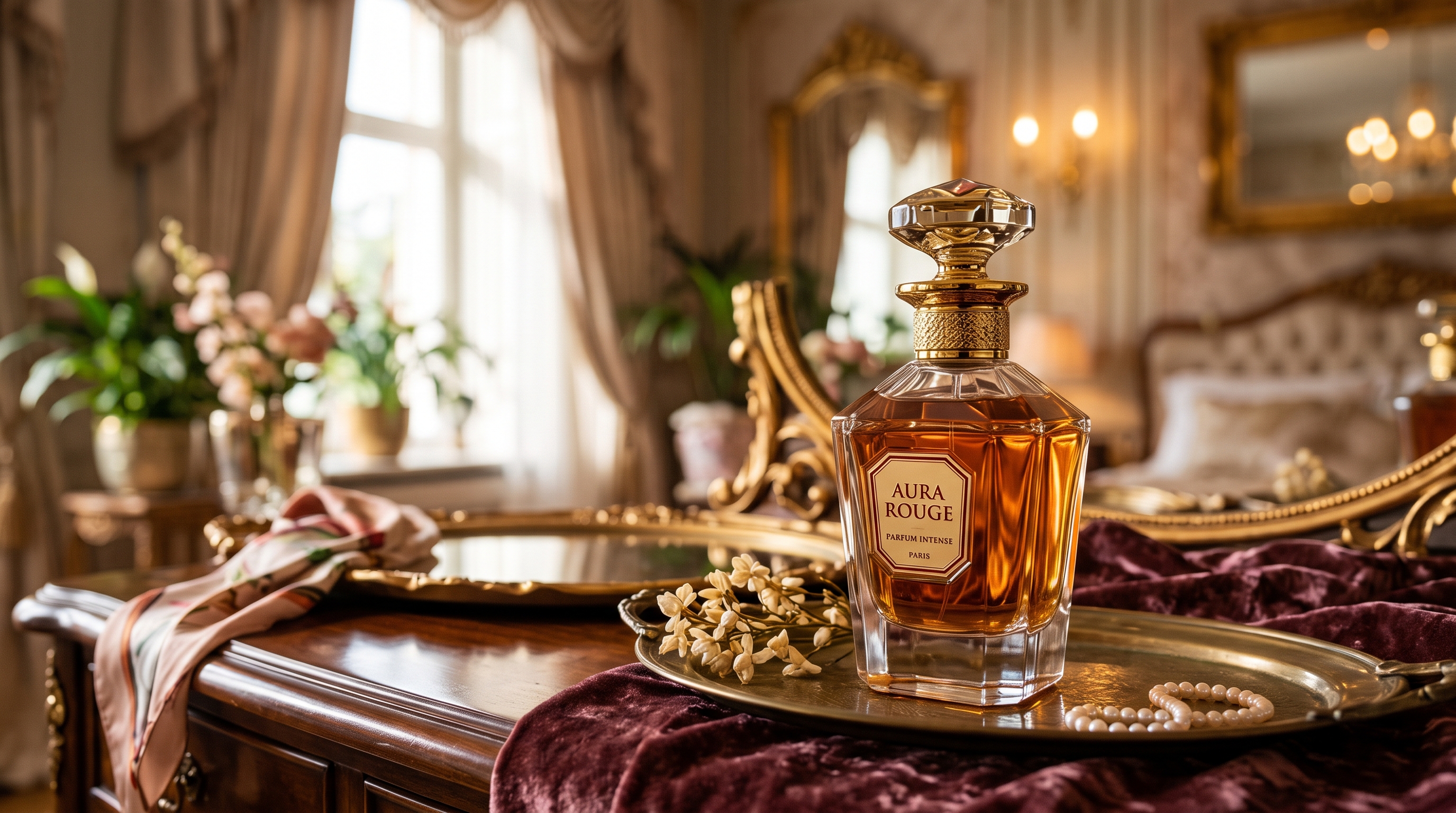
Uploading Videos
Technical requirements for videos:
- File format: MP4.
- Maximum file size: up to 200 MB.
- Maximum number of uploaded videos: 10.
- Total duration of all uploaded videos: up to 30 seconds.
For example:
Uploading Audio
Technical requirements for audio:
- File format: MP3.
- Maximum number of uploaded audio files: 10.
- Total duration of all uploaded audio files: up to 30 seconds.
For example:
Prompt
The quality of the generation directly depends on how accurately and consistently the scene is described. It is important not only to define the general idea but also to clearly specify the character, environment, and actions to avoid distortions and unexpected changes during generation.
A good text prompt should include:
- Character/Object Description
At this stage, describe the appearance of the character or object in as much detail as possible. Specify key features such as facial characteristics, body type, hairstyle, clothing, materials, shape, color, and other important visual details.
If the same character or object appears throughout the video, mention this separately so the model can preserve its appearance across the entire generation. For example:
“Same person in all shots. Preserve exact appearance throughout. Stable face throughout.”
2. Action
Clearly describe what the character or object is doing, the sequence of actions, and how they interact with the environment. Use specific wording. Instead of “walks beautifully,” write:
“Walks forward confidently, turns their head toward the camera, adjusts their collar.”
The more precisely the movements and their sequence are described, the more stable and predictable the final result will be.
- Location
Describe the environment in which the scene takes place in detail, including whether it is an interior or exterior, the placement of objects, the atmosphere, the background, and any important environmental details.
- Lighting
Lighting determines the mood and depth of the scene, so it is best to specify it separately. You can describe the light source, its characteristics, and color, for example: soft daylight, strong backlighting, warm volumetric lighting, neon accents, etc.
5. Camera Movement
Specify the shot type and camera movement, as these determine the dynamics and visual rhythm of the video. You can combine different approaches, such as smooth tracking shots, rapid zoom-ins, changes in camera angle, and more.
6. Constraints and Stability
At the end of the prompt, it is recommended to specify technical constraints that help make the result cleaner and more stable. These usually include preventing distortions, flickering, deformations, ghosting, and random changes to the character’s face, clothing, objects, or scene.
For example:
“No deformation. No flickering. No ghosting. Stable face throughout. Realistic physics.”
7. Voiceover Text
If necessary, you can additionally specify the exact text for the voiceover, and the model will use it when generating the final result. To do this, add the phrase that the character should say. The phrase should be written as direct speech.
For example: The man says: “Where are we going tonight?”
Additional Recommendations:
- Avoid vague descriptions such as “beautiful,” “interesting,” or “cool,” as they do not give the model a clear understanding of the desired result.
- If necessary, divide the scenario into time intervals, for example [0–3s], [3–6s], for more precise control over timing and the sequence of actions.
- When working with characters, clearly define their appearance and behavior to prevent random changes throughout the video.
- It is recommended to write prompts in English, as the model interprets wording, details, styles, and camera movements more accurately. This is especially important for complex and dynamic scenes that require a high level of precision.
- The more detailed and precise the prompt is, the higher the quality, stability, and predictability of the generated result will be.
❗️Important When Working with Audio
- An audio file can be used by the model either as a ready-made audio track or as a reference for voice, intonation, and musical style. Therefore, it is recommended to clearly specify the purpose of each uploaded file in the text prompt.
- If you use multiple audio files, specify the purpose of each one. For example, indicate which file contains a particular character’s speech, which one should be used for music, and which one should be used for sound effects.
- When working with Russian speech, it is recommended to avoid overly long or complex phrases. The model may regenerate the speech, which can result in distorted pronunciation or individual words.
- It is also recommended to specify the audio priority: speech should remain in the foreground, while music and sound effects should not overpower it.
- Audio references can affect not only the sound but also the duration and pace of actions, character facial expressions, editing, and camera movement. The model attempts to synchronize the visual elements of the video with the rhythm and duration of the audio.
Tag System
The main feature when working with references in this tool is the tag system. To add a tag to your prompt, click the thumbnail of the desired audio file. The tag will automatically be inserted into the prompt field.
This helps the model understand more precisely which audio file should be used for a specific part of the prompt.
For example:
«Use all uploaded references to create a 10-second photorealistic cinematic perfume commercial set in a modern city during an extreme windstorm.
Reference assignment:
@ref1- primary female character reference. Use the woman from this image as the only main character. Preserve her exact facial features, face shape, skin tone, hairstyle, hair color, body proportions and overall identity throughout the entire video. Same woman in all shots. Stable face and identity.
@ref2- windstorm and motion reference. Use this video as the primary reference for the strength, direction and physical behavior of the wind. Recreate the violent urban wind, dramatically bending trees, flying leaves, papers, branches, trash and lightweight street objects. Use the reference for storm intensity and realistic wind physics, but do not copy its exact camera composition.
@ref3- primary dialogue reference. The woman must speak the exact dialogue from this audio. Preserve the original words, voice, pronunciation, timing, pacing and intonation. Do not rewrite, regenerate or reinterpret the speech. Her mouth movements and facial expressions must accurately synchronize with the uploaded audio.
@ref4- perfume bottle reference. Use the exact perfume bottle shown in this image. Preserve its shape, proportions, glass, color, cap, label, materials and recognizable design. The bottle must remain visually consistent whenever visible.
Key Concept: A premium cinematic perfume commercial built around the contrast between absolute chaos and complete confidence. A violent windstorm tears through a modern city while the woman remains calm and composed, looking directly into the camera and delivering the dialogue from @ref3. During her speech, the perfume bottle emerges from the storm, flies toward her through the chaotic city and lands naturally in her hand.
[0:00–0:02] Medium cinematic shot of the woman standing confidently in the middle of a modern city street. She looks directly into the camera and immediately begins speaking the exact dialogue from @ref3.
The wind is already powerful. Her hair and clothing move dramatically but naturally. Behind her, trees bend, leaves race across the pavement and loose papers fly through the air.
The camera slowly pushes toward her while she remains completely calm.
[0:02–0:04] The wind becomes significantly stronger while she continues speaking.
The camera smoothly moves around her into a slight three-quarter angle. In the background, branches shake violently, garbage bins roll across the street, café chairs slide across the pavement and lightweight debris flies through the air.
Her performance remains controlled, elegant and confident despite the chaos surrounding her.
[0:04–0:06] A massive gust travels down the street from the distant background toward the woman.
Far behind her, the exact perfume bottle from @ref4 becomes visible inside the moving debris.
The bottle is carried forward by the wind, rotating naturally through the air while approaching rapidly.
The camera briefly shifts focus from the woman’s face to the approaching bottle and then back to her.
[0:06–0:08] The perfume bottle flies directly beside the woman.
Brief cinematic slow motion.
The camera performs a tight dynamic orbit as the bottle rotates through the air in extreme detail. Leaves, papers and small droplets or particles remain suspended around it. Reflections move realistically across the glass surface.
The woman calmly extends one hand without interrupting her dialogue.
The bottle rotates once more and lands naturally in her open hand exactly as she reaches the final part of the spoken phrase.
[0:08–0:10] The woman closes her fingers around the bottle and raises it elegantly beside her face.
At that exact moment, the violent wind begins to weaken. Flying debris falls away and the trees gradually stop bending while her hair continues moving gently in the remaining breeze.
She finishes the exact dialogue from @ref3 and maintains direct confident eye contact with the camera.
The camera rapidly pushes toward the perfume bottle, transitioning into an extreme macro product shot. The exact bottle from @ref4 fills the foreground while the woman’s face and the recovering city remain softly visible behind it.
End on a polished luxury advertising composition with the perfume bottle clearly visible.
@ref3 is the highest audio priority. The woman’s dialogue must remain loud, clear and fully intelligible throughout. Do not generate additional dialogue or alter the uploaded speech.
Add realistic urban wind ambience, moving branches, flying paper and environmental sounds underneath the dialogue. All environmental audio must remain significantly quieter than her voice. No additional background music unless it already exists in @ref3.
Accurate lip synchronization is essential. Synchronize the woman’s mouth movement, facial expressions and natural gestures with the exact timing of @ref3.
Visual style: luxury perfume advertising, photorealistic cinematic realism, sophisticated fashion aesthetic combined with dramatic disaster-movie scale, premium commercial lighting, realistic skin, detailed hair and fabric, volumetric daylight, cinematic HDR, shallow depth of field and high contrast.
Wind physics are essential. Hair, clothing, trees, leaves, branches, papers, trash and the perfume bottle must react consistently to the same dominant wind direction. The perfume bottle must travel naturally from the distant background toward the woman. Do not make the bottle randomly appear or teleport into her hand.
Maintain strict reference consistency. @ref1 controls the woman’s identity. @ref2 wind intensity and physics. @ref3 controls dialogue, voice and timing. @ref4 controls the perfume bottle.
No identity drift. No face changes. No morphing. No distorted hands. No extra fingers. No duplicated perfume bottles. No changing bottle design. No teleportation of the bottle. No random character appearances. No tornado funnel. No sandstorm. No supernatural magic effects. No deformation. No flickering. No ghosting.
Photorealistic cinematic 4K, realistic physics, high motion clarity, detailed glass reflections, natural facial animation and polished premium advertising quality.»
Model
This Knowledge Base explains how to work with the Seedance 2.5 model.
You can learn how to work with the Seedance 2.0 model here: Seedance 2.0
You can learn how to work with the Seedance 1.0 and Seedance 1.5 model here: Seedance
Mode
When working with the Seedance 2.5 model, you can choose from four available modes. When working with different references, select “Omni Reference.”
Omni Reference is the main mode that allows you to use multiple references simultaneously, including images, videos, and audio. These references help the model preserve character appearance, objects, locations, visual style, movement, and audio.
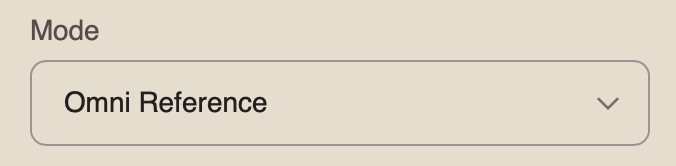
Resolution
When working with different references, you can choose from three resolution options:
- 480p
Basic video resolution. It is suitable for viewing on smaller mobile screens and helps reduce data usage. The image may appear slightly blurry, and fine details may be less sharp.
- 720p
Medium video resolution. It provides a good balance between video quality and file size. This format is widely used for online video, including YouTube, and delivers a clear image suitable for most modern devices and medium-sized screens.
- 1080p
High-quality video resolution that provides excellent detail and sharpness. It is ideal for viewing on larger screens and TVs. Although it requires a faster internet connection and more storage space, it delivers the clearest and most detailed image.
Audio
When using an audio reference, the toggle must be enabled. If you disable it, the video will be generated without sound, even if an audio reference has been uploaded.
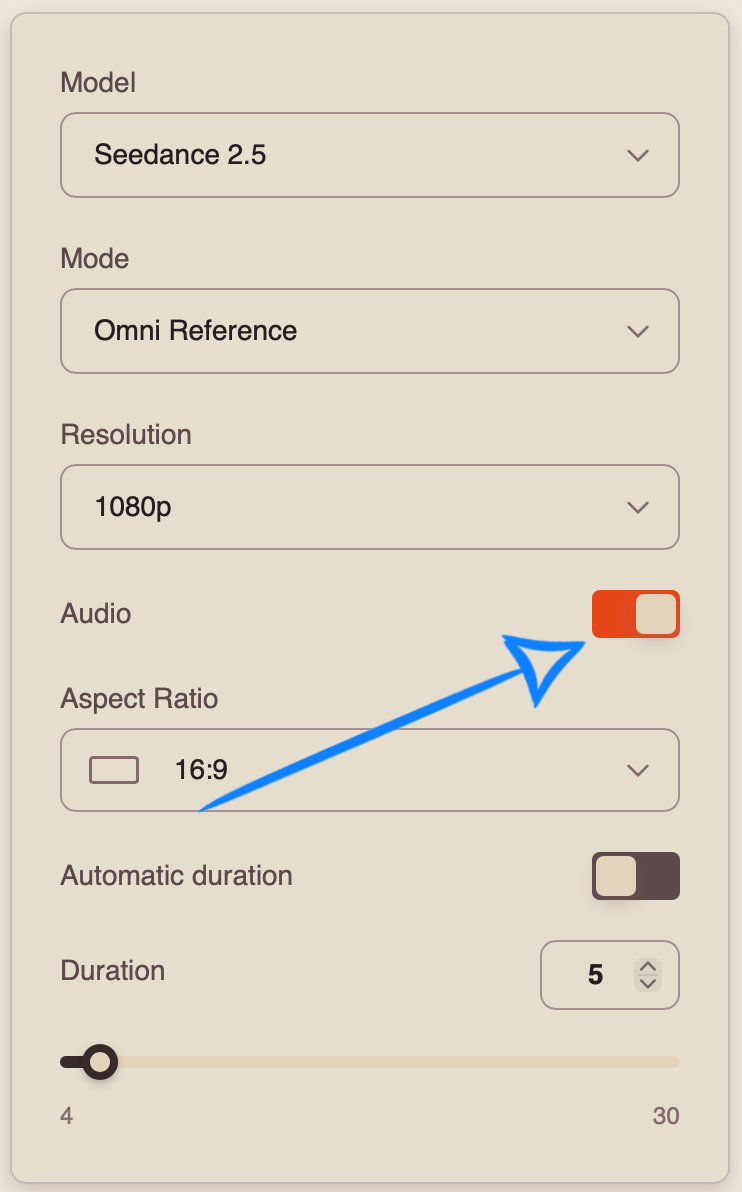
Aspect Ratio
When working in “Omni Reference” mode, you can choose from 7 available aspect ratios:
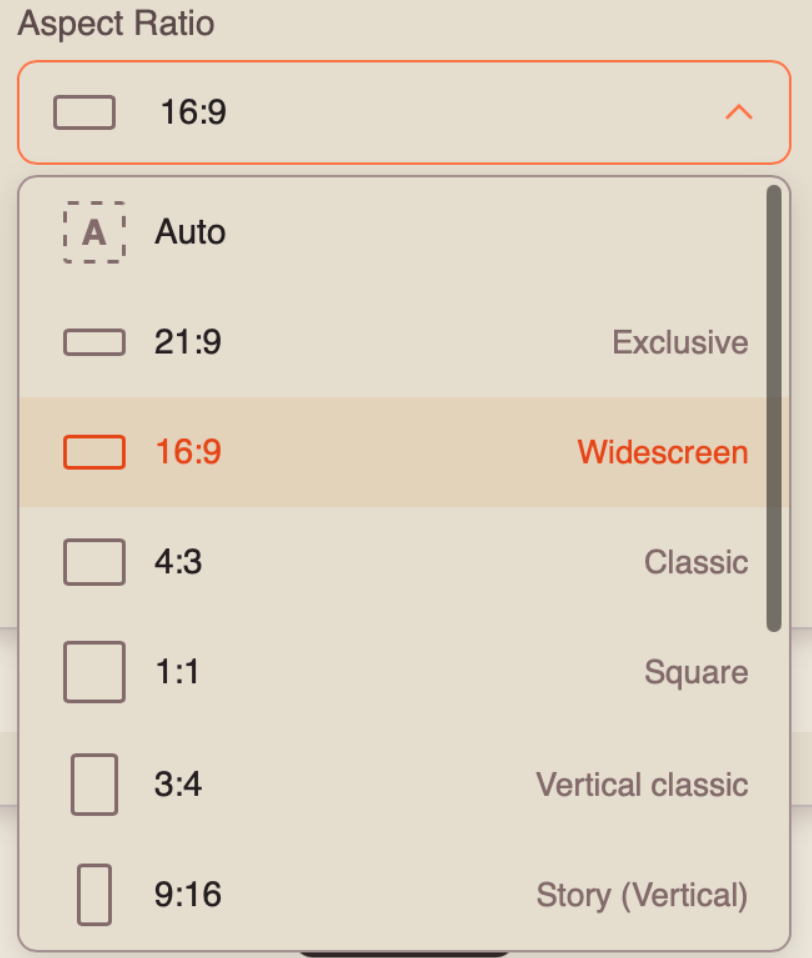
Automatic Duration
Automatic Duration is a mode in which the model automatically determines the optimal video length from 4 to 30 seconds based on the complexity and content of the prompt.
❣️ The final duration may vary between generations, so the number of tokens charged may also vary.
Duration
You can set the duration of your future video from 4 to 30 seconds.
❣️Please note that the duration is set to 5 seconds by default.
Once you have entered your prompt and configured the appropriate settings, click the “Generate” button.
Result
💥 Step-by-Step Guide to Using Seedance 2.5 “Video Extension (Extend)”
When extending a video, the first step is to open “Settings.” There, you can upload all the necessary materials, enter a text prompt, and configure the parameters for your video.
Model Settings
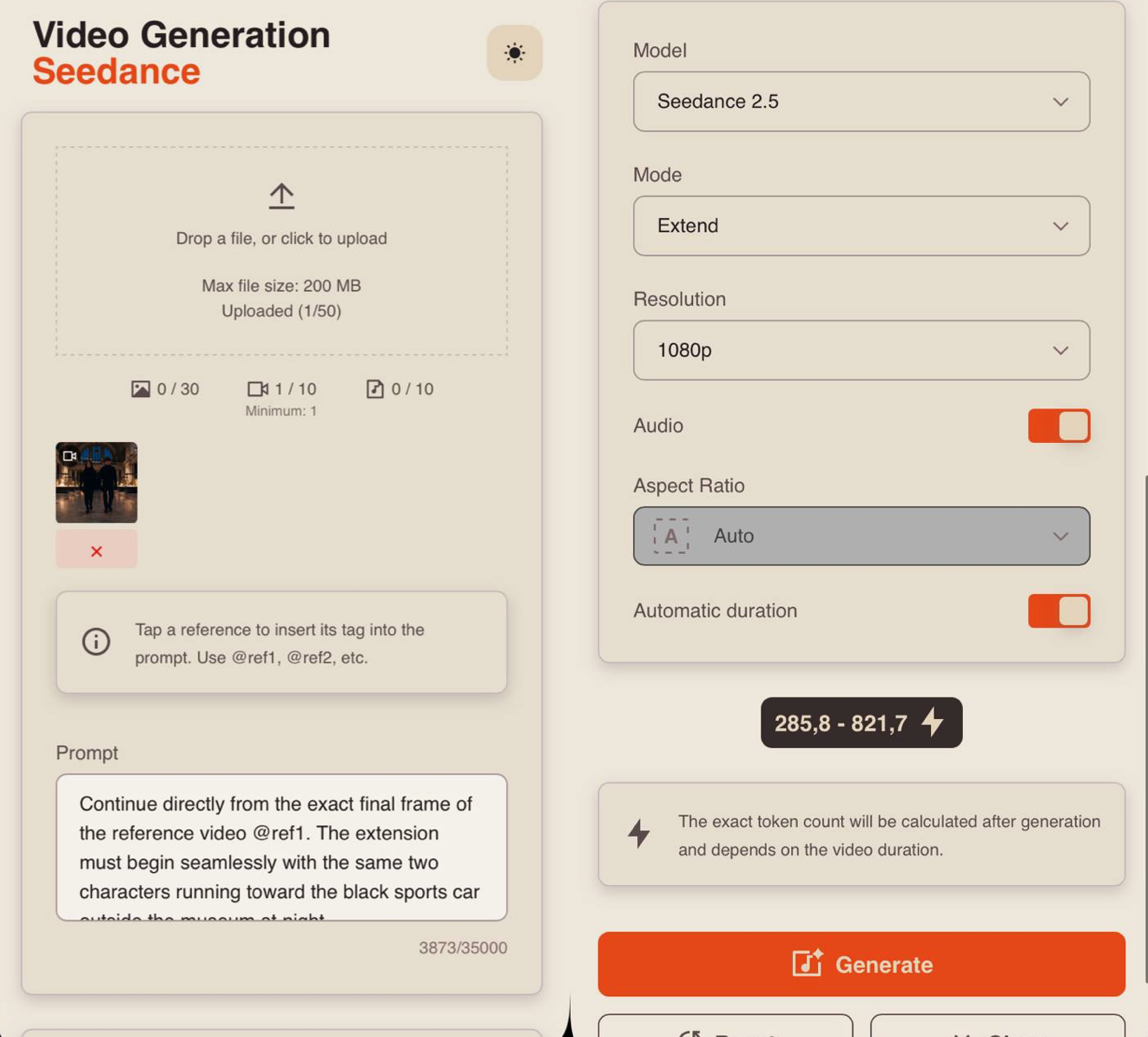
Uploading a Video
Technical requirements for videos:
- File format: MP4
- Maximum file size: 200 MB
- Maximum number of videos that can be uploaded: 10
- Total duration of all uploaded videos: up to 30 seconds
For example:
Prompt
The quality of the generation directly depends on how accurately and consistently the scene is described. It is important not only to define the general idea but also to clearly specify the character, environment, and actions to avoid distortions and unexpected changes during generation.
A good text prompt should include:
- Character/Object Description
At this stage, describe the appearance of the character or object in as much detail as possible. Specify key features such as facial characteristics, body type, hairstyle, clothing, materials, shape, color, and other important visual details.
If the same character or object appears throughout the video, mention this separately so the model can preserve its appearance across the entire generation. For example:
“Same person in all shots. Preserve exact appearance throughout. Stable face throughout.”
2. Action
Clearly describe what the character or object is doing, the sequence of actions, and how they interact with the environment. Use specific wording. Instead of “walks beautifully,” write:
“Walks forward confidently, turns their head toward the camera, adjusts their collar.”
The more precisely the movements and their sequence are described, the more stable and predictable the final result will be.
- Location
Describe the environment in which the scene takes place in detail, including whether it is an interior or exterior, the placement of objects, the atmosphere, the background, and any important environmental details.
4. Lighting
Lighting determines the mood and depth of the scene, so it is best to specify it separately. You can describe the light source, its characteristics, and color, for example: soft daylight, strong backlighting, warm volumetric lighting, neon accents, etc.
- Camera Movement
Specify the shot type and camera movement, as these determine the dynamics and visual rhythm of the video. You can combine different approaches, such as smooth tracking shots, rapid zoom-ins, changes in camera angle, and more.
- Constraints and Stability
At the end of the prompt, it is recommended to specify technical constraints that help make the result cleaner and more stable. These usually include preventing distortions, flickering, deformations, ghosting, and random changes to the character’s face, clothing, objects, or scene.
For example:
“No deformation. No flickering. No ghosting. Stable face throughout. Realistic physics.”
7. Voiceover Text
If necessary, you can additionally specify the exact text for the voiceover, and the model will use it when generating the final result. To do this, add the phrase that the character should say. The phrase should be written as direct speech.
For example: The man says: “Where are we going tonight?”
Additional Recommendations:
- Avoid vague descriptions such as “beautiful,” “interesting,” or “cool,” as they do not give the model a clear understanding of the desired result.
- If necessary, divide the scenario into time intervals, for example [0–3s], [3–6s], for more precise control over timing and the sequence of actions.
- When working with characters, clearly define their appearance and behavior to prevent random changes throughout the video.
- It is recommended to write prompts in English, as the model interprets wording, details, styles, and camera movements more accurately. This is especially important for complex and dynamic scenes that require a high level of precision.
- The more detailed and precise the prompt is, the higher the quality, stability, and predictability of the generated result will be.
Tag System
The main feature when working with references in this tool is the tag system. To add a tag to your prompt, click the thumbnail of the desired video. The tag will automatically be inserted into the prompt field.
This helps the model understand more precisely which video should be used for a specific part of the prompt.
For example:
«Continue directly from the exact final frame of the reference video @ref1. The extension must begin seamlessly with the same two characters running toward the black sports car outside the museum at night.
Preserve the exact appearance and identity of both characters from the original video. Preserve the same black sports car, museum entrance, rainy nighttime environment, red emergency lighting, wet pavement and cinematic visual style.
The woman is still carrying the stolen blue diamond. The diamond must remain clearly visible and consistent with the original video.
Do not restart or recreate the previous scene. Continue the action immediately from the final movement of the reference video.
[0:00–0:01] The woman and man reach the black sports car simultaneously. The man quickly opens the driver’s door while the woman reaches the passenger side, still holding the glowing blue diamond tightly in one hand. Rain pours around them and red alarm lights flash across the wet body of the car.
The camera rapidly moves closer at a low angle while both characters enter the vehicle.
[0:01–0:02] Both doors slam shut almost simultaneously.
Immediate interior shot from the center of the dashboard. The man grips the steering wheel and aggressively starts the car while the woman drops into the passenger seat beside him.
She briefly looks down at the blue diamond in her hand, then looks toward the road ahead.
The engine roars.
The man immediately accelerates.
[0:02–0:03] The black sports car launches forward at extreme speed.
Camera switches to an extremely low cinematic tracking shot directly beside the rear wheel. The tire spins violently across the rain-soaked pavement, throwing water backward.
The car performs a sharp controlled drift away from the museum entrance.
Headlights sweep across the street while red emergency lights stretch into reflections across the wet asphalt.
[0:03–0:04] The camera rapidly orbits around the drifting car as it turns onto a wider nighttime city street.
In the background, two dark security vehicles suddenly emerge from the museum area with bright headlights and flashing lights, beginning pursuit.
The sports car straightens violently and accelerates away.
Rain, reflections and city lights streak across the frame.
[0:04–0:05] Dynamic rear tracking shot extremely close behind the sports car as it accelerates through the wet city street.
The camera rapidly pulls backward and slightly upward, revealing the black sports car racing through the center of the illuminated city while the two pursuing vehicles enter the street far behind.
Final moment: the sports car aggressively turns around a corner and disappears between the buildings while its red taillights reflect across the rain-covered asphalt.
One seamless five-second continuation: characters reach the car → enter simultaneously → engine starts → aggressive launch → high-speed drift → pursuit begins → escape into the nighttime city.
Maintain direct continuity with the final frame of the reference video. Preserve the exact two characters, their clothing, the blue diamond and the black sports car. The woman must keep possession of the diamond throughout the extension.
Visual style: photorealistic high-budget spy thriller, luxury action film aesthetic, dramatic nighttime rain, deep blacks, red emergency lighting, bright headlights, wet reflective pavement, cinematic contrast and realistic vehicle lighting.
Camera: rapid low-angle push-in, brief interior dashboard shot, extreme low wheel tracking, dynamic orbit around the drifting vehicle and fast rear tracking shot. Energetic cinematic editing with strong motion clarity.
Realistic vehicle physics. Natural door movement, realistic acceleration, tire rotation, suspension movement, wet-road traction, water spray and controlled drifting. Rain must interact naturally with the vehicle and environment.
No identity changes. No character swapping. No clothing changes. Do not remove or change the blue diamond. Do not change the sports car design. No deformation. No flickering. No ghosting. No distorted hands or faces. No duplicated characters. No warped vehicle geometry. No random environment changes. Photorealistic cinematic 4K, realistic motion, detailed reflections, high motion clarity.»
Model
This Knowledge Base explains how to work with the Seedance 2.5 model.
You can learn how to work with the Seedance 2.0 model here: Seedance 2.0
You can learn how to work with the Seedance 1.0 and Seedance 1.5 model here: Seedance
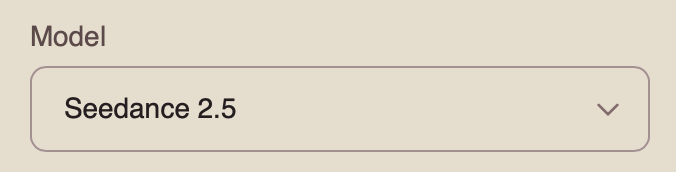
Mode
When working with the Seedance 2.5 model, you can choose from four available modes. To extend a video, select “Extend.”
Extend is a mode designed to continue an existing video. You upload the source video, and the model generates a continuation while preserving the characters, environment, visual style, and overall logic of the scene.
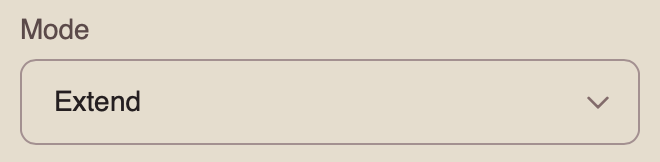
Resolution
When extending a video, you can choose from three resolution options:
- 480p
Basic video resolution. It is suitable for viewing on smaller mobile screens and helps reduce data usage. The image may appear slightly blurry, and fine details may be less sharp.
- 720p
Medium video resolution. It provides a good balance between video quality and file size. This format is widely used for online video, including YouTube, and delivers a clear image suitable for most modern devices and medium-sized screens.
- 1080p
High-quality video resolution that provides excellent detail and sharpness. It is ideal for viewing on larger screens and TVs. Although it requires a faster internet connection and more storage space, it delivers the clearest and most detailed image.
Audio
When working with the Seedance 2.5 model, you can generate videos with audio.
To add sound effects, enable the toggle. The model will automatically generate and add suitable audio to your video.
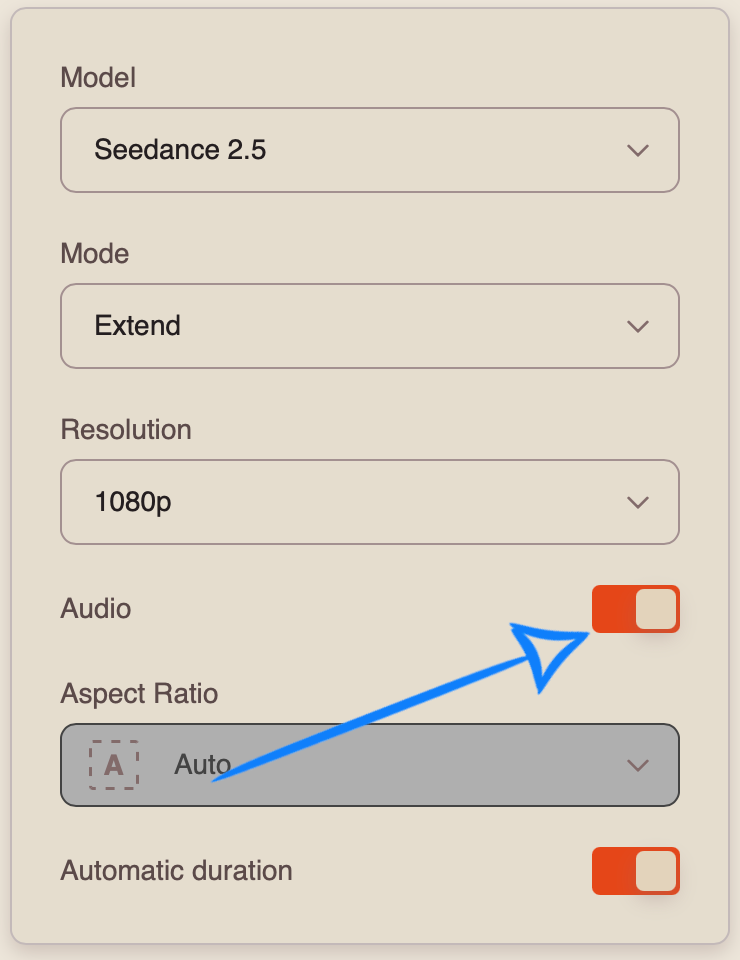
If you prefer to generate a video without sound, disable the toggle.
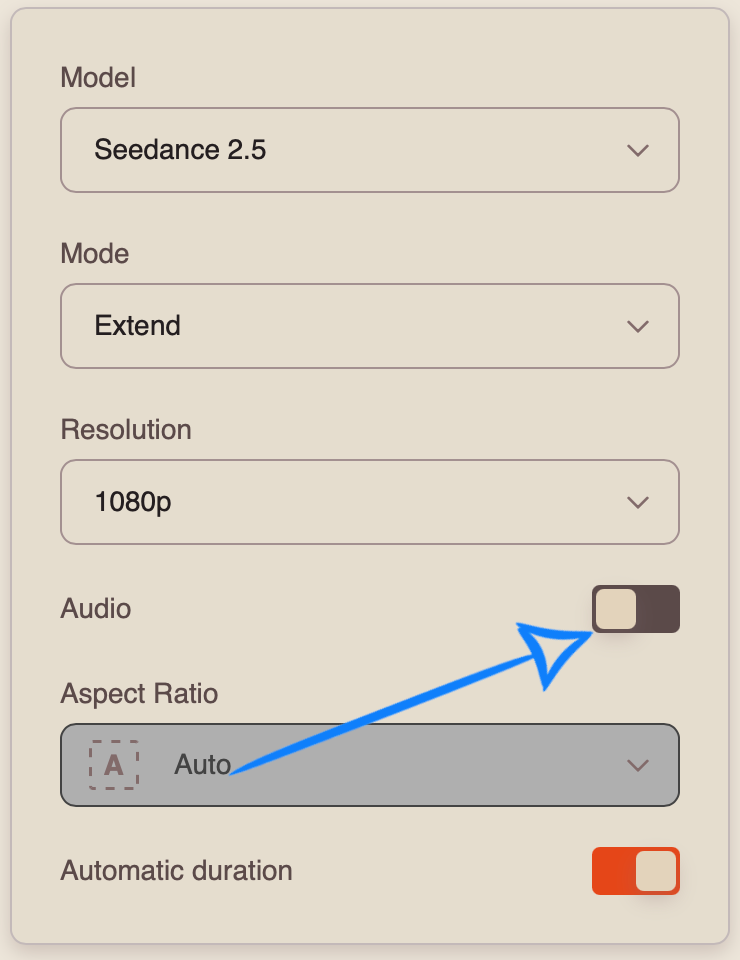
Aspect Ratio
When working in “Extend” mode, the aspect ratio is determined automatically and cannot be selected manually.
Automatic Duration
Automatic Duration is a mode in which the model automatically determines the optimal video length from 4 to 30 seconds based on the complexity and content of the prompt.
❣️ The final duration may vary between generations, so the number of tokens charged may also vary.
Duration
When extending a video, you can set the duration of the extended segment from 4 to 30 seconds.
❣️ The source video is not combined with the extended segment. The generated result will include only the continuation of the uploaded video.
Once you have entered your prompt and configured the appropriate settings, click the “Generate” button.
Result
We hope this guide helps you better understand the capabilities of Seedance 2.5 and use the tool confidently in your work. We have tried to make it as simple and clear as possible so you can quickly put what you have learned into practice. If you encounter difficulties along the way, that is completely normal.
Experiment with different prompts and approaches to find what works best for you. Over time, you will learn to control the results more precisely and achieve the visuals you have in mind. 💛
SYNTX AI: Syntx AI
SYNTX Support: Syntx Support
YouTube channel “SYNTX”: Syntx YouTube
SYNTX.AI Academy: SYNTX Academy