Hailuo MiniMax 01 – a series of video generation models from MiniMax for creating and animating videos from text prompts and images. The models allow you to create dynamic scenes, animate existing images, and control the movement of characters, objects, and the camera.
The series includes several versions, each designed for specific tasks, from standard video generation to advanced camera control and character animation.
This guide covers the following models in the Hailuo 01 series: Hailuo 01, Hailuo 01 Live, Hailuo 01-Live (Character), and Hailuo 01-Director+Camera.
- 🎛 Navigation
- Models
- 💥 Step-by-Step Guide to Using Hailuo Minimax 01 “Text to Video”
- 💥 Step-by-Step Guide to Using Hailuo Minimax 01 “Image to Video”
🎛 Navigation
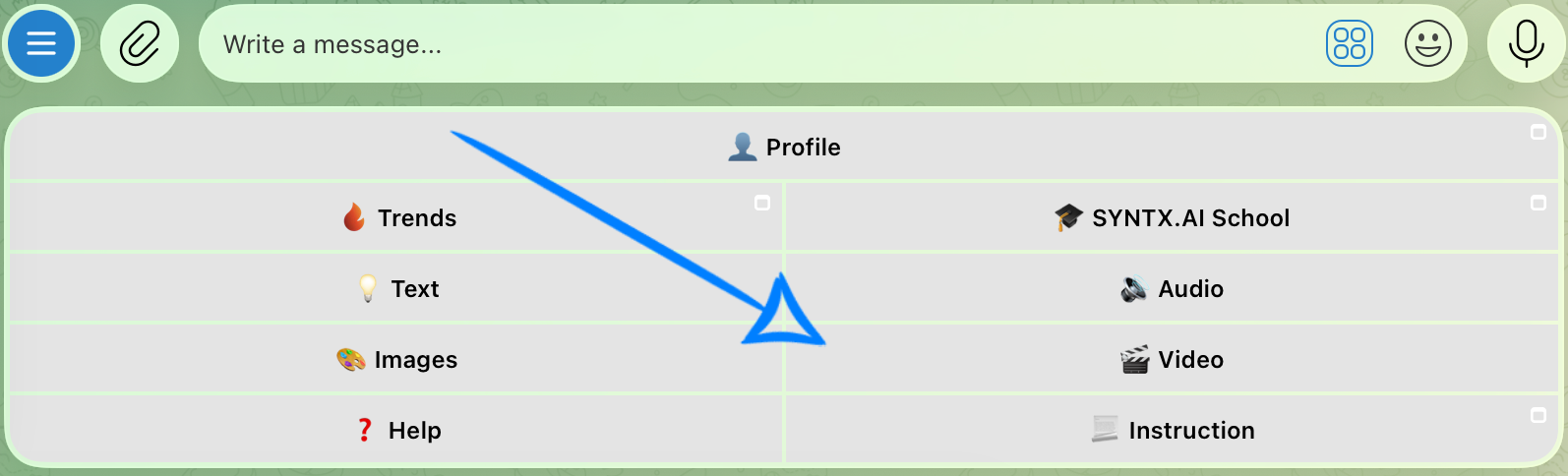
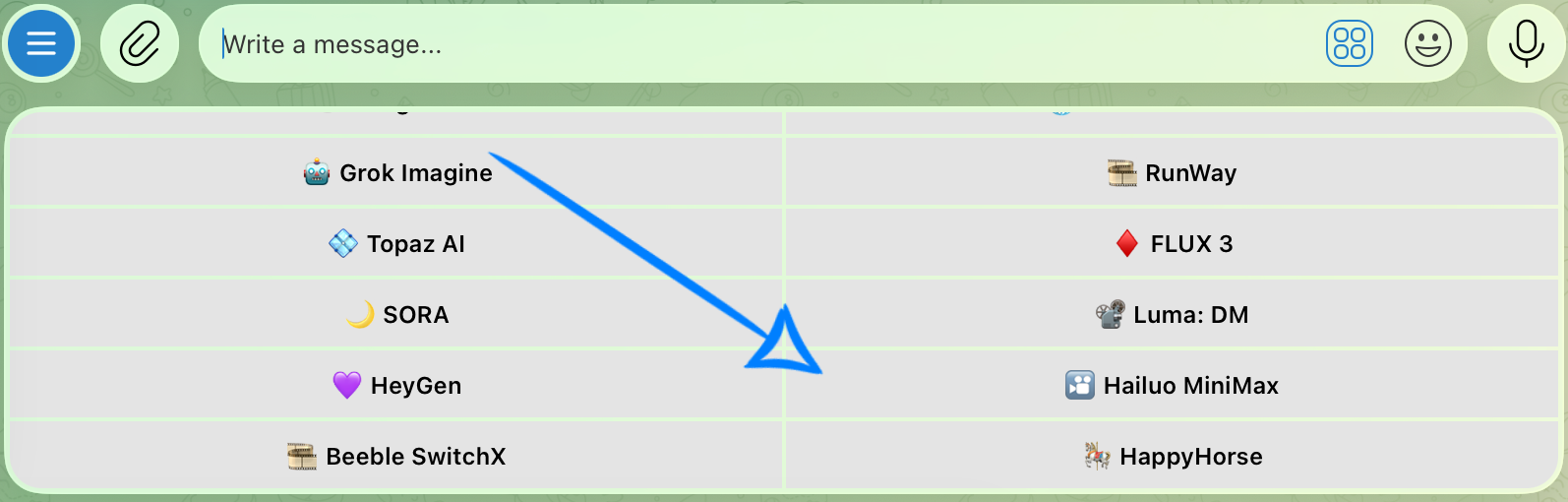
🏠 Main Menu > 🎬 Video > 🎦 Hailuo MiniMax
Models
This guide covers the following models in the Hailuo 01 series:
- Hailuo 01 - the base model for generating videos from text prompts.
- Hailuo 01 Live - a model for transforming static 2D illustrations into dynamic videos. It is suitable for animating illustrated characters and other artwork while preserving the key characteristics of the source image.
- Hailuo 01-Live (Character) - a model for creating videos while preserving the appearance of a selected character. It allows you to place the character in dynamic scenes while maintaining their key features as the viewing angle and camera movement change.
- Hailuo 01-Director+Camera - a model with advanced camera control capabilities. It supports text prompts and allows you to define camera movements more precisely, helping you create more dynamic and cinematic scenes.
💥 Step-by-Step Guide to Using Hailuo Minimax 01 “Text to Video”
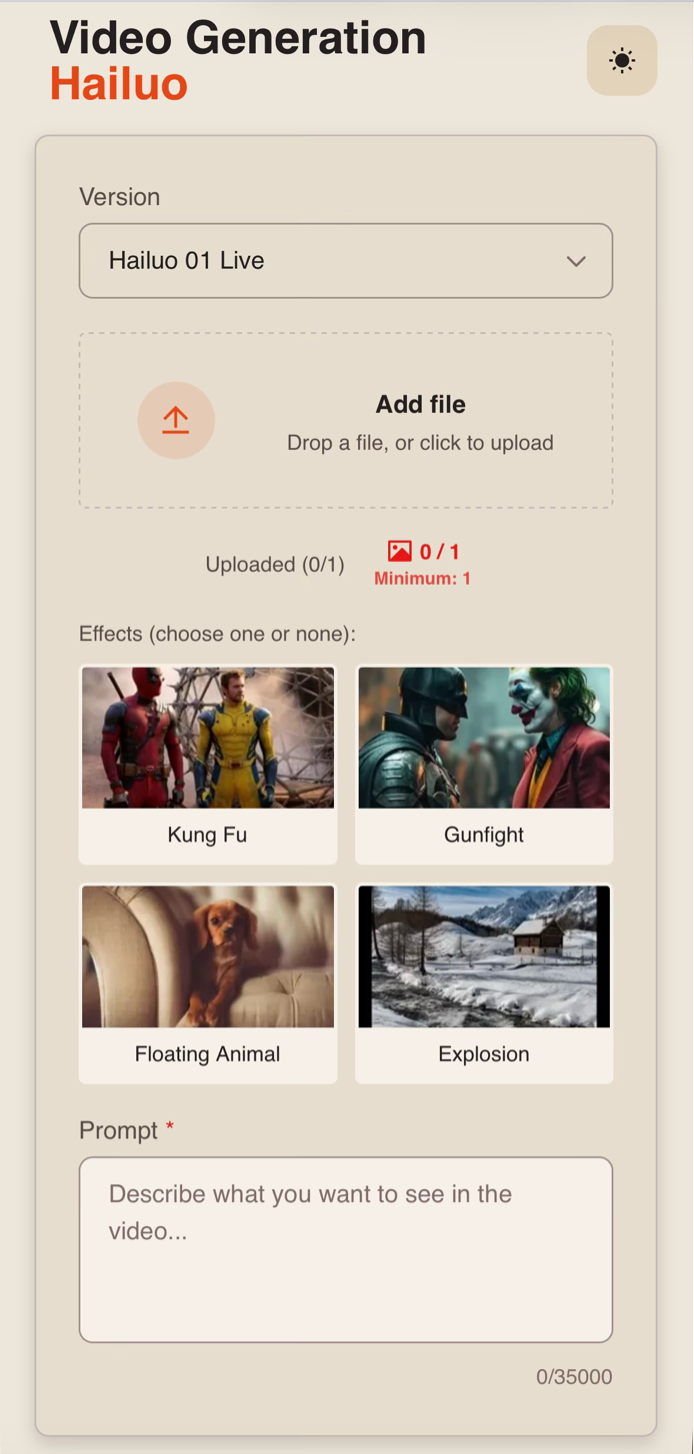
First, when using the “Text to Video” feature, click the “Configure and launch” button. There, you can enter a text prompt and select additional effects for your video.
Model Settings
Version
When creating videos from a text prompt, you can choose from two available versions:
- Hailuo 01 – the base version of the model for generating videos from text descriptions. It is suitable for creating a wide range of scenes with characters, objects, and environments, with the result primarily controlled through the text prompt.
- Hailuo 01-Director+Camera – a version with advanced camera control capabilities. In addition to describing the scene and the actions taking place within it, the model allows you to control camera movement more precisely and create more dynamic, cinematic videos.
❣️ If a text description of the scene is sufficient, use Hailuo 01. If you need more precise control over camera movement, we recommend choosing Hailuo 01-Director+Camera.
Effects and Camera Control
The available additional settings depend on the selected model version.
Hailuo 01 - Effects
When working with the Hailuo 01 version, you can choose from four preset effects. Each effect defines a specific type of movement and scene progression.
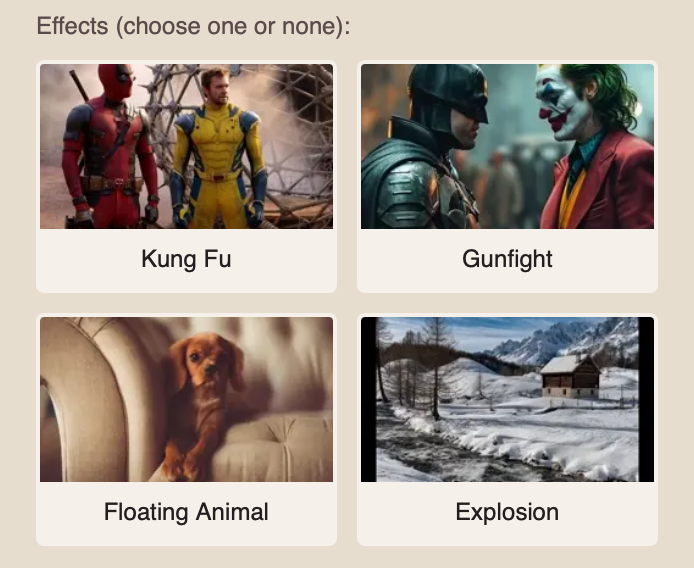
- Kung Fu - an effect for creating dynamic martial arts scenes. It adds characteristic movements, fighting poses, and action sequences.
- Gunfight - an effect for creating dynamic shootout scenes. It is suitable for generating active interactions between characters and weapons while conveying the tension of a combat scene.
- Floating Animal - an effect for creating scenes in which an animal rises or floats in the air. It allows you to add unusual movement with elements of fantasy or surrealism.
- Explosion - an effect for creating dynamic scenes with explosions. It can add fire, smoke, flying debris, and other explosion-related visual effects to the video.
❣️ You can select only one effect. Using effects is optional. If no effect is selected, the model will generate the video based on your text prompt.
Hailuo 01-Director+Camera - Camera Control
When you select the Hailuo 01-Director+Camera version, additional camera movement settings become available instead of effects.
You can choose from two options:
Cinematic Shots - preset camera movements. Simply select one option, and the model will automatically apply the corresponding camera movement when generating the video.
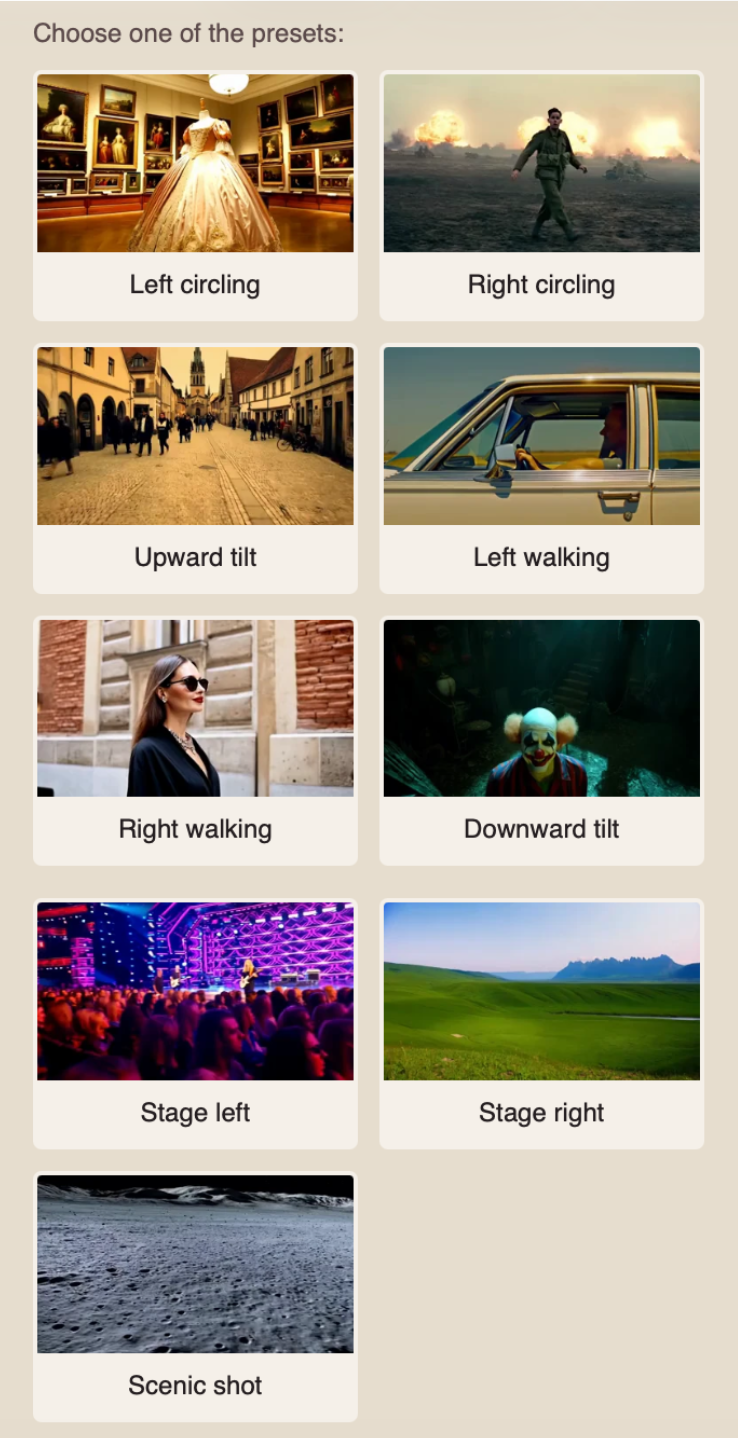
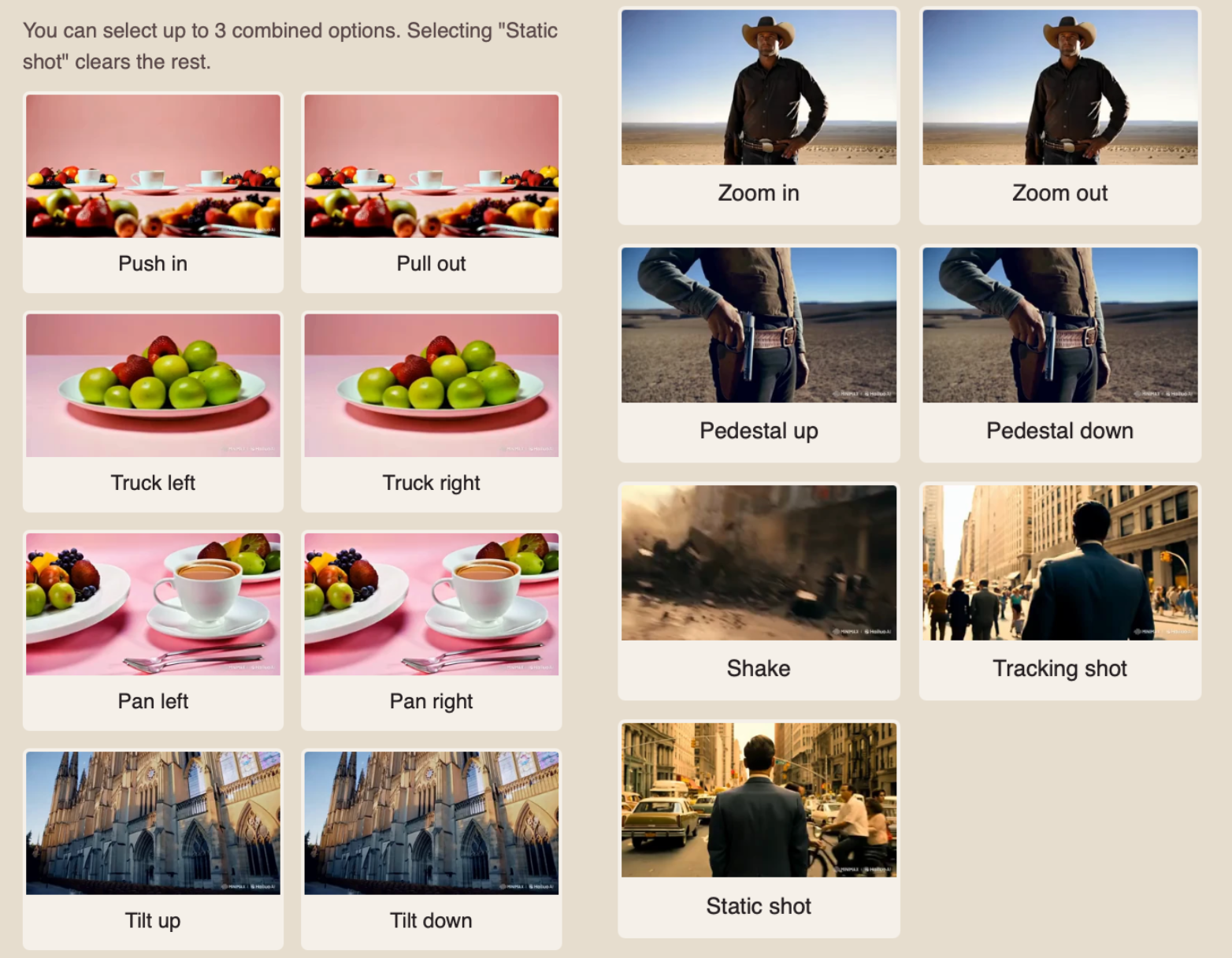
Manual Settings - allows you to specify the required camera movements yourself instead of using a preset. You can select up to three options at the same time, which the model will take into account when creating the video.
❣️ When selecting “Static shot”, all other selected movements are automatically deselected, as this option implies a fixed camera position with no movement.
Prompt
High-quality generation starts with a well-written text prompt. When working with Hailuo 01 and Hailuo 01-Director+Camera, it is recommended to pay special attention to movement within the scene and camera work.
A good text prompt structure should include:
- Main subject and action: specify who or what appears in the frame and what movement or action should take place. If the scene includes multiple events, describe them in the order in which they should occur.
- Environment: describe the setting and the main elements that should appear in the frame.
- Shot and camera movement: if needed, specify the desired camera angle and filming technique. For example: wide shot, close-up, tracking shot, panning, zooming in, or zooming out.
- Lighting and atmosphere: specify the time of day, type of lighting, color palette, and overall mood of the scene. For example: soft morning light, bright high-contrast lighting, muted colors, a tense atmosphere, or a calm atmosphere.
- Visual style and quality: if needed, add characteristics of the desired visual style, such as cinematic, photorealistic, highly detailed, or smooth and natural movement.
For example:
“A large polar bear slowly walks along the snowy shore of a frozen lake. Snow-covered mountains rise in the distance, and light snow falls onto the surface of the ice. The bear stops near a small crack and leans toward the water. The camera smoothly moves parallel to the animal, then gradually moves closer. Cold morning lighting, realistic cinematic style, calm wildlife atmosphere.”
❣️ When using a preset effect in Hailuo 01, take it into account when writing the text prompt: the described scene and actions should correspond to the selected effect.
❣️ When working with Hailuo 01-Director+Camera, camera movement can be selected separately in the model settings. In this case, you do not need to specify the selected movement again in the text prompt.
Video Parameters
When working with Hailuo 01 and Hailuo 01-Director+Camera, the parameters of the final video are set automatically and do not require additional configuration.
- Duration: 5 seconds.
- Resolution: 720p.
❣️ The duration or resolution of the future video cannot be changed manually.
Once you have written the text prompt and, if necessary, selected the desired effect or configured the camera movement, click the “Generate” button.
Generation Examples
Hailuo 01 without effects
Hailuo 01 + Explosion effect
Hailuo 01-Director + Camera without presets
Hailuo 01-Director + Camera + manual “Tracking shot” setting
💥 Step-by-Step Guide to Using Hailuo Minimax 01 “Image to Video”
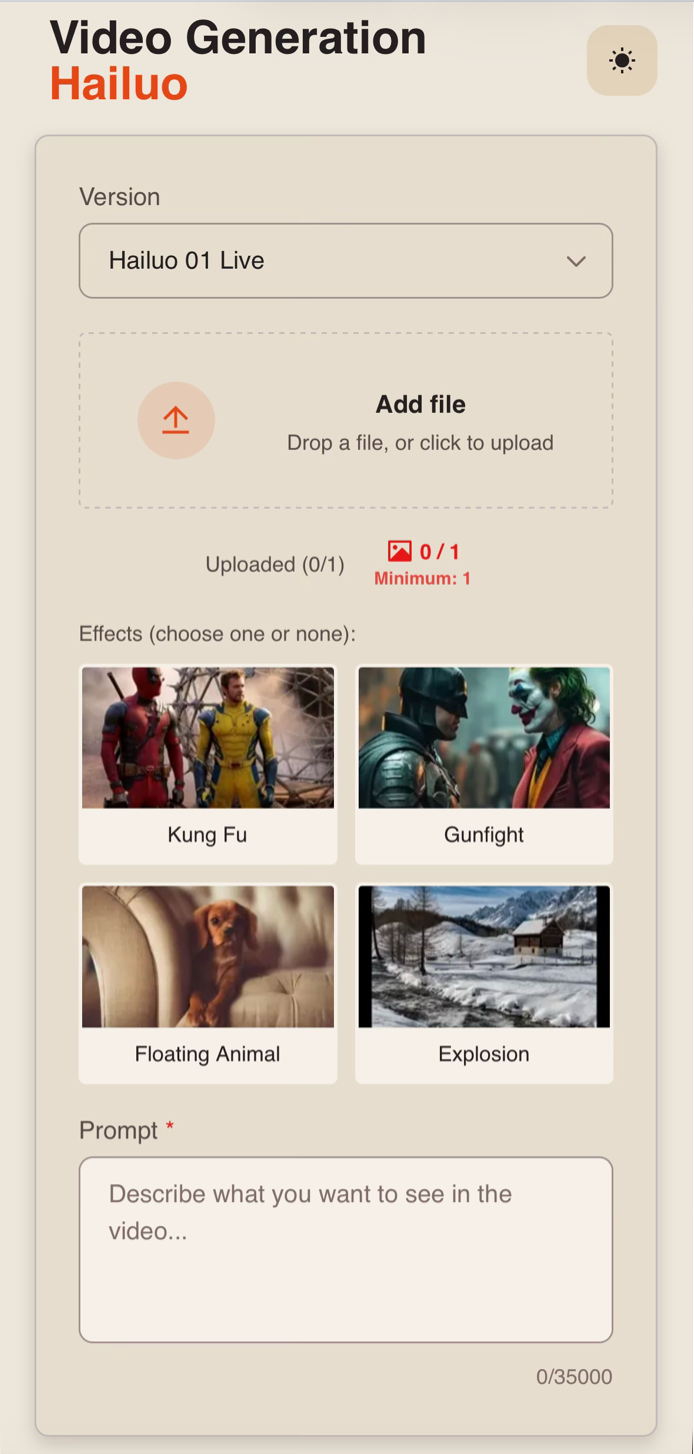
First, when working with an image, you need to click the “Configure and launch” button. There, you can upload an image and add a text prompt.
Model Settings
Version
For creating a video from an image, you can choose from two available versions:
- Hailuo 01 Live – a version designed for animating static 2D illustrations. It is suitable for bringing illustrated characters and other artwork to life while preserving the key characteristics of the source image.
- Hailuo 01-Live (Character) – a version for creating videos while preserving the appearance of the selected character. It is suitable for scenes where maintaining the character’s recognizable features during movement and changes in viewing angle is especially important.
Uploading an Image
Technical requirements for the image:
- Maximum number of images: 1.
- Maximum file size: 30 MB.
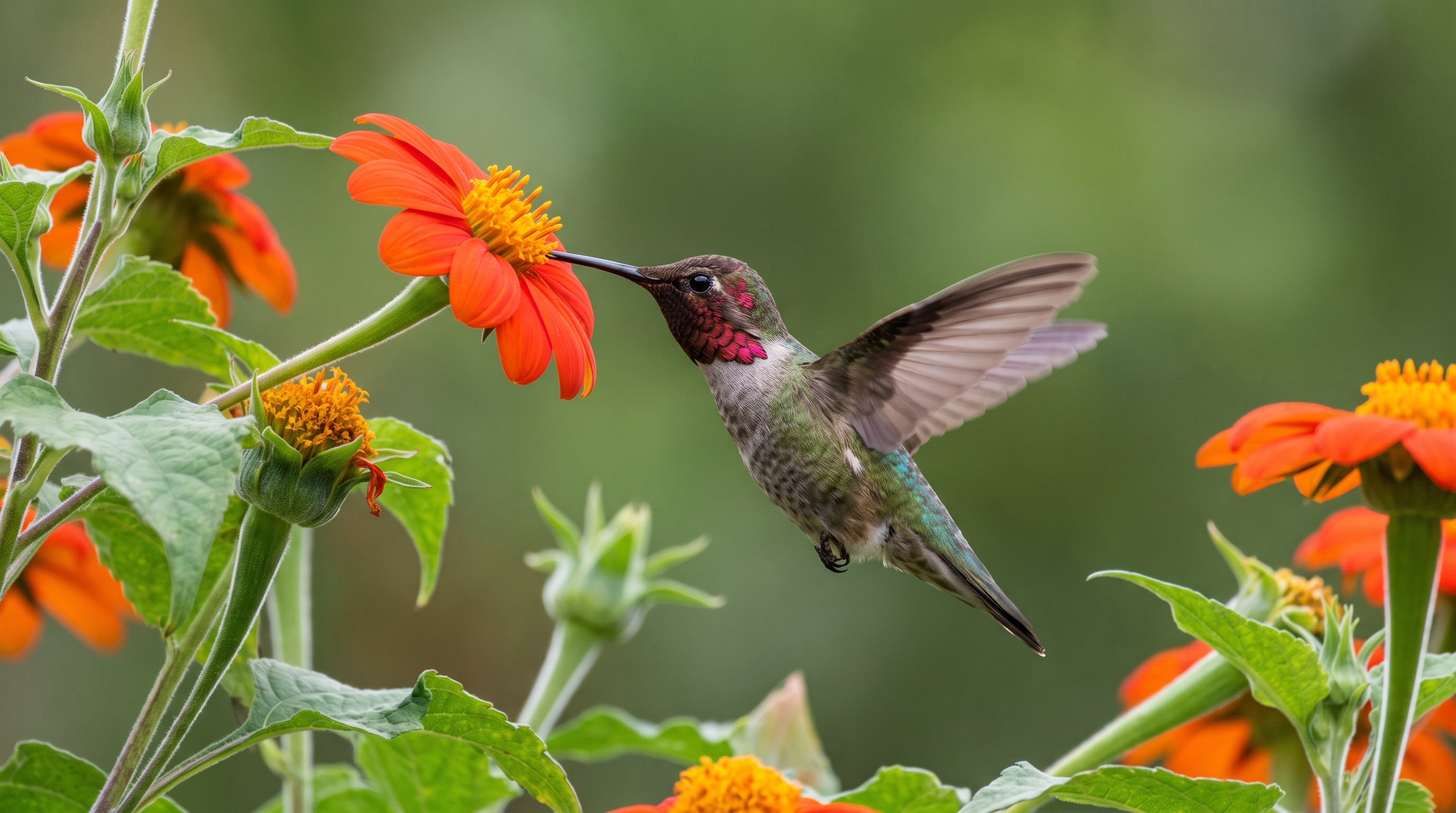
For example:
Effects and Camera Control
The available additional settings depend on the selected model version.
Hailuo 01 Live - Effects
When working with the Hailuo 01 and Hailuo 01 Live versions, you can choose from four preset effects. Each effect defines a specific type of movement and scene development.
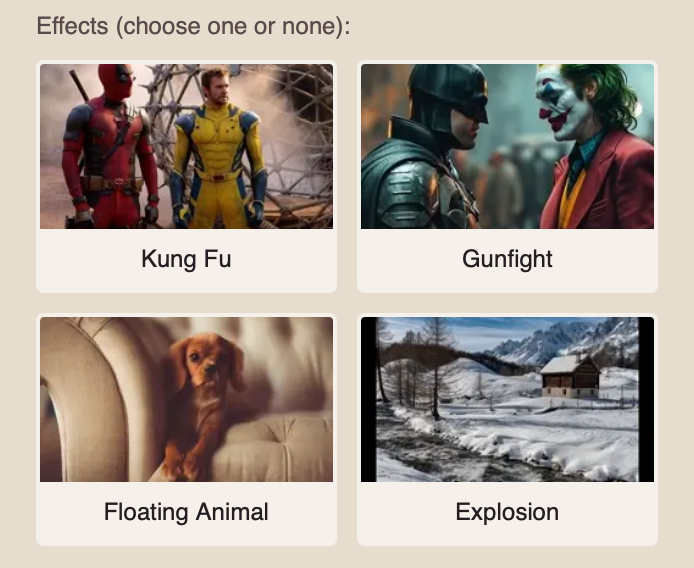
- Kung Fu - an effect for creating dynamic martial arts scenes. It adds characteristic movements, fighting poses, and action sequences.
- Gunfight - an effect for creating dynamic shootout scenes. It is suitable for generating active interactions between characters and weapons while conveying the tension of a combat scene.
- Floating Animal - an effect for creating scenes in which an animal rises or floats in the air. It allows you to add unusual movement with elements of fantasy or surrealism.
- Explosion - an effect for creating dynamic scenes with explosions. It can add fire, smoke, flying debris, and other explosion-related visual effects to the video.
❣️ You can select only one effect. Using effects is optional. If no effect is selected, the model will generate the video based on your text prompt.
Hailuo 01-Live (Character) - Effects
When working with the Hailuo 01-Live (Character) version, a separate set of preset effects is available. These effects allow you to use the character from the uploaded image in various predefined scenarios.
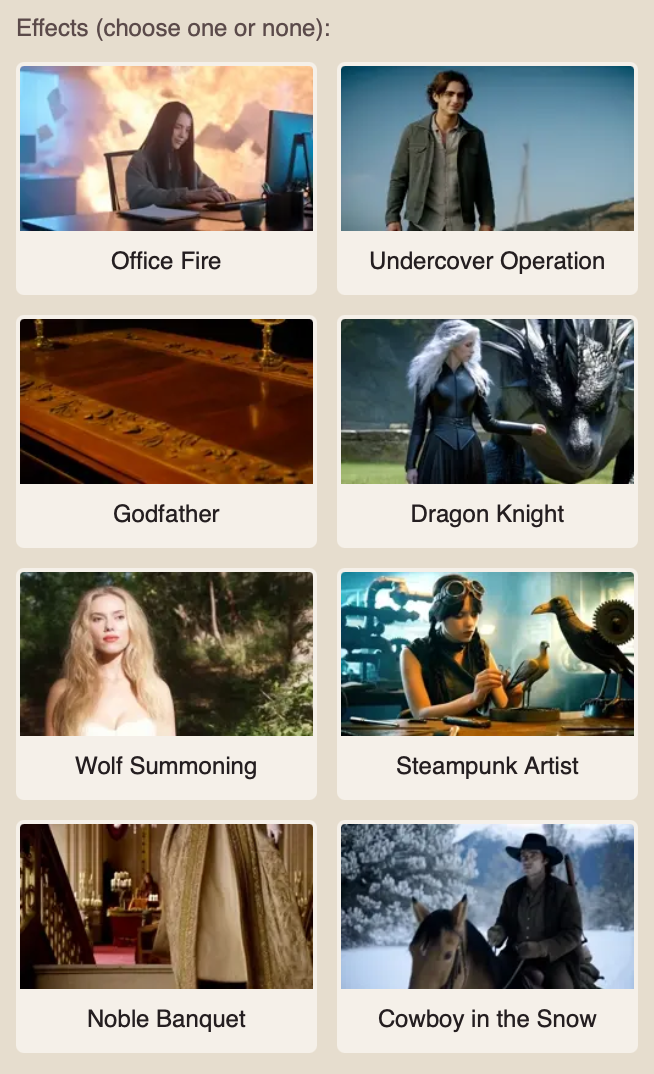
Available effects:
- Office Fire - a scene featuring the character in an office setting with a fire in the background.
- Undercover Operation - a dynamic action scene featuring the character against the backdrop of a massive explosion. It creates the atmosphere of a tense operation with vivid fire and destruction effects.
- Godfather - a scene with the atmosphere of classic crime cinema.
- Dragon Knight - a fantasy scene featuring the character alongside a dragon.
- Wolf Summoning - a fantasy scene centered around the appearance or summoning of a wolf.
- Steampunk Artist - a steampunk-style scene with a matching environment and visual elements.
- Noble Banquet - a scene with the atmosphere of a formal aristocratic event.
- Cowboy in the Snow - a Western-style scene featuring the character in a snowy setting.
❣️ Only one effect can be selected at a time. Using an effect is optional.
Prompt
When working with an image, the text prompt should describe how the original scene should develop and what movements should appear in the future video.
A good text prompt structure should include:
- Action: specify what movements the character or object in the image should perform.
- Scene development: describe what should happen next and how the elements of the environment should change.
- Camera movement: if necessary, specify zooming in, zooming out, panning, following the object, or other camera movements.
- Dynamics: specify the desired speed and type of movement: smooth, calm, fast, sharp, etc.
- Atmosphere: if necessary, add changes in lighting, weather effects, or other details that should appear during the video.
For example:
“The hummingbird rapidly flaps its wings while hovering near the flower, then smoothly flies to a nearby flower. The leaves sway slightly in the wind. The camera remains stationary. Natural, smooth movement.”
Video Parameters
When working with Hailuo 01 and Hailuo 01-Director+Camera, the parameters of the final video are set automatically and do not require additional configuration.
- Duration: 5 seconds.
- Resolution: 720p.
❣️ The duration or resolution of the future video cannot be changed manually.
Generation examples
Hailuo 01 Live
Hailuo 01-Live (Character)
We sincerely hope this guide helps you better understand and make the most of Hailuo MiniMax. We have done our best to make the process as simple and intuitive as possible.
Remember, it is completely normal if you do not get the result you want on your first attempt. Keep experimenting, try different approaches, and learn what works best for your projects. With practice, you will achieve better and more consistent results. 💛
SYNTX AI: Syntx AI
SYNTX Support: Syntx Support
YouTube channel “SYNTX”: Syntx YouTube
SYNTX.AI Academy: SYNTX Academy