
Face Swap is a tool that lets you quickly and easily transfer a face from one image to another. You can use it to create creative photo compositions, entertainment content, and a wide range of visual projects.
❗️To learn which requests may be blocked by Face Swap, please refer to ❌ Filters
🎛 Navigation
🏠 Main Menu > 🎨 Images > 🎭 Face Swap
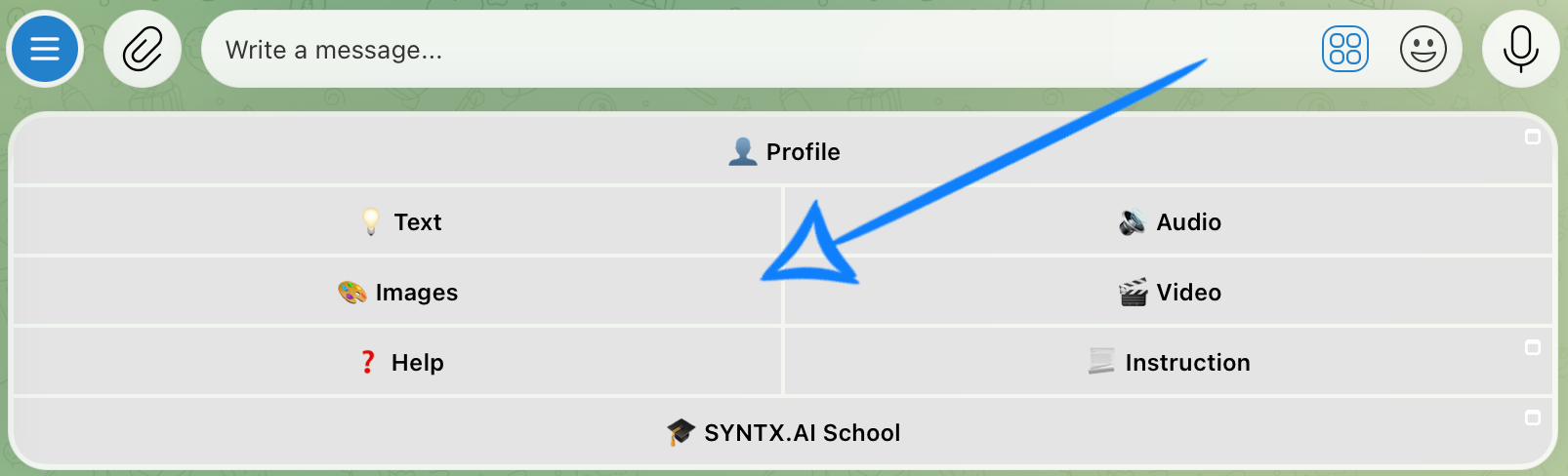
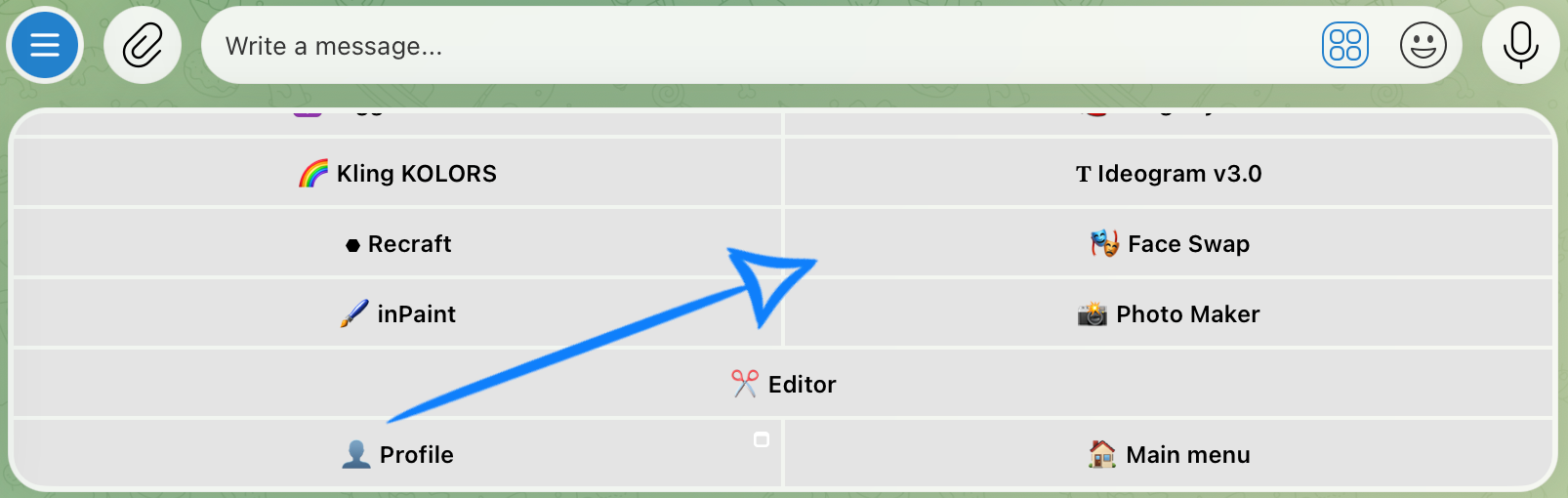
💥 Step-by-Step Guide to Using Face Swap
First, upload the image you want to take the face from. The person’s face should be clearly visible in the photo.
Next, upload the image you want to transfer the face to. For the tool to work correctly, a human face must also be clearly visible in the second image.
❣️ Please make sure to upload the images in the correct order, as this directly affects the final result.
Image Upload
Image requirements:
- Maximum file size: 2.5 MB
- Supported formats: JPEG, PNG, and HEIC
- For best results, use photos where the face is clearly visible, well-lit, and facing directly toward the camera
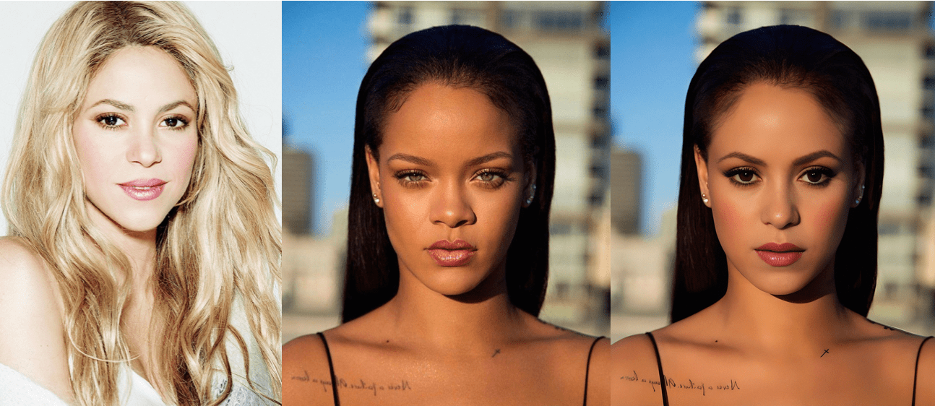
Example Results:
Shakira + Rihanna
Paul Wesley + Ian Somerhalder

Superhero + Fire Queen

Pavel Volya + Arnold Schwarzenegger

Image Selection Recommendations
❌ Not Recommended:
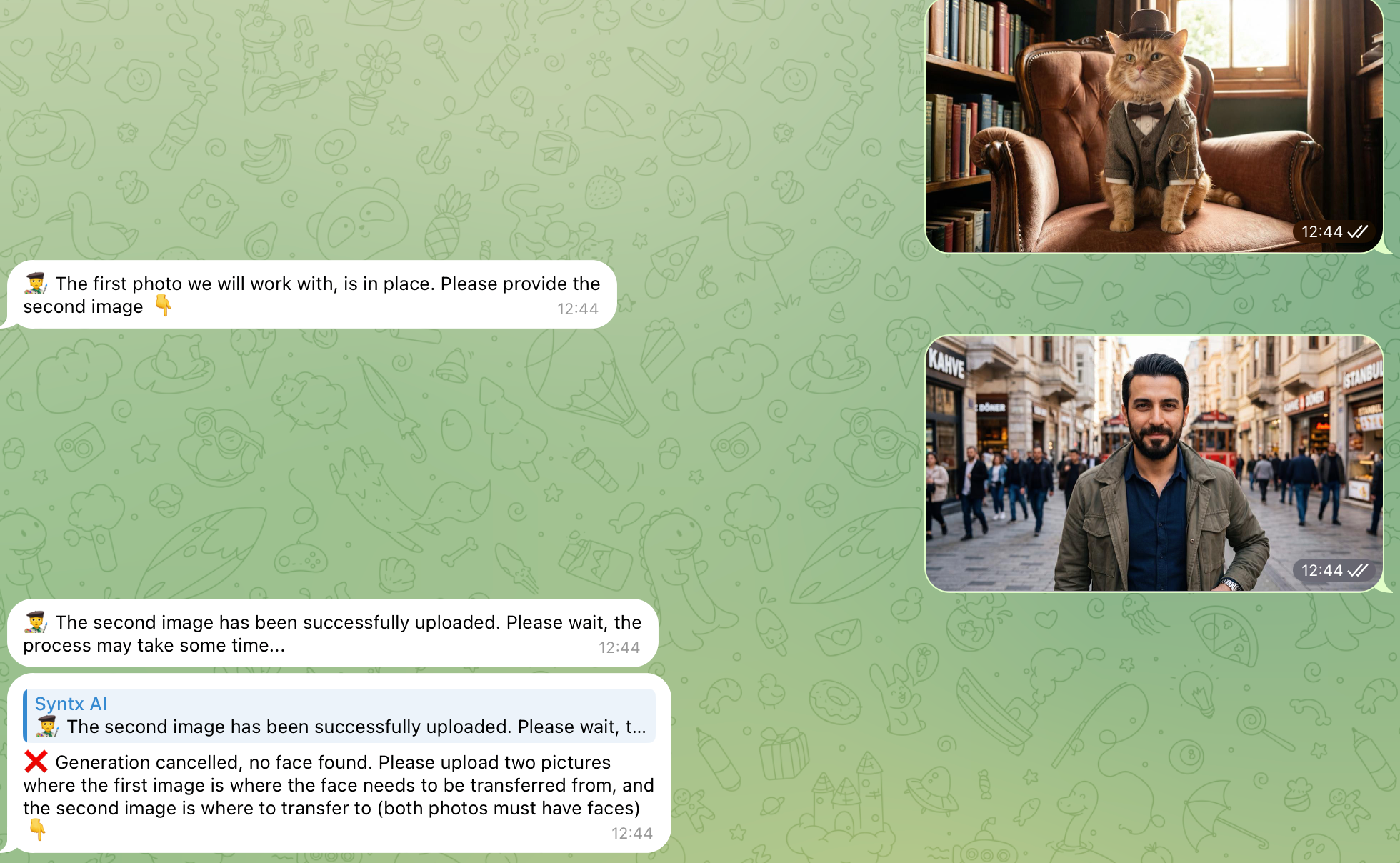
✅ Recommended:

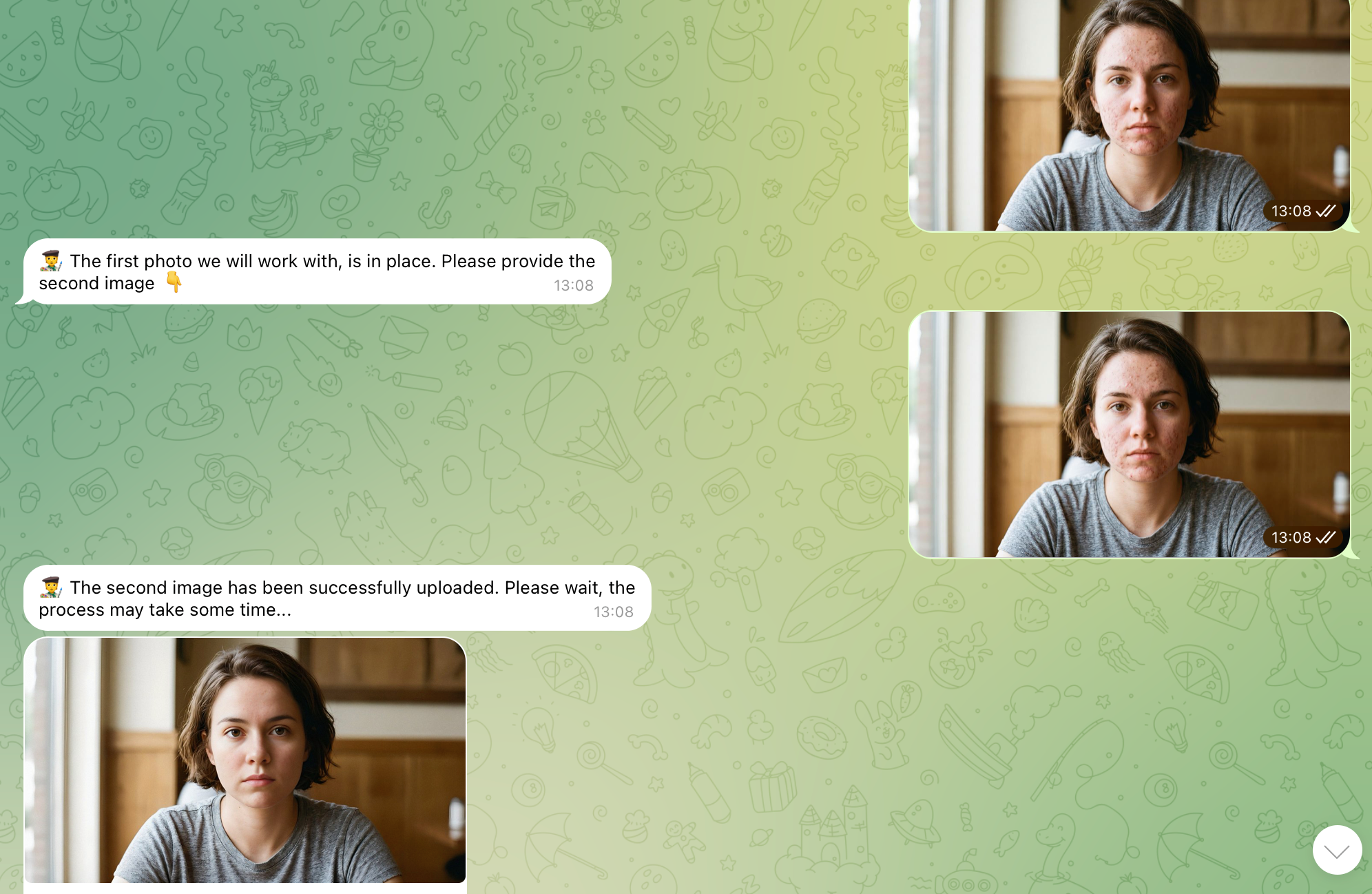
❣️ In addition to face swapping, the tool can also enhance photo quality and perform light skin retouching. To do this, upload the same image twice.
For example:
🔍 Upscaling and ✨ Add Noise
The Upscaling feature allows you to increase the size of the final image. However, with significant enlargement, fine details may become less pronounced, and the image may appear smoother.
To make the result look more realistic, we recommend using Add Noise together with upscaling.
The Add Noise feature adds natural texture and fine detail to the image. When used without upscaling, the effect may become too noticeable, so we recommend adjusting the noise level based on the specific image.
For example:
Upscaling and Noise Addition are disabled

Upscaling and Noise Addition are enabled

Thank you for taking the time to read the Face Swap guide. We hope this tool helps you create engaging visual projects, experiment with images, and bring your creative ideas to life. 💛
SYNTX AI: Syntx AI
SYNTX Support: Syntx Support
YouTube channel “SYNTX”: Syntx YouTube
SYNTX.AI Academy: SYNTX Academy