Grok Imagine is a neural network for generating photorealistic images with precise prompt adherence and support for a wide range of styles. It allows users to create images from text descriptions or uploaded images.
It supports uploading up to three reference images and is suitable for realistic scenes, creative concepts, and highly detailed visuals.
- 🎛 Navigation
- 💥 Step-by-step guide to using Grok Imagine. “Text to Image.”
- 💥 Step-by-step guide to using Grok Imagine. “Working with references.”
🎛 Navigation
🏠 Main Menu > 🎨 Design with AI > 🎯 Grok Imagine


💥 Step-by-step guide to using Grok Imagine. “Text to Image.”
First, when working with a text prompt, you need to compose it correctly.
Text Prompt Structure
High-quality generation starts with a well-structured prompt, as it helps the model understand your idea accurately.
In the prompt, it is important to clearly describe the result you want to achieve.
A well-structured prompt should include:
- Main subject and action: specify who or what is in the frame and what they are doing.
- Environment and time of day: describe the location and lighting, such as daytime, sunset, or night, to establish the atmosphere of the scene.
- Style and mood: define the visual style, such as realistic, cinematic, or anime, as well as the overall mood of the image.
Example:
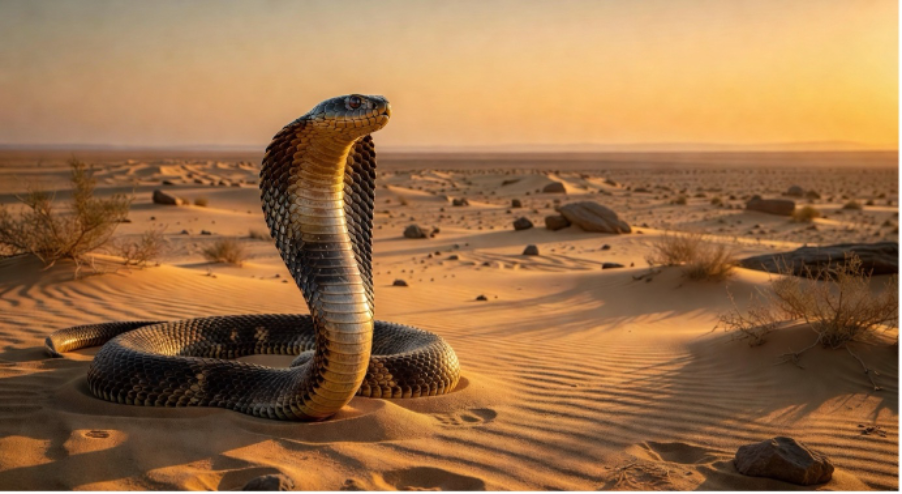
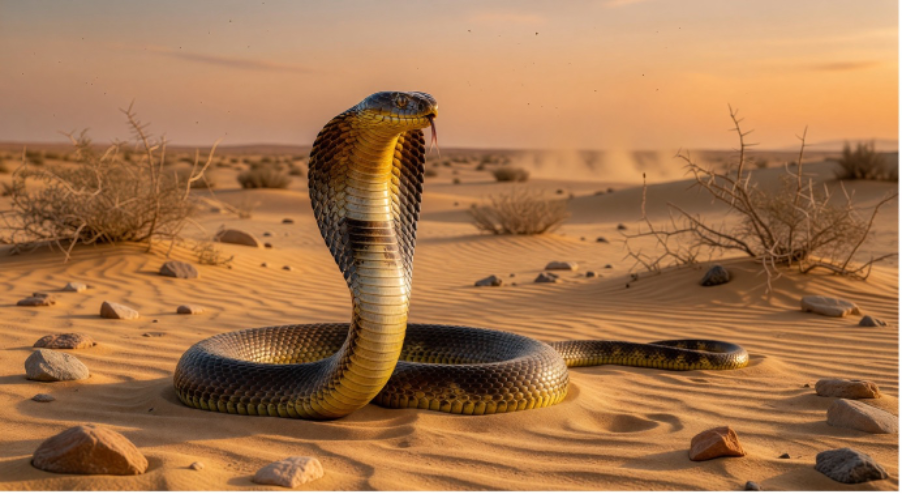
“A realistic cobra with its hood flared and the front part of its body raised, detailed scales, dark brown and sandy coloring, and a focused, alert gaze. Set in a desert with fine sand, sparse dry bushes, and small rocks, with a light haze on the horizon. Warm sunset lighting, long soft shadows, and a golden-orange atmosphere. Photorealistic, cinematic style, highly detailed, with an emphasis on scale texture and realistic lighting. A dramatic, tense mood that conveys a sense of wildlife and the natural environment.”
Model selection
Next, you will be offered a choice of two models.
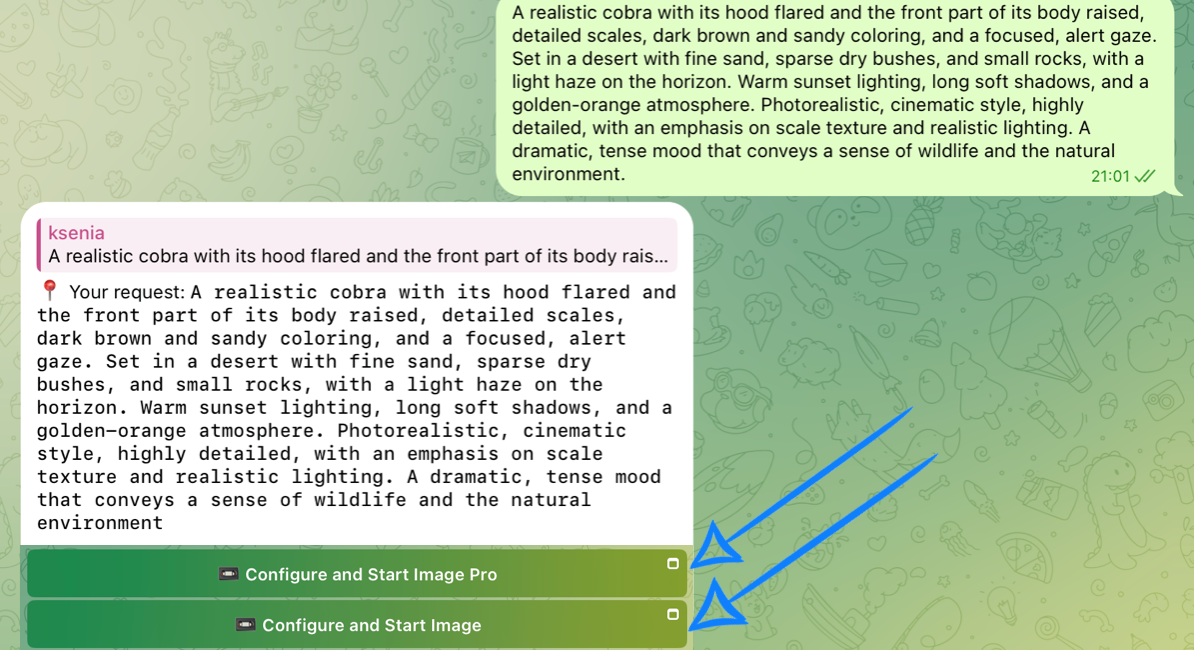
Working with the Grok Image Pro Model
Grok Image Pro is an advanced model focused on precise prompt adherence and consistent, reliable results.
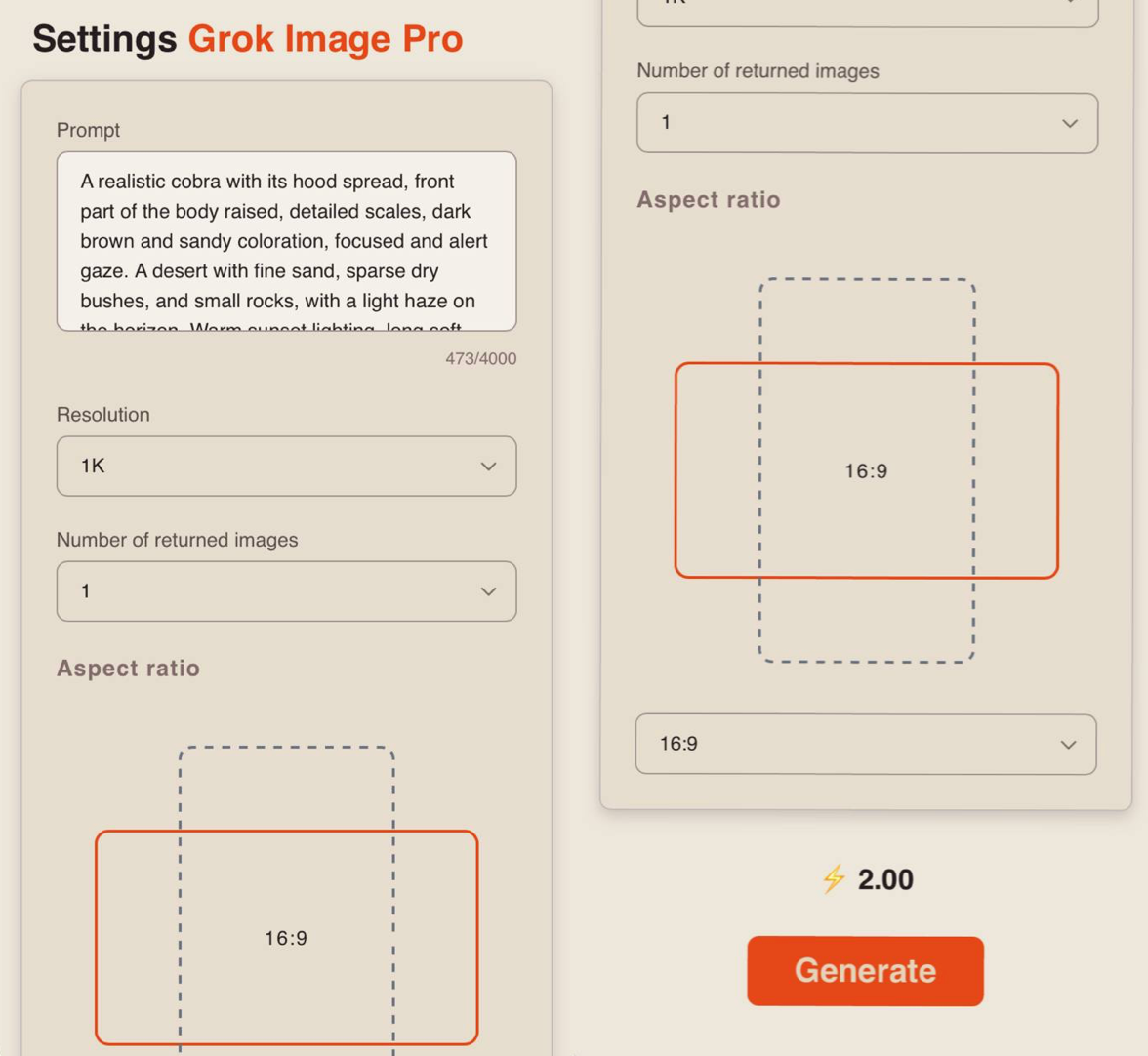
Model settings
Prompt
If needed, you can adjust your request in the prompt field. If left unchanged, the generation will use the original text prompt you submitted.
Resolution
1K - the base resolution for fast generation. Suitable for previews, testing, and simple tasks where high detail is not required.
2K - a higher resolution with improved sharpness and image quality. Suitable for final results where detail, clarity, and overall visual quality are important.
Number of returned Images
When using this model, you can choose between 1 and 5 generated images.
❣️ Increasing the number of simultaneous generations will also increase the number of tokens consumed.
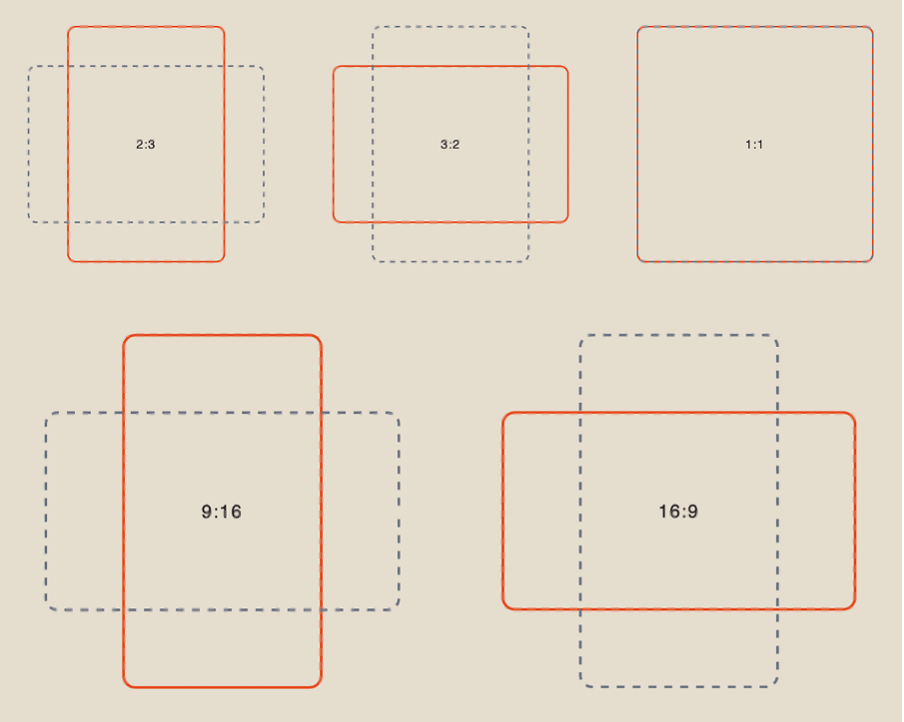
Aspect Ratio
When working with a text prompt, you can choose from five aspect ratio options:
Results
Grok Image Pro 1K:
Grok Image Pro 2К:
Working with the Grok Image model
Grok Image is a base model focused on a more flexible and diverse generation.
Model settings
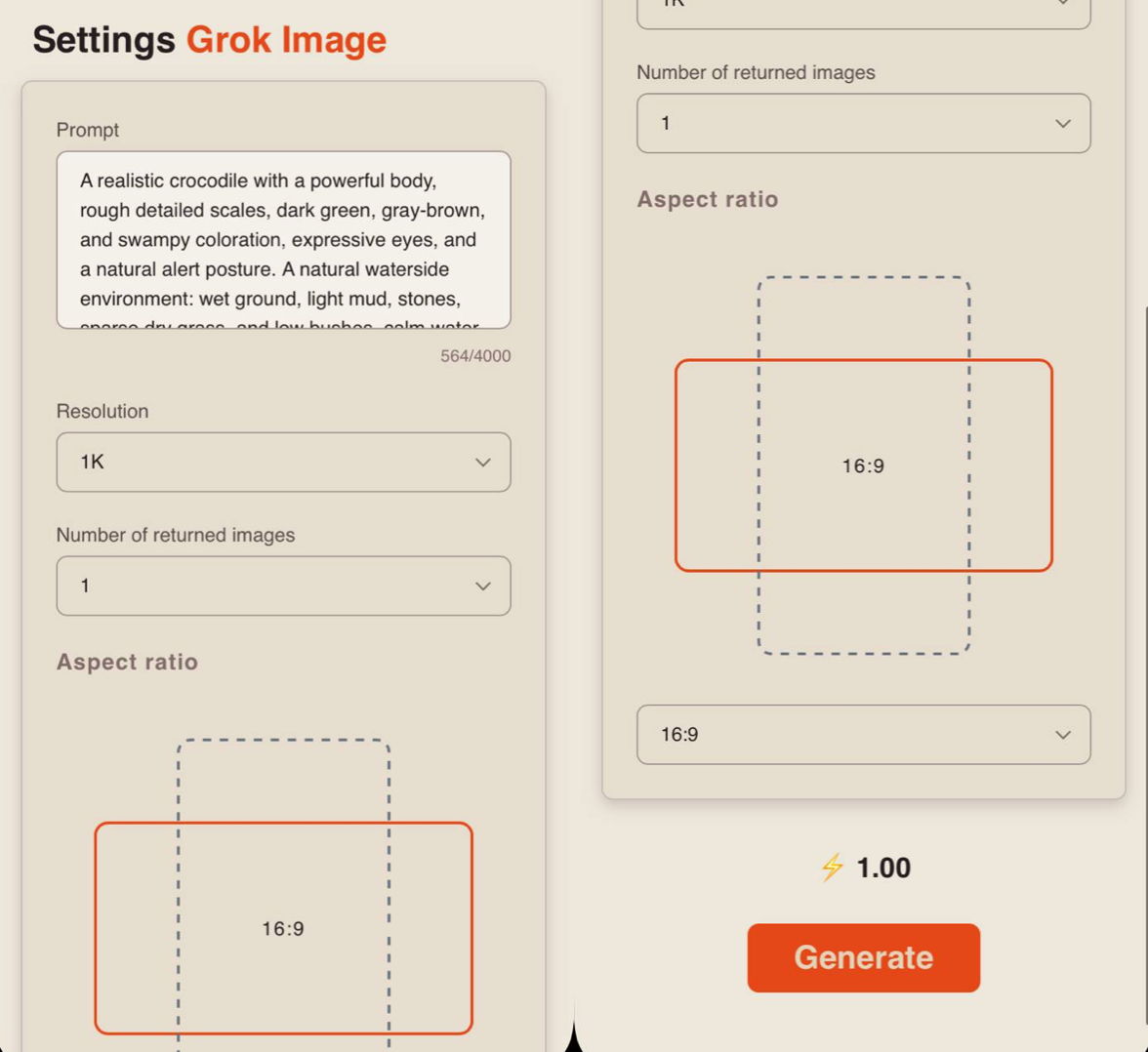
Prompt
If needed, you can adjust your request in the prompt field. If left unchanged, the generation will use the original text prompt you submitted.
Resolution
1K - base resolution for fast generation. Suitable for previews, testing, and simple tasks where high detail is not required.
2K - higher resolution with improved sharpness and image quality. Suitable for final results where detail, clarity, and overall visual quality are important.
Number of returned images
When using this model, you can choose the number of generations from 1 to 5.
❣️Increasing the number of simultaneous generations will also increase the number of tokens consumed.
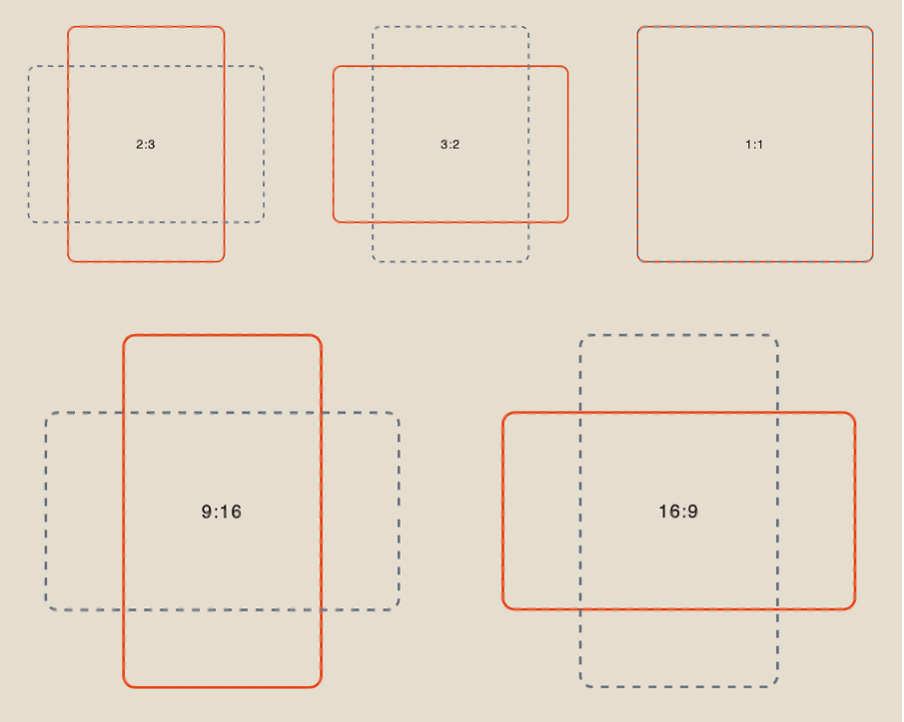
Aspect ratio
When working with a text prompt, you have 5 aspect ratio options to choose from:
Results
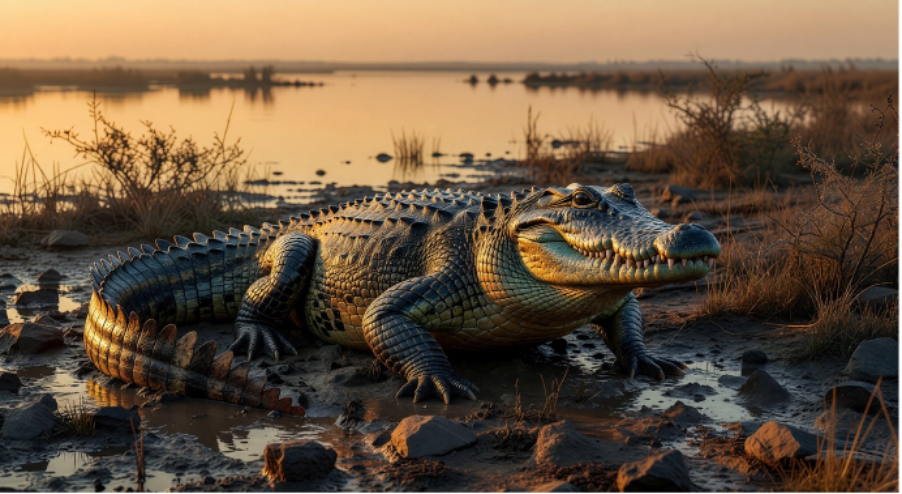
Prompt:
“A realistic crocodile with a powerful body, rough detailed scales, dark green, gray-brown, and swampy coloration, expressive eyes, and a natural alert posture. A natural waterside environment: wet ground, light mud, stones, sparse dry grass, and low bushes, calm water in the background, with a light haze on the horizon. Warm sunset lighting, long soft shadows, a golden-orange atmosphere. Photorealism, cinematic style, high detail, emphasis on skin and scale texture and realistic lighting, a dramatic and tense mood, a sense of wildlife and natural environment.”
Grok Image 1K:
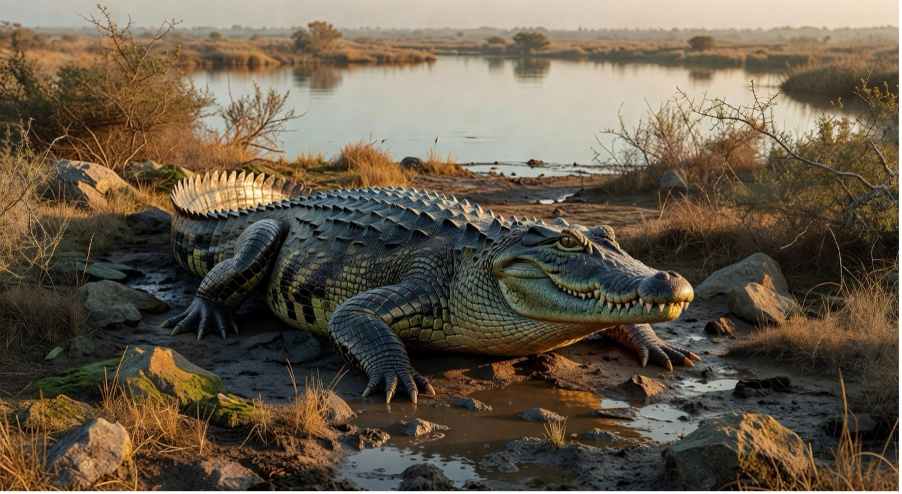
Grok Image 2К:
💥 Step-by-step guide to using Grok Imagine. “Working with references.”
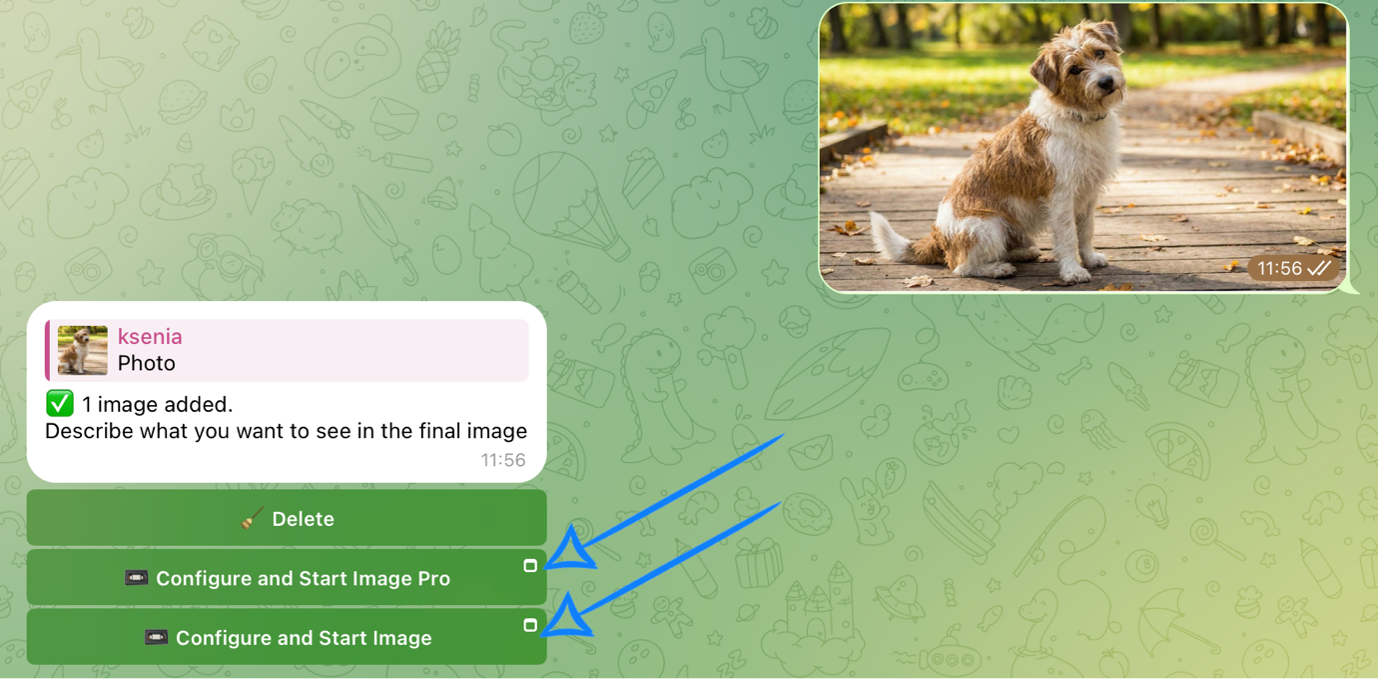
First, when working with images, you need to upload them correctly.
Uploading images
Technical requirements for images:
- You can upload images in JPEG, PNG, and HEIC formats.
- Maximum file size - 19 MB.
Example:
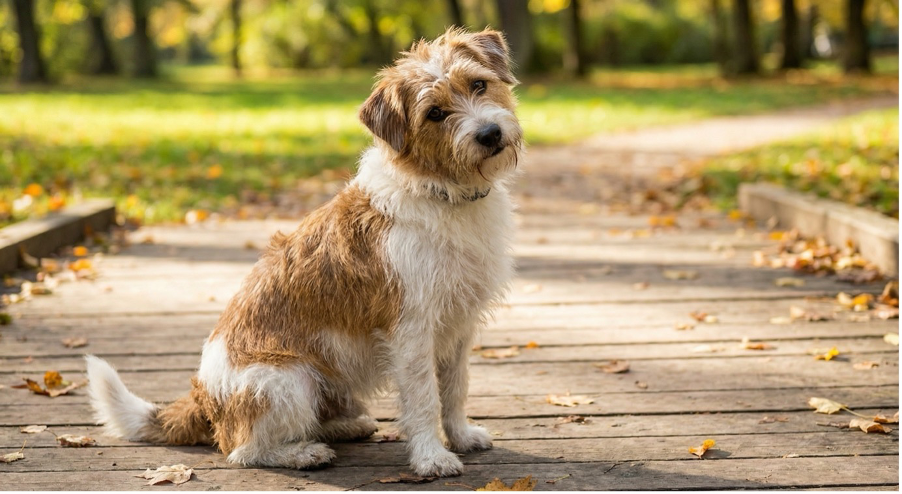
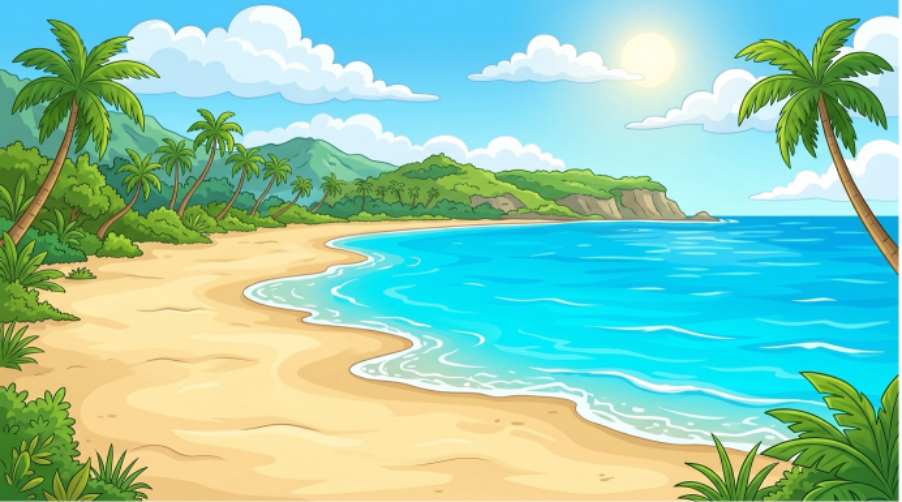
Model selection
Next, you will be offered two models to choose from.
Working with the Grok Image Pro model
Grok Image Pro is a text-to-image generation model with the ability to upload one reference image.
Model settings
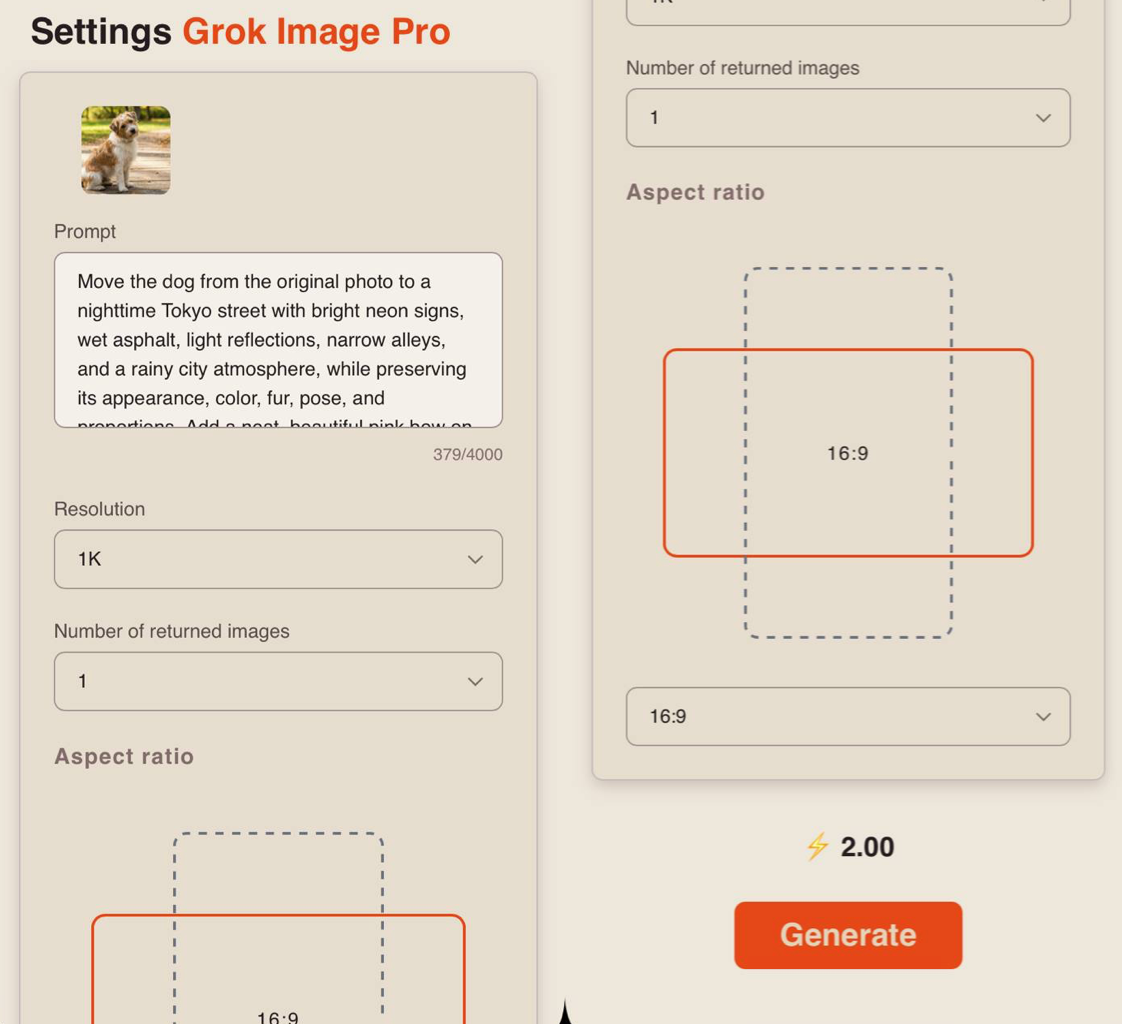
Prompt
When working with reference images, you should write your prompt in this field.
How to write a prompt when using references:
- Specify exactly what should be taken from the image:
“Use the background and lighting from the image.” “Use the character’s pose and positioning from the image.” “Match the color palette of the image.” “Keep the clothing style from the reference.”
Example:
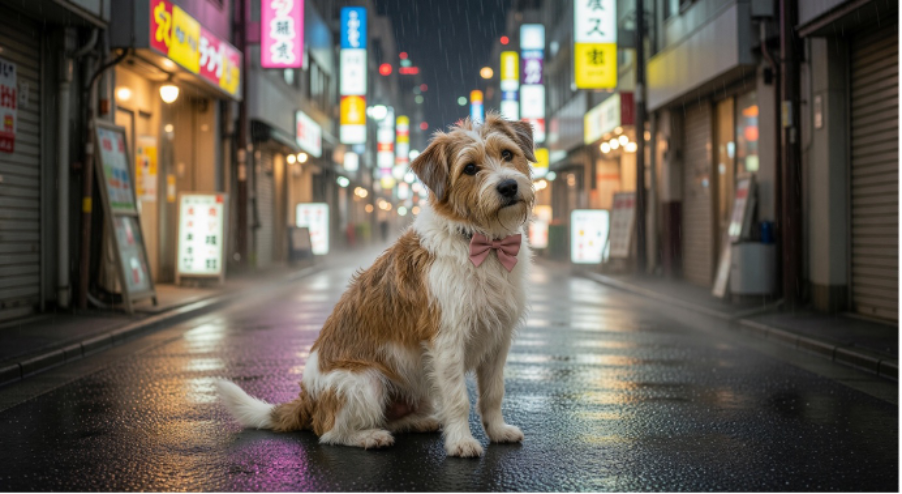
“Move the dog from the original photo to a nighttime Tokyo street with bright neon signs, wet asphalt, light reflections, narrow alleys, and a rainy city atmosphere, while preserving its appearance, color, fur, pose, and proportions.”
- Formulate the prompt
Describe what exactly needs to be generated based on the references:
- Object or scene: what or who should be added
- Details and environment: where it takes place and how it looks
- Lighting and mood: warm, cold, soft, dramatic, etc.
- Image style: realism, watercolor, cartoon, digital art, etc.
Example:
“Add a neat, beautiful pink bow on the neck. Make sure the dog looks natural in the new scene: realistic lighting, shadows, perspective, and scale.”
Example of a full prompt:
“Move the dog from the original photo to a nighttime Tokyo street with bright neon signs, wet asphalt, light reflections, narrow alleys, and a rainy city atmosphere, while preserving its appearance, color, fur, pose, and proportions. Add a neat, beautiful pink bow on the neck. Make sure the dog looks natural in the new scene: realistic lighting, shadows, perspective, and scale.”
Resolution
1K - base resolution for fast generation. Suitable for previews, testing, and simple tasks where high detail is not required.
2K - higher resolution with improved sharpness and image quality. Suitable for final results where detail, clarity, and overall visual quality are important.
Number of returned images
When using this model, you can choose the number of generations from 1 to 5.
❣️Increasing the number of simultaneous generations will also increase the number of tokens consumed.
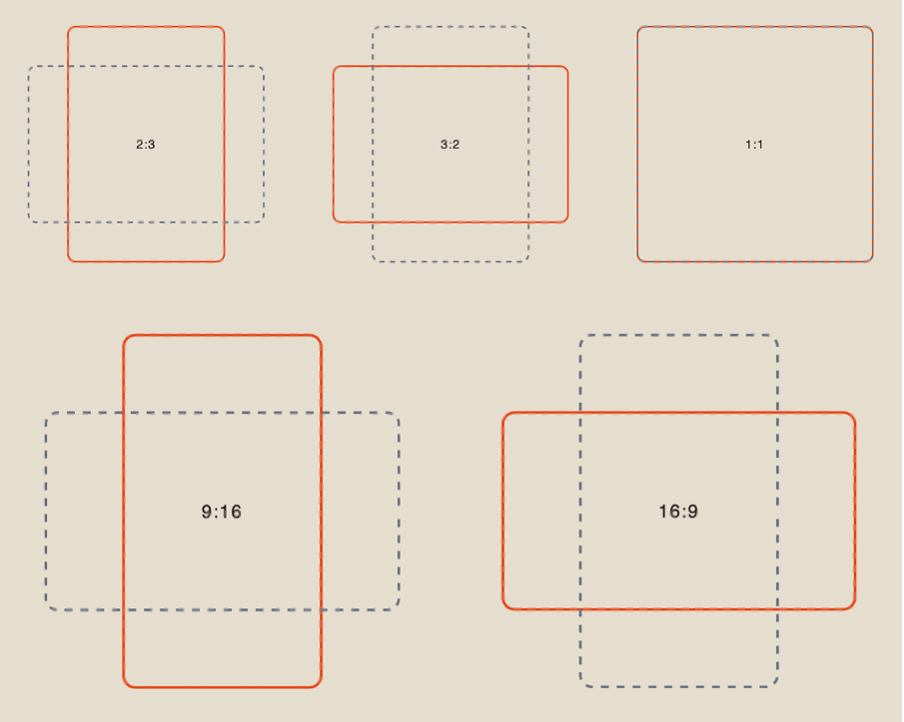
Aspect ratio
When working with a reference, you have 5 aspect ratio options to choose from:
Results
Grok Image Pro 1K:
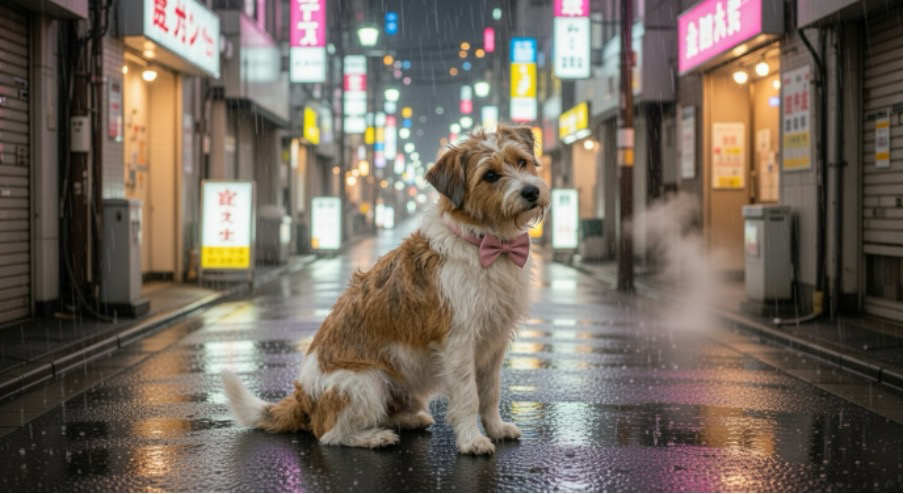
Grok Image Pro 2К:
Working with the Grok Image model
Grok Image is a text-to-image generation model that supports uploading up to three images. It allows you to use multiple references within a single prompt.
Model settings
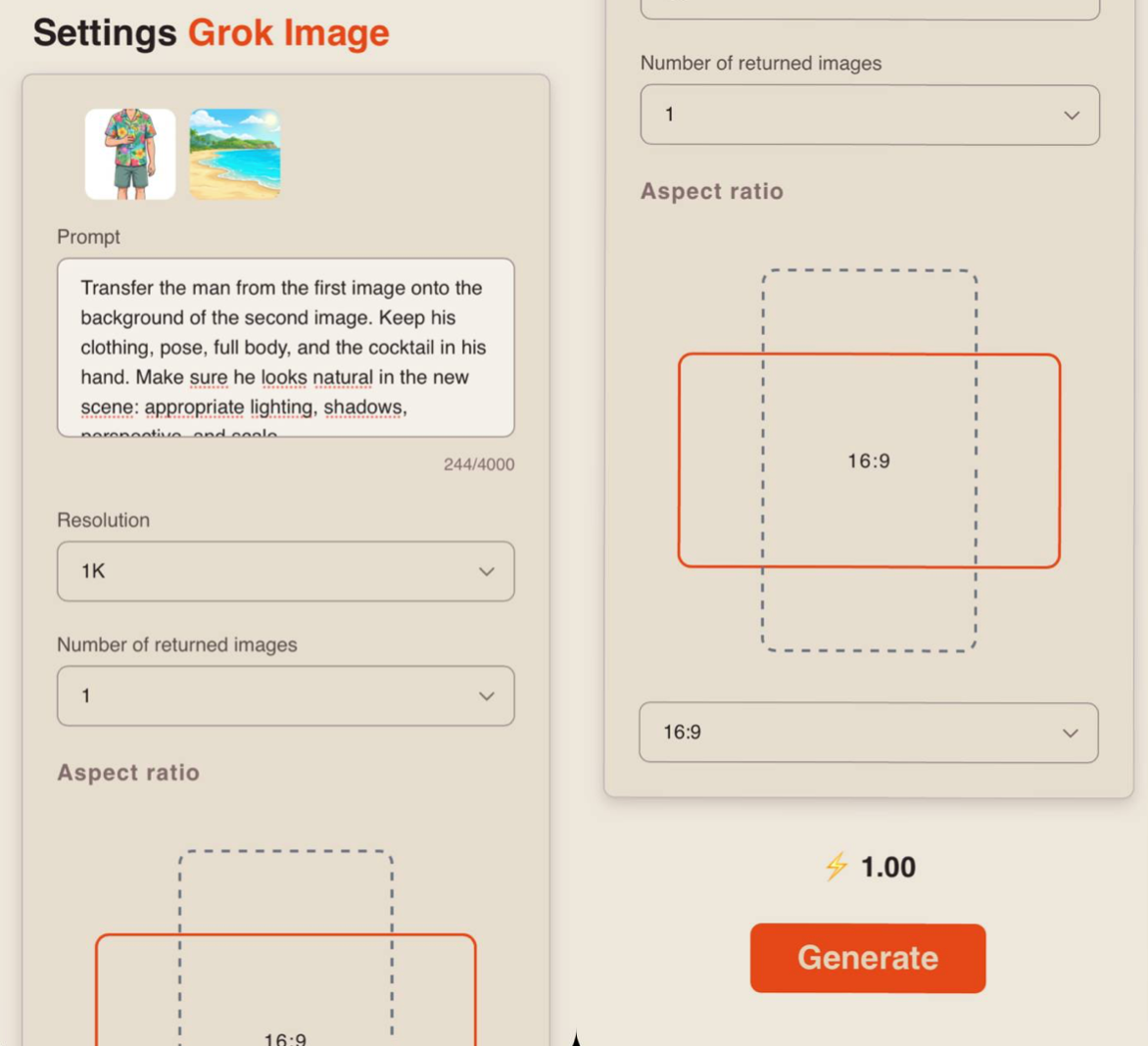
Prompt
When working with references, you need to write your prompt in this field.
How to write a prompt when using references:
- Specify what exactly should be taken from each image:
- “Background and lighting — from image 1”
- “Pose and position of the character — from image 2”
- “Color palette — as in both images”
- “Keep the clothing style from the second reference”
Example:
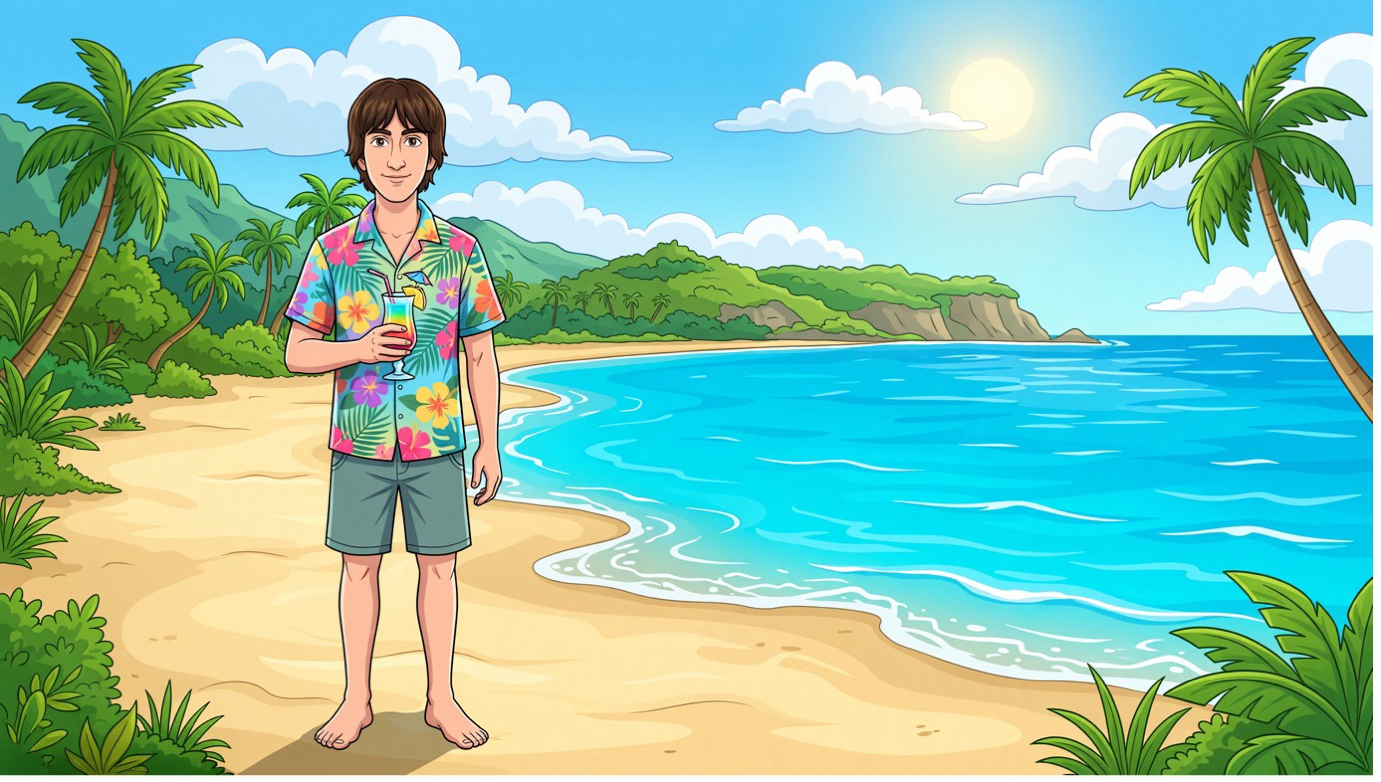
“Transfer the man from the first image onto the background of the second image. Keep his clothing, pose, full body, and the cocktail in his hand.”
- Formulate the prompt
Describe what exactly needs to be generated based on the references:
- Object or scene: what or who should be added
- Details and environment: where it takes place and how it looks
- Lighting and mood: warm, cold, soft, dramatic, etc.
- Image style: realism, watercolor, cartoon, digital art, etc.
Example:
“Make sure he looks natural in the new scene: appropriate lighting, shadows, perspective, and scale.”
Example of a full prompt:
“Transfer the man from the first image onto the background of the second image. Keep his clothing, pose, full body, and the cocktail in his hand. Make sure he looks natural in the new scene: appropriate lighting, shadows, perspective, and scale.”
Resolution
1K - base resolution for fast generation. Suitable for previews, testing, and simple tasks where high detail is not required.
2K - higher resolution with improved sharpness and image quality. Suitable for final results where detail, clarity, and overall visual quality are important.
Number of returned images
When using this model, you can choose the number of generations from 1 to 5.
❣️Increasing the number of simultaneous generations will also increase the number of tokens consumed.
Aspect ratio
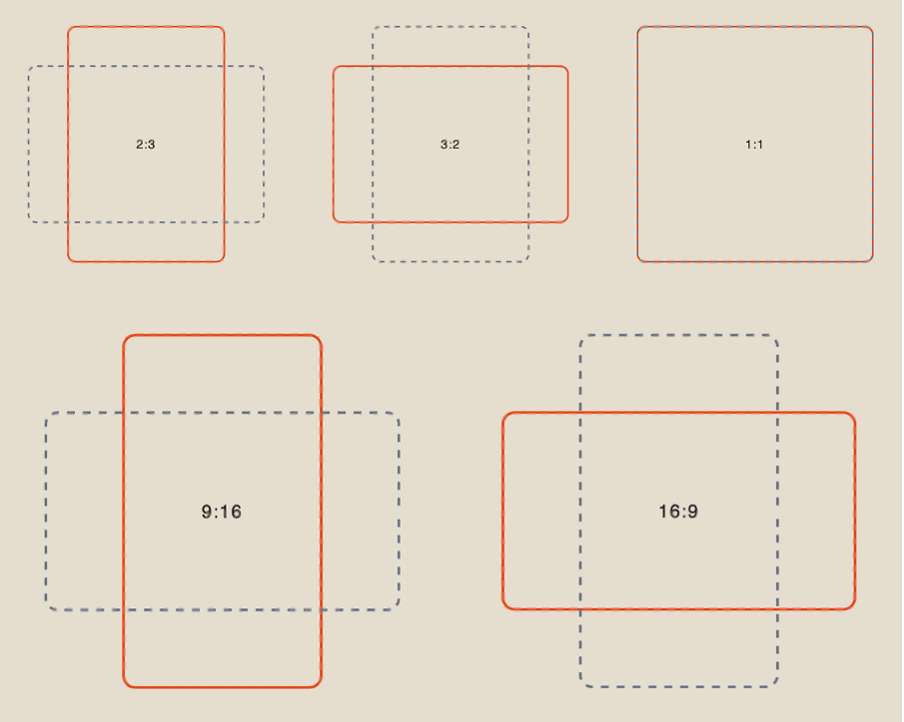
When working with references, you have 5 aspect ratio options to choose from:
Results
Grok Image 1K:
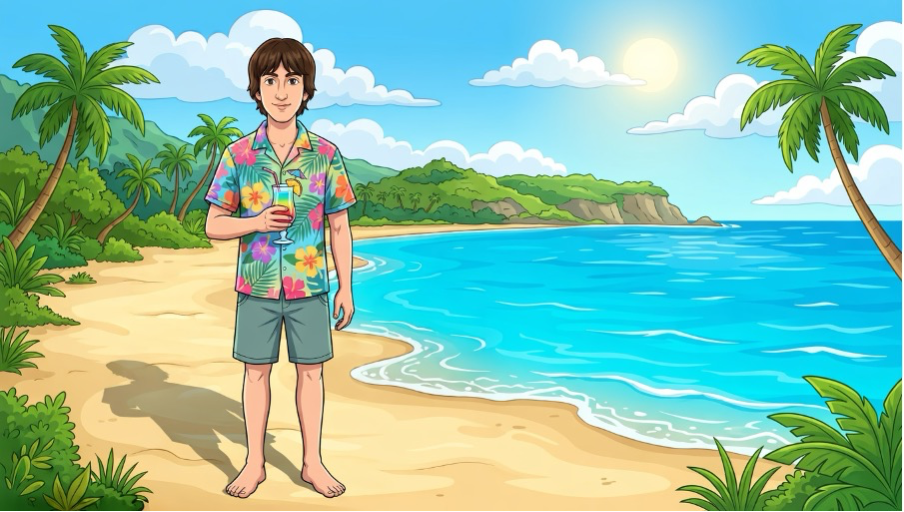
Grok Image 2К:
We hope this guide helps you better understand the capabilities of Grok Imagine and use the tool confidently in your work.
We have aimed to make the learning process as simple and clear as possible. If you run into difficulties along the way, that is completely normal. Experiment, try different approaches, and find what works best for you. With every step, you will get closer to the result you want! 💛
SYNTX AI: Syntx AI
SYNTX Support: Syntx Support
YouTube channel “SYNTX”: Syntx YouTube
SYNTX.AI Academy: SYNTX Academy